ApplyMaterialAll
Apply a material to a GameObject and all its children in the hierarchy with a single drag-and-drop action. Hold Alt while dragging a material onto any object to automatically replace the primary material on all MeshRenderers throughout the hierarchy. Streamlines material assignment workflows for complex hierarchies.
at.ac.fhstp.apply-material-all 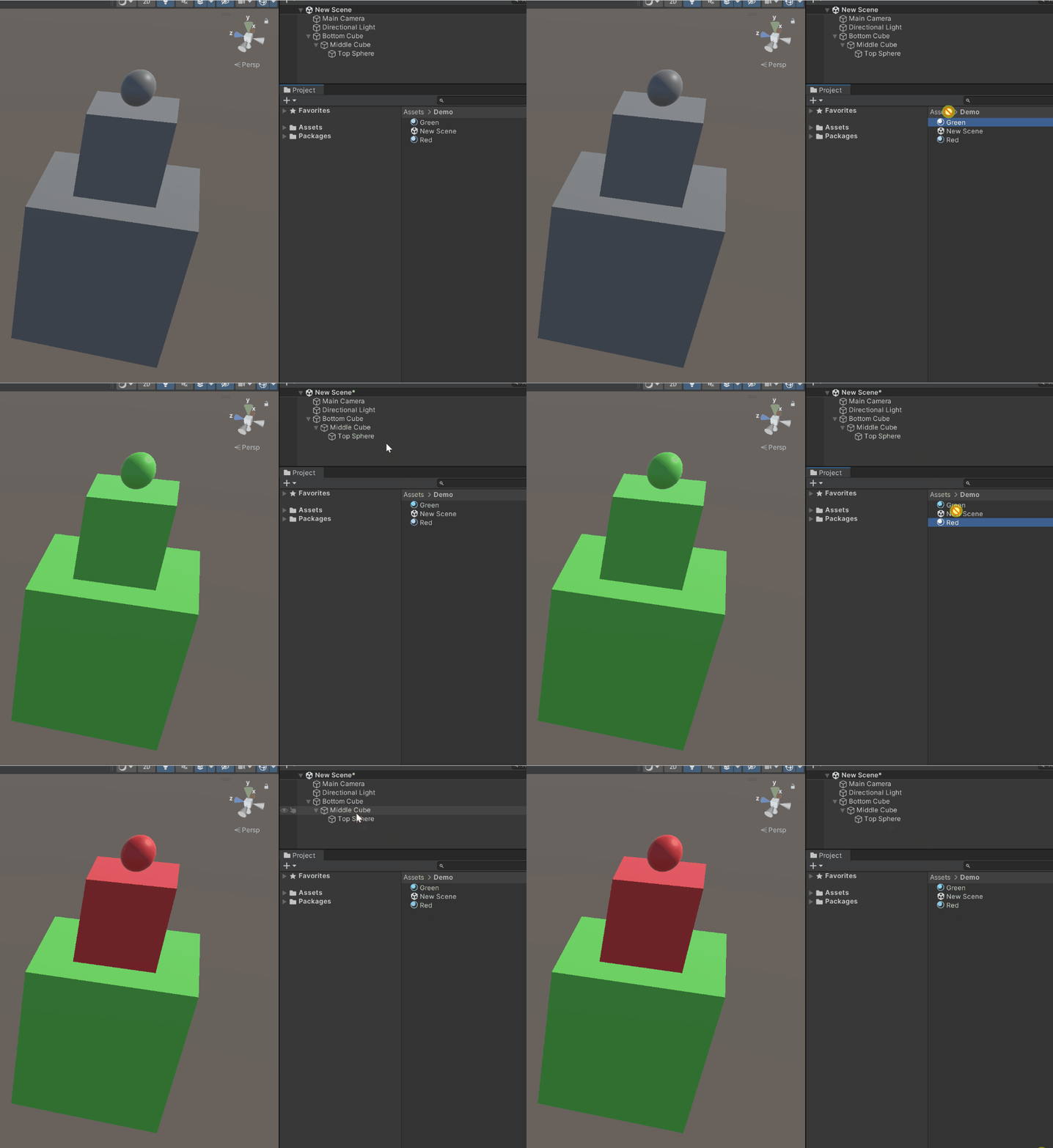
Install via UPM
Add to Unity Package Manager using this URL
https://www.pkglnk.dev/apply-material-all.git README Markdown
Copy this to your project's README.md
Style
Preview 
## Installation
Add **ApplyMaterialAll** to your Unity project via Package Manager:
1. Open **Window > Package Manager**
2. Click **+** > **Add package from git URL**
3. Enter:
```
https://www.pkglnk.dev/apply-material-all.git
```
[](https://www.pkglnk.dev/pkg/apply-material-all)README
unity-apply-material-all



A Unity editor utility for applying a material to all GameObjects in a hierarchy
Usage
Hold Alt while dragging a material onto a game object to apply the material to the game object as well as all its children. This will replace all MeshRenderers primary material.
Installation
Install via openupm using
openupm add at.ac.fhstp.apply-material-all
Comments
No comments yet. Be the first!
Sign in to join the conversation
Sign In