Asset Dependency Graph
An Asset Dependency Graph for Unity
com.harryrose.assetdependencygraph 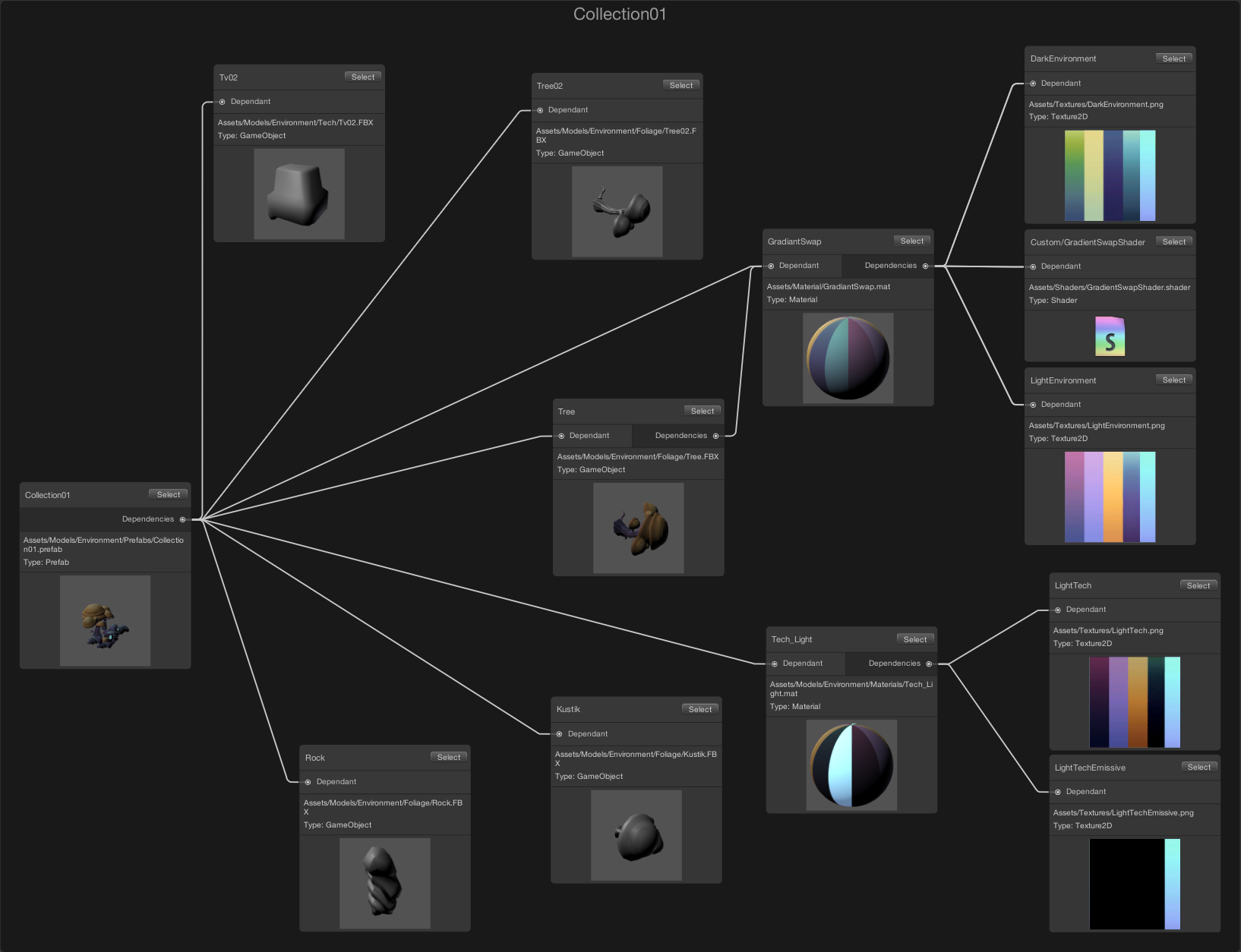
Install via UPM
Add to Unity Package Manager using this URL
https://www.pkglnk.dev/assetdependencygraph.git README Markdown
Copy this to your project's README.md
Style
Preview 
## Installation
Add **Asset Dependency Graph** to your Unity project via Package Manager:
1. Open **Window > Package Manager**
2. Click **+** > **Add package from git URL**
3. Enter:
```
https://www.pkglnk.dev/assetdependencygraph.git
```
[](https://www.pkglnk.dev/pkg/assetdependencygraph)README
Unity - Asset Dependency Graph
New License and Contribution Guidelines: 28/10/2020
This project provides a basic Asset Dependency Graph for Unity using the new GraphView API.
Install instructions
- Close Unity and open the
Packages/manifest.jsonfile - Add
"com.harryrose.assetdependencygraph": "https://github.com/Unity-Harry/Unity-AssetDependencyGraph.git",to thedependenciessection
Usage
The Asset Dependency Graph Window can be opened via the Window > Analysis >Asset Dependency Graph file menu
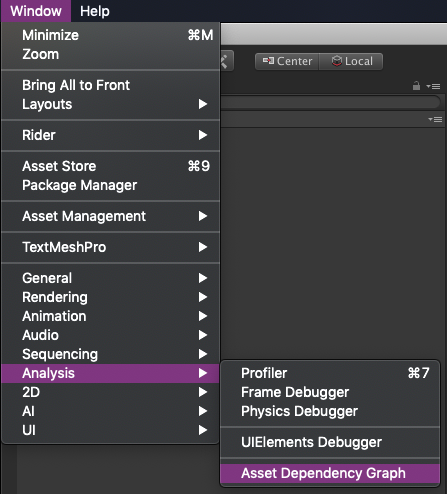
Once the window is open:
- Select the root asset you want to inspect in the Project window
- Click the
Explore Assetbutton in the graph window
Any questions? Ask @peanutbuffer
Tested against
2019.2, 2019.1, 2018.4, 2018.3
No comments yet. Be the first!