BlueGraph
BlueGraph is a node-based visual scripting framework that enables developers to create complex logic through a visual editor. Built on Unity's modern UI framework with strict data typing, safe casting, and a modular architecture, it supports extensible workflows through simple C# attributes on fields. Ideal for gameplay systems, state machines, and visual logic design without sacrificing performance or flexibility.
com.github.mcmanning.bluegraph 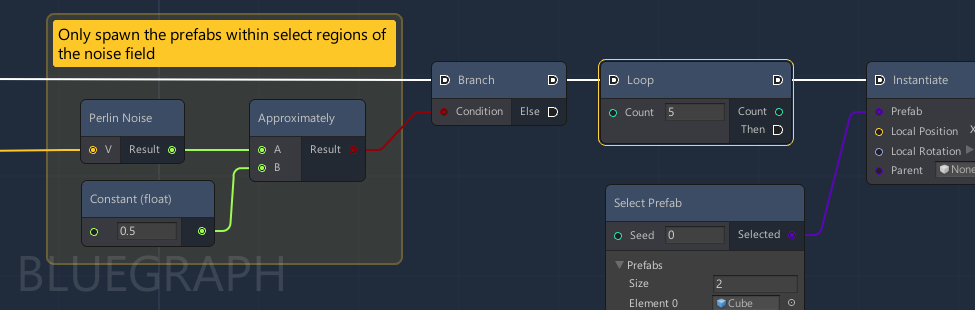
Install via UPM
Add to Unity Package Manager using this URL
https://www.pkglnk.dev/bluegraph.git README Markdown
Copy this to your project's README.md

## Installation
Add **BlueGraph** to your Unity project via Package Manager:
1. Open **Window > Package Manager**
2. Click **+** > **Add package from git URL**
3. Enter:
```
https://www.pkglnk.dev/bluegraph.git
```
[](https://www.pkglnk.dev/pkg/bluegraph)README
BlueGraph
Check out BlueGraph-Samples for a starter project with a suite of different use cases and examples.
The core framework is built to be simple and extendable - supporting different workflows and requirements for different types of graphs.
Features
- Node-based visual editor built on top of Unity's modern UI framework
- Strict data types for ports and safe cast support
- Simple node development process through C# attributes on fields
- Modular design - use features that you need or extend to add additional features
Getting Started
If you want to play around with different examples, check out the BlueGraph-Samples project.
Requirements
Requires Unity version 2019.3 or above.
Installing with Unity Package Manager
In Package Manager click Add package from git URL and use the following:
https://github.com/McManning/BlueGraph.git
You can also download one of the release versions and add that to your Packages directory.
Creating Graphs and Nodes
Check out Getting Started on the wiki.
Similar Projects
xNode is the original inspiration for this project and has a similar API.
Bolt is a general purpose scripting platform supported by Unity Technologies.
Comments
No comments yet. Be the first!
Sign in to join the conversation
Sign In