Bullet Storm
BulletStorm is an editor tool for designing danmaku (bullet patterns) in 3D STG games. It provides a comprehensive graphical interface for creating and controlling complex bullet patterns without requiring code knowledge. The package supports Unity's built-in particle system and GameObjects through a flexible IBulletSystem interface, allowing you to design intricate danmaku patterns visually from emission through runtime control.
com.canstudio.bullet-storm 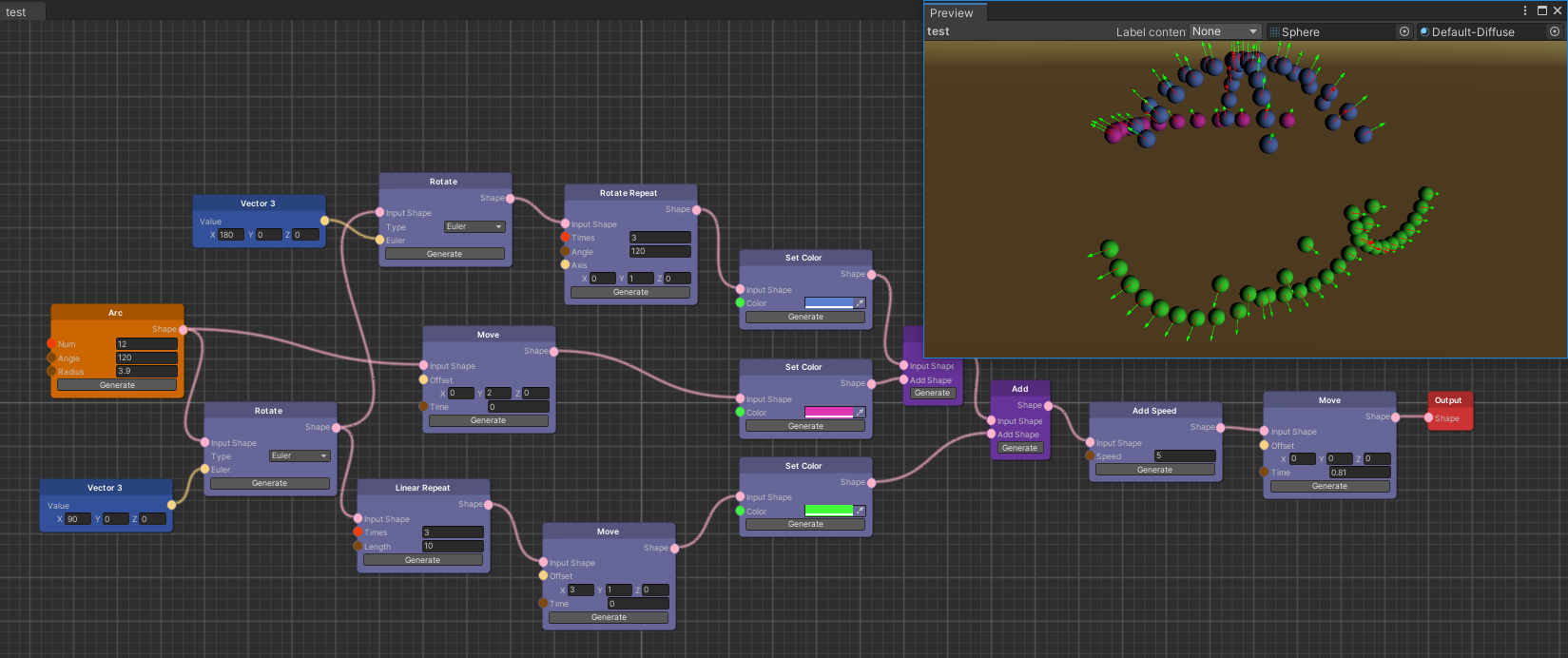
Install via UPM
Add to Unity Package Manager using this URL
https://www.pkglnk.dev/bullet-storm.git#upm README Markdown
Copy this to your project's README.md

## Installation
Add **Bullet Storm** to your Unity project via Package Manager:
1. Open **Window > Package Manager**
2. Click **+** > **Add package from git URL**
3. Enter:
```
https://www.pkglnk.dev/bullet-storm.git#upm
```
[](https://www.pkglnk.dev/pkg/bullet-storm)README
BulletStorm

点击查看中文介绍
BulletStorm is an editor tool for danmaku (or say barrage) design in 3D STG games.
It provides full graphic user interface for your workflow, from emission to runtime control. You can easily design danmaku in your game without code knowledge base.
BulletStorm is a high level danmaku manage system, it doesn't care about how the danmaku is implemented. Every class (particle system, game object, or anything else) that implements BulletSystem.IBulletSystem can be a danmaku implementation. However, BulletStorm provides support for Unity build-in particle system and GameObject, so you don't need to implement them by yourself.
Installation
BulletStorm is easy to install, you can use any of following methods to install it.
OpenUPM (Recommended)
If you are new to OpenUPM, install openupm-cli first.
Go to your Unity project root folder (you can find an
Assetsfolder under it), run this command:openupm add com.canstudio.bullet-stormOpen your Unity editor, BulletStorm should be installed successfully.
UPM
If you haven't installed Git, download and install it here: download Git
Open your Unity editor, open
Window -> Package Managerin the toolbar.In Package Manager, click
+ -> add package from git URLin the top left corner.Add following packages:
"com.dbrizov.naughtyattributes": "https://github.com/dbrizov/NaughtyAttributes.git#upm""com.github.siccity.xnode": "https://github.com/siccity/xNode.git""com.canstudio.bullet-storm": "https://github.com/SUSTech-CANStudio/bullet-storm-unity.git#upm"
Use this as template
If you are going to create a new project, you can simply use this repository as template.
- Download source code in master branch with your favorite method.
- Open it as Unity project.
Overview
Shape Editor
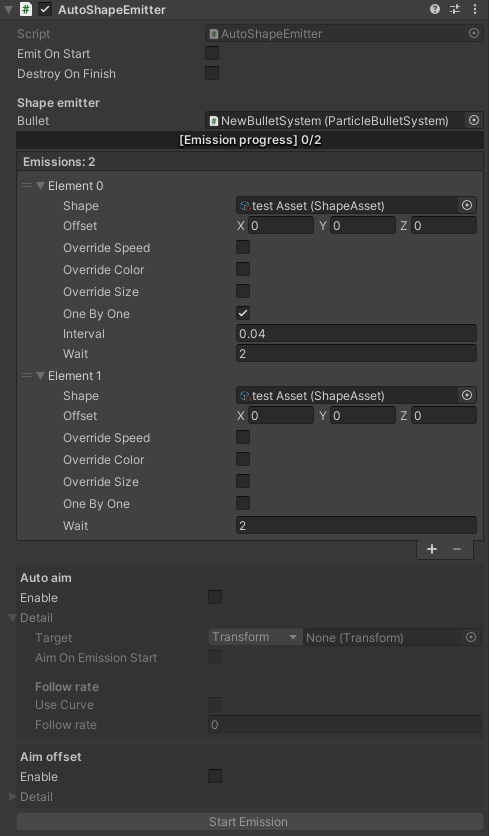
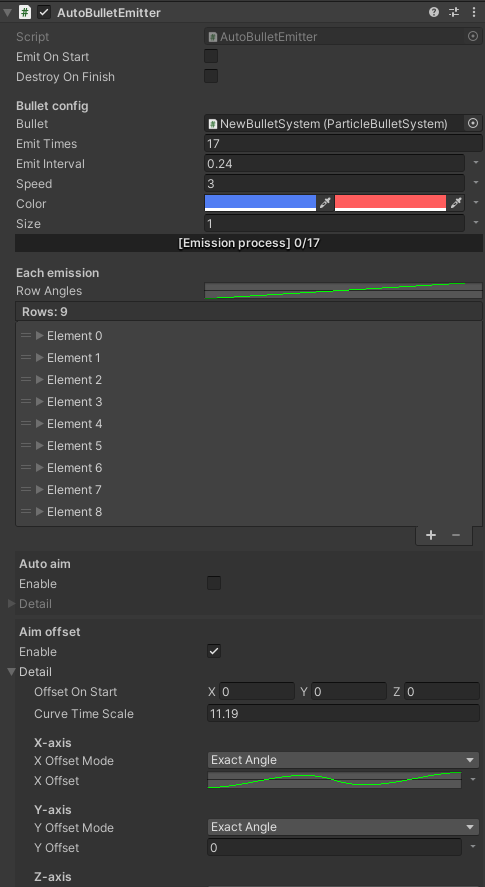
Auto Emitters
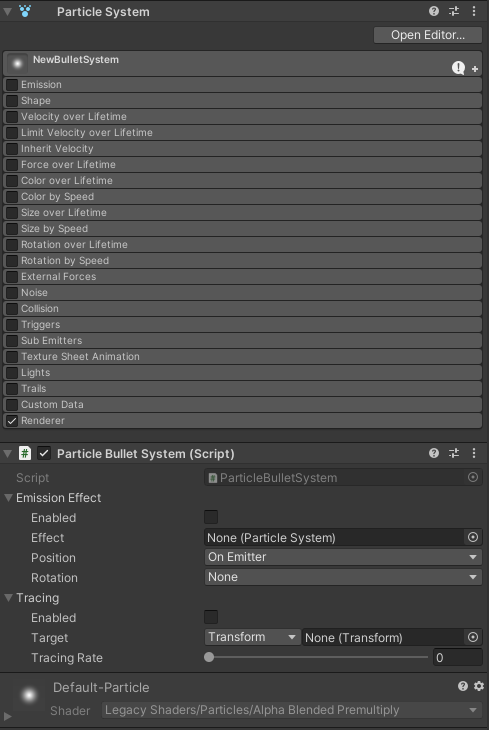
Build-in Particle System Support
No comments yet. Be the first!