集合扩展
为 C# 的标准集合库提供了一系列有用的扩展和补充数据结构,包含二叉堆(Heap)、双向字典(BiDictionary)和列表洗牌算法等。
com.dreemurrstudio.collectionextension 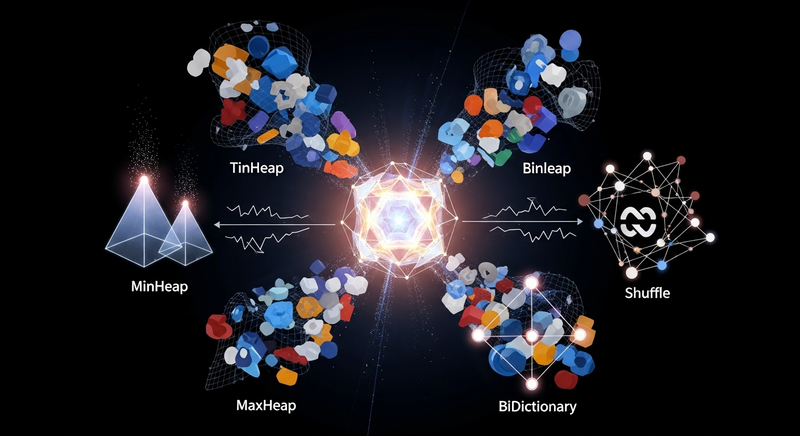
Install via UPM
Add to Unity Package Manager using this URL
https://www.pkglnk.dev/collectionextension.git README Markdown
Copy this to your project's README.md
Style
Preview 
## Installation
Add **集合扩展** to your Unity project via Package Manager:
1. Open **Window > Package Manager**
2. Click **+** > **Add package from git URL**
3. Enter:
```
https://www.pkglnk.dev/collectionextension.git
```
[](https://www.pkglnk.dev/pkg/collectionextension)README
C# 集合扩展模块 (Collection Extension)
概述
本模块为 C# 的标准集合库提供了一系列有用的扩展和补充数据结构,旨在简化开发中常见的列表扩展需求,如实现优先队列、管理双向映射关系和对列表进行随机排序
核心功能
列表扩展 (
ListExtension):- 提供了
Shuffle<T>扩展方法,可使用 Fisher-Yates 算法对任何IList<T>集合进行高效的原地洗牌 - 支持传入可选的随机种子以实现可复现的乱序结果
- 提供了
堆数据结构 (
Heap):- 提供了
MinHeap<T>(最小堆) 和MaxHeap<T>(最大堆) 两种实现,是构建高效优先队列的理想选择 - 要求集合中的元素实现
IHeapItem<T>接口
- 提供了
双向字典 (
BiDictionary):- 一个保证键和值都唯一的双向映射字典,允许通过键获取值,也允许通过值反向获取键
快速开始
1. 列表随机洗牌 (Shuffle)
直接在任何实现了 IList<T> 的集合(如 List<T> 或数组 T[])上调用 Shuffle() 方法
using DreemurrStudio.CollectionExtension;
using System.Collections.Generic;
using UnityEngine;

public class CardDeck : MonoBehaviour
{
    void Start()
    {
        var cards = new List<string> { "Ace", "King", "Queen", "Jack", "10" };
        Debug.Log("洗牌前: " + string.Join(", ", cards));

        // 对列表进行原地洗牌
        cards.Shuffle();

        Debug.Log("洗牌后: " + string.Join(", ", cards));
    }
}
2. 双向字典 (BiDictionary)
当你需要维护一个严格的一对一映射关系时,BiDictionary 非常有用
using UnityEngine;

public class UserIDManager : MonoBehaviour
{
    void Start()
    {
        var userMappings = new BiDictionary<int, string>();

        userMappings.Add(101, "Alice");
        userMappings.Add(102, "Bob");

        // 通过 ID (T1) 获取用户名 (T2)
        string username = userMappings[101]; // -> "Alice"
        Debug.Log("用户ID 101 是: " + username);

        // 通过用户名 (T2) 反向获取 ID (T1)
        int userID = userMappings["Bob"]; // -> 102
        Debug.Log("用户 'Bob' 的ID是: " + userID);

        // 尝试获取一个不存在的键
        if (userMappings.TryGetValue("Charlie", out int charlieID))
        {
            // 不会执行
        }
    }
}
3. 堆 (Heap) 与优先队列
堆是实现优先队列(例如 A* 寻路算法中的开放列表)的完美数据结构。下面以 MinHeap 为例,数值越小的元素优先级越高
步骤 1: 创建可堆叠的项
首先,创建一个类并实现 IHeapItem<T> 接口
using DreemurrStudio.CollectionExtension;

// 示例:一个用于寻路的节点类
public class PathNode : IHeapItem<PathNode>
{
    public int gCost;
    public int hCost;
    public int fCost => gCost + hCost;

    // IHeapItem 接口要求实现的属性
    public int HeapIndex { get; set; }

    // IHeapItem 接口要求实现的比较方法
    // 在这个例子中,我们比较 fCost,fCost 越小,优先级越高
    public int CompareTo(PathNode other)
    {
        int compare = fCost.CompareTo(other.fCost);
        if (compare == 0)
        {
            // 如果 fCost 相同,则比较 hCost
            compare = hCost.CompareTo(other.hCost);
        }
        // 返回负数表示当前实例优先级更高,正数表示 other 优先级更高
        return -compare;
    }
}
步骤 2: 使用 MinHeap
现在可以在你的算法中使用 MinHeap 来管理这些节点
using DreemurrStudio.CollectionExtension;
using UnityEngine;

public class Pathfinding : MonoBehaviour
{
    void Start()
    {
        // 创建一个最大容量为50的最小堆
        var openSet = new MinHeap<PathNode>(50);

        // 创建一些节点并加入堆中
        var nodeA = new PathNode { gCost = 10, hCost = 5 }; // fCost = 15
        var nodeB = new PathNode { gCost = 5, hCost = 7 };  // fCost = 12
        var nodeC = new PathNode { gCost = 12, hCost = 4 }; // fCost = 16

        openSet.Push(nodeA);
        openSet.Push(nodeB);
        openSet.Push(nodeC);

        // 堆中现在有3个节点
        Debug.Log("堆中元素数量: " + openSet.Count);

        // 取出优先级最高的节点 (fCost 最小的)
        PathNode bestNode = openSet.Pop(); // -> nodeB (fCost=12)
        Debug.Log("取出的最优节点 fCost: " + bestNode.fCost);

        // 堆中还剩2个节点
        Debug.Log("剩余元素数量: " + openSet.Count);
    }
}
No comments yet. Be the first!