Consolation
Consolation displays Debug output directly in your running game, making it easy to retrieve logs and warnings without access to the editor. Features include keyboard toggle (backtick key), shake-to-open for mobile devices, and configurable settings for font size and log limits. Fully self-contained in a single script and compatible with Unity 2017.x and above.
com.matthewminer.consolation 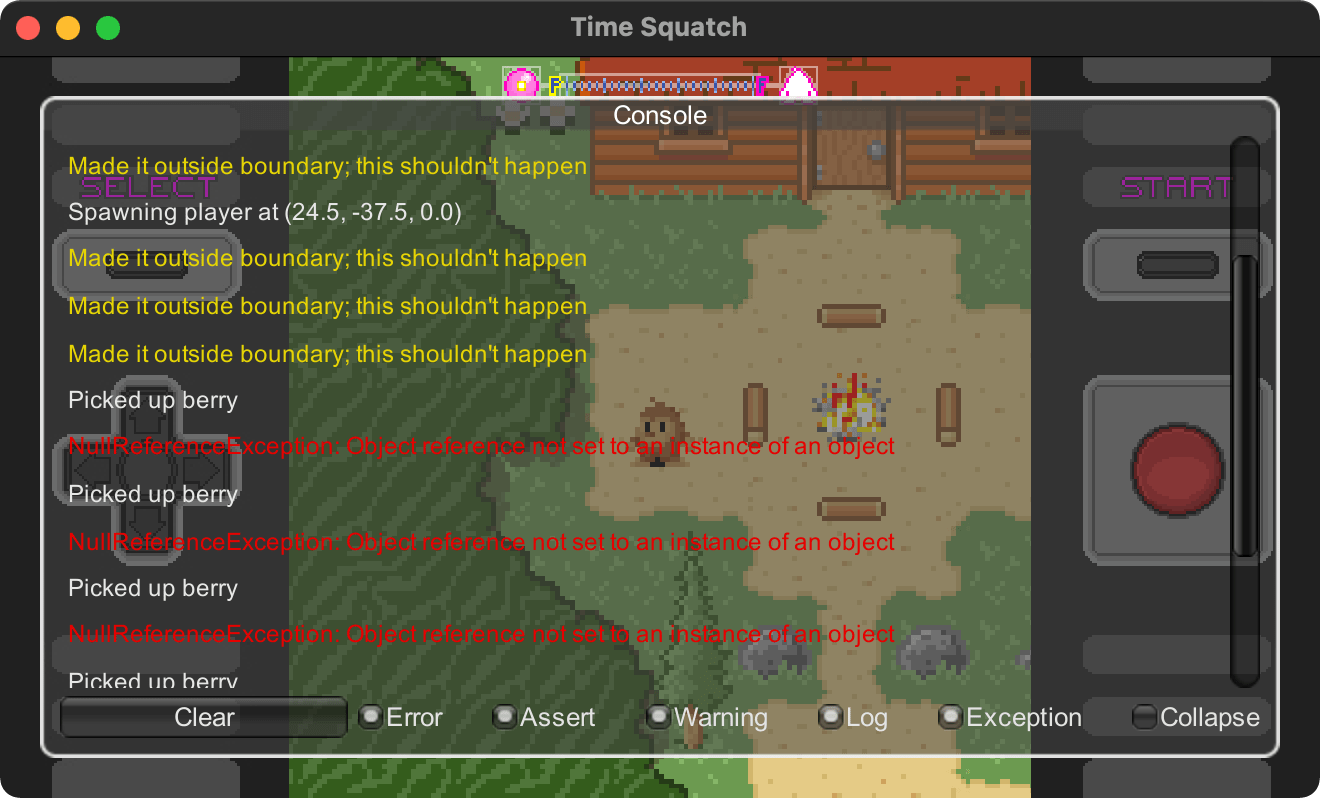
Install via UPM
Add to Unity Package Manager using this URL
https://www.pkglnk.dev/consolation.git README Markdown
Copy this to your project's README.md

## Installation
Add **Consolation** to your Unity project via Package Manager:
1. Open **Window > Package Manager**
2. Click **+** > **Add package from git URL**
3. Enter:
```
https://www.pkglnk.dev/consolation.git
```
[](https://www.pkglnk.dev/pkg/consolation)README
Consolation
It's difficult to retrieve logs and warnings from Unity outside the editor. To
make it easier, this console displays output from Debug in the game itself.
This is especially useful on mobile devices.
Installing
Copy Script
The Console component is entirely self-contained in Console.cs, so
installation is as simple as dragging this script into your project.
Unity Package Manager
Add the package to your project via UPM using the Git URL:
https://github.com/mminer/consolation.git
- Open the Package Manager window in Unity (Window > Package Manager)
- Click the "+" button in the top-left corner
- Select "Install package from git URL..."
- Enter the above Git URL
- Click "Install"
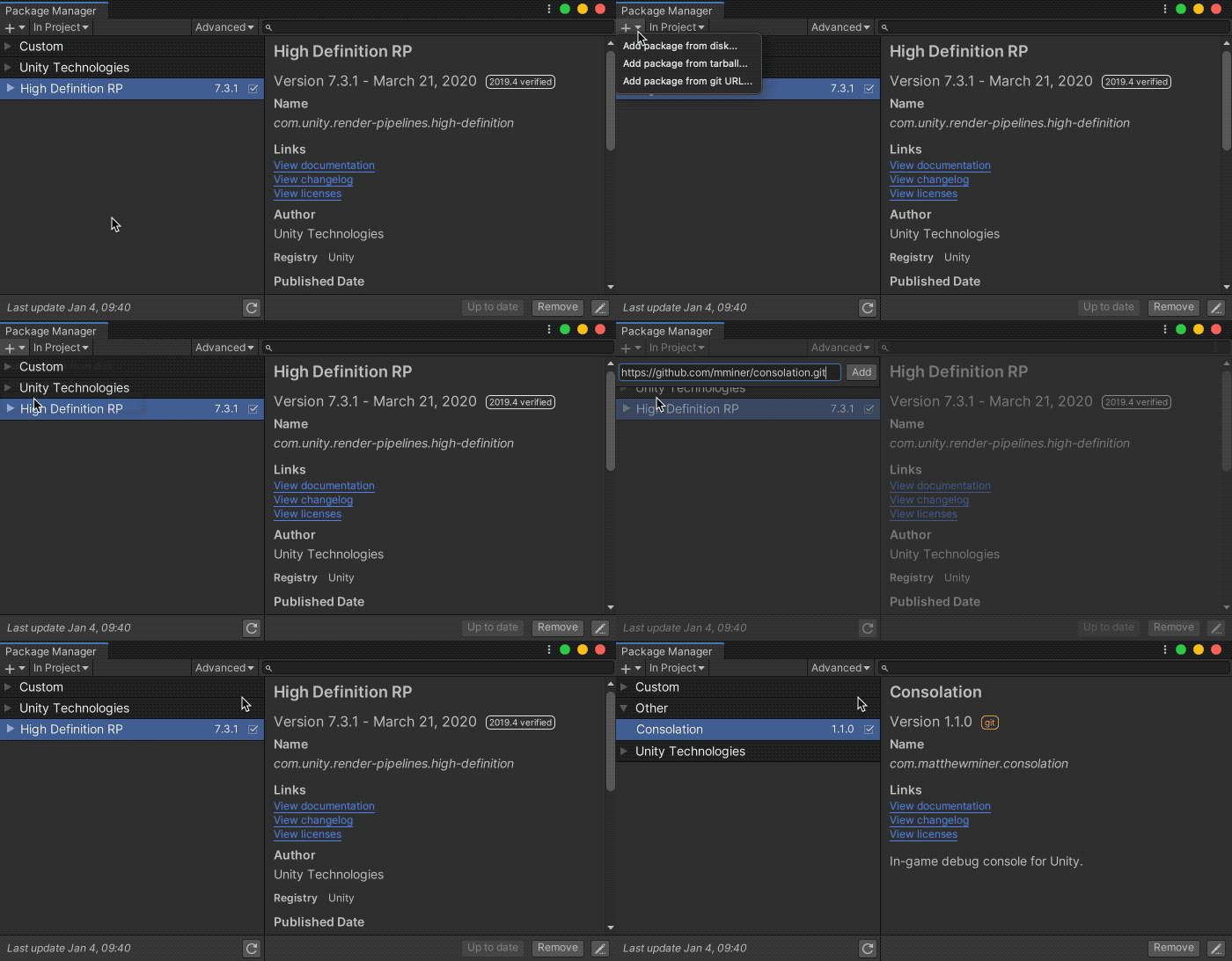
Alternatively, add the following line to your Packages/manifest.json file:
{
  "dependencies": {
    "com.matthewminer.consolation": "https://github.com/mminer/consolation.git",
    ...
  }
}
You can also clone the repository and point UPM to your local copy.
Using
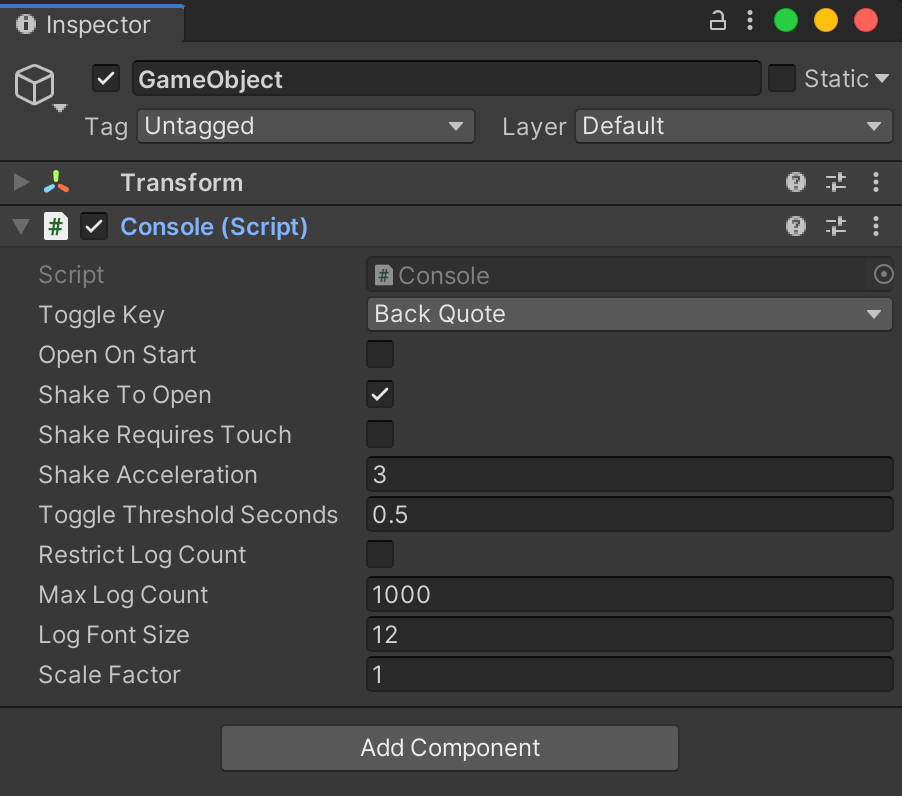
Attach the Console component to a game object. When playing your game, open
the console window with the back quote key `. This shortcut is
configurable in the inspector.
Alternatively, enable shake-to-open in the inspector to open the console on mobile devices. The component provides an option to prevent accidental shakes by requiring 3 or more fingers on the screen.
Several other settings like font size and the maximum log count are also configurable in the inspector.
Compatibility
Supports Unity 2017.x and above. It hasn't been tested on all the platforms that Unity supports but it probably works on most.
No comments yet. Be the first!