Create Unity Package
Automate Unity Package Manager compatible package creation with pre-configured folder structure and CI/CD integration. Scaffolds new projects with proper Assembly definitions, sample organization, and semantic versioning through GitHub Actions for streamlined package distribution and version management.
create-unity-package 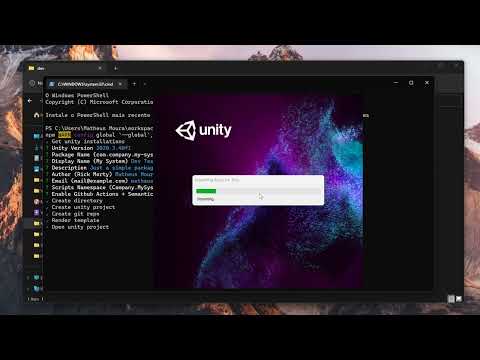
Install via UPM
Add to Unity Package Manager using this URL
https://www.pkglnk.dev/create-unity-package.git README Markdown
Copy this to your project's README.md

## Installation
Add **Create Unity Package** to your Unity project via Package Manager:
1. Open **Window > Package Manager**
2. Click **+** > **Add package from git URL**
3. Enter:
```
https://www.pkglnk.dev/create-unity-package.git
```
[](https://www.pkglnk.dev/pkg/create-unity-package)Dependencies (8)
README

Create Unity Package
This tool automates the process of creating a Unity Package compatible with Package Manager. Complete the form and the tool will create the new unity project, folders, and Assembly for you.
Installation
Just type npx create-unity-package, npm auto install all dependencies for you.
Template structure
Assets/
├── Package -------------------------- Package content
│   ├── Editor ----------------------- Editor only
│   ├── Tests ------------------------ Editor only + Unit Tests
│   └── Runtime ---------------------- MultiPlatform assets,
│       └── Samples ------------------ Samples is renamed to ~Samples in CI
│           ├── SampleA
│           └── SampleB
├── Scripts -------------------------- Stagging files
├── Sprites -------------------------- Stagging files
└── Models --------------------------- Stagging files
CI
When CI is enabled, Package folder inside Assets will be deployed to branch upm.
You can install deployed package in Unity Package Manager using:
https://github.com/USER_NAME/REPO.git#upm
Change
USER_NAMEandREPOto you git
Generated project uses semantic-release to auto create tags, releases and change log, therefore, you also can specifiy version code:
https://github.com/USER_NAME/REPO.git#VERSION
Change
VERSIONto1.0.0or other release from you repo.
See semantic-release for more details.
GITHUB_TOKEN
CI's needs GitHub token to create releases and tags in your name.
Go to Personal Tokens https://github.com/settings/tokens and create new Classic Token with this permissions:
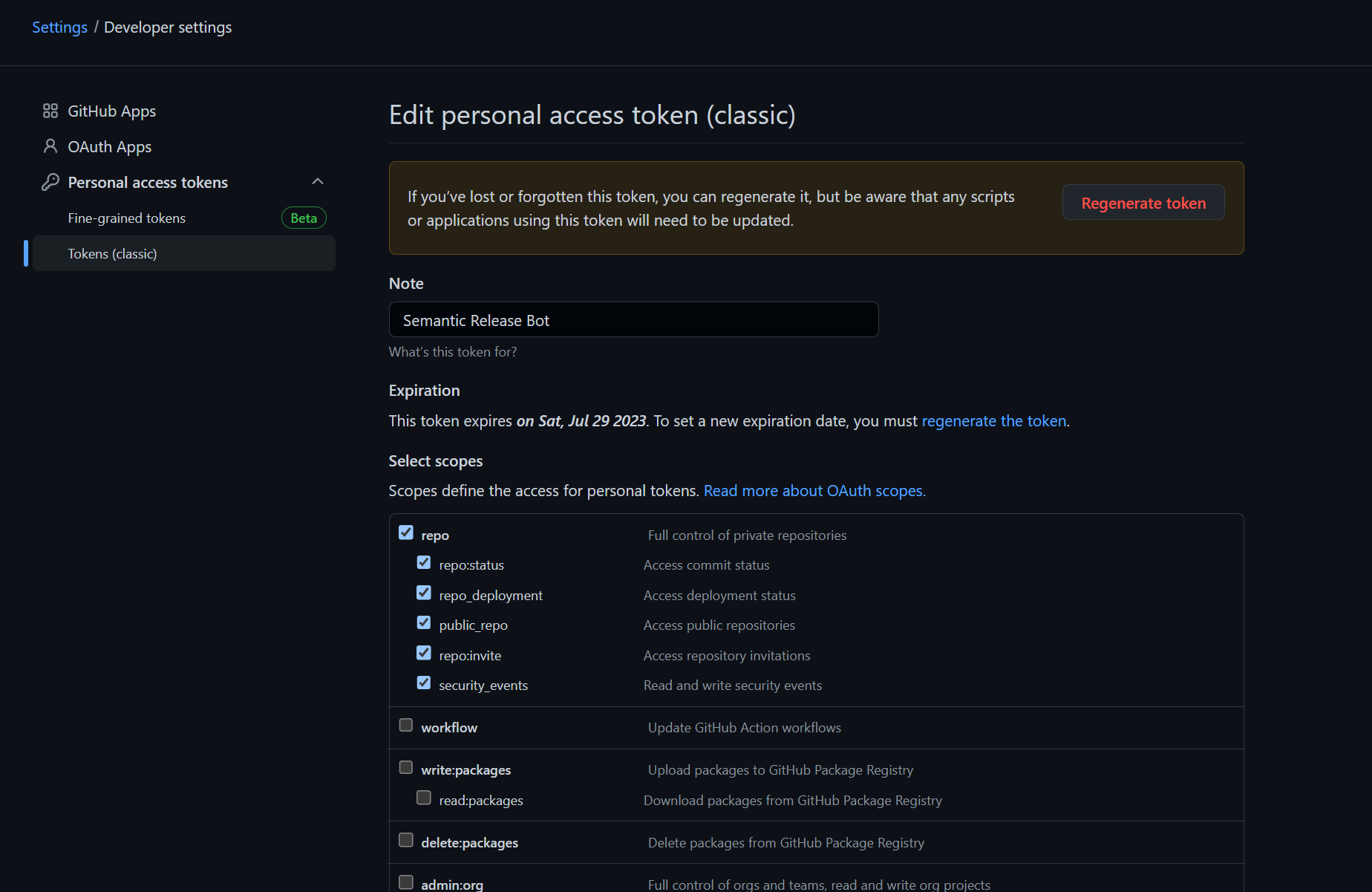
Before, paste token content in github secrets with name GITHUB_TOKEN
No comments yet. Be the first!