Create Script Dialog

A wizard that lets you create scripts from useful templates, with correct namespaces and asmdefs/asmrefs support.
com.roytheunissen.createscriptdialog Install via UPM
Add to Unity Package Manager using this URL
https://www.pkglnk.dev/createscriptdialog.git 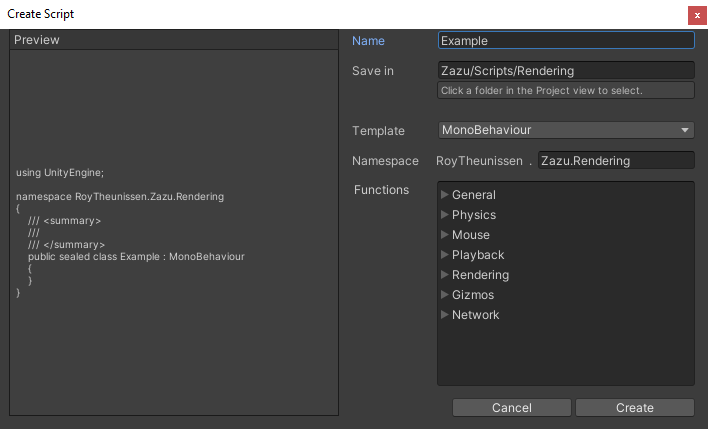
README Markdown
Copy this to your project's README.md

## Installation
Add **Create Script Dialog** to your Unity project via Package Manager:
1. Open **Window > Package Manager**
2. Click **+** > **Add package from git URL**
3. Enter:
```
https://www.pkglnk.dev/createscriptdialog.git
```
[](https://www.pkglnk.dev/pkg/createscriptdialog)README





Wizard that lets you create new script files with useful templates, automatic namespaces, and asmdef/asmref support.
About the Project
Creating a new script is kind of a chore. Especially creating an editor script, and especially if you have asmdefs in your project.
You just want to make a simple custom inspector but now you have to:
- Create a new Editor folder next to the original script
- Create a new Editor script probably by duplicating an existing one (waiting for recompilation...) and then moving it (recompiling again...)
- Then you rename the file, rename the class and update the
[CustomEditor]attribute above it. - If you use asmdefs, you now also need to create a .asmref file that references the correct .asmdef.
- Maybe there is no Editor.asmdef yet, so before all that you have to make a new one.
- Make a new folder again
- Create a dummy script because .asmdef folders can't be empty
- Then create a new .asmdef
- THEN you can make your .asmref
TEDIOUS, I SAY
This is what all of that looks like with the Create Script Dialog. Just right-click, Create>Script... and press Create:
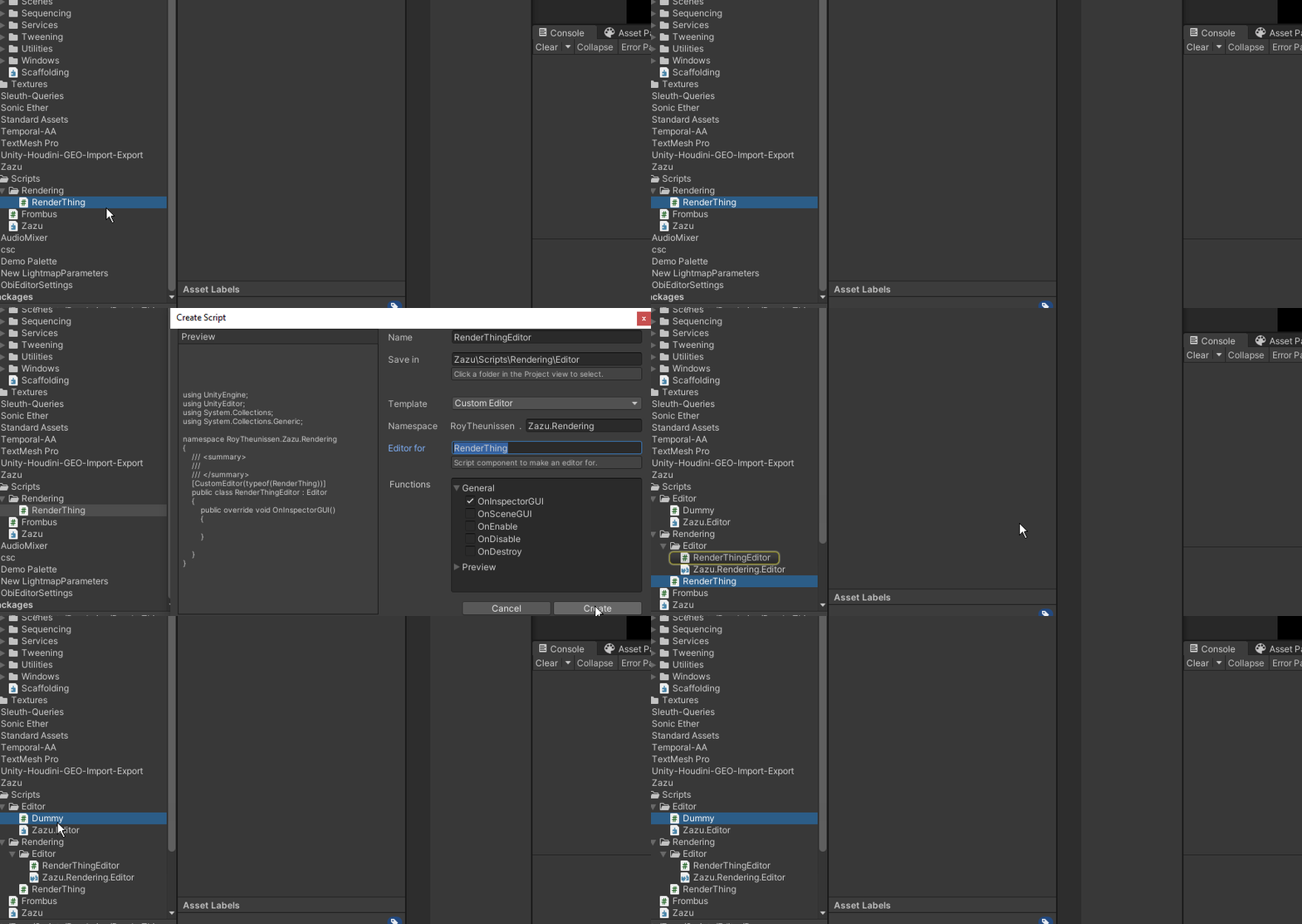
Getting Started
- Right click a folder and select
Create>Script...to open the dialog. - Fill in the namespace if the automatic suggestion is not to your liking.
- Choose the appropriate template. It will automatically suggest an
EditororPropertyDrawertemplate if you right-clicked on an existing script. - Press Create and the file, folder and any .asmdef shenanigans will be taken care of.
Compatibility
Older Unity versions haven't been tested thoroughly, but this tool has been around for a while so it'll probably work fine in older versions.
Installation
Package Manager
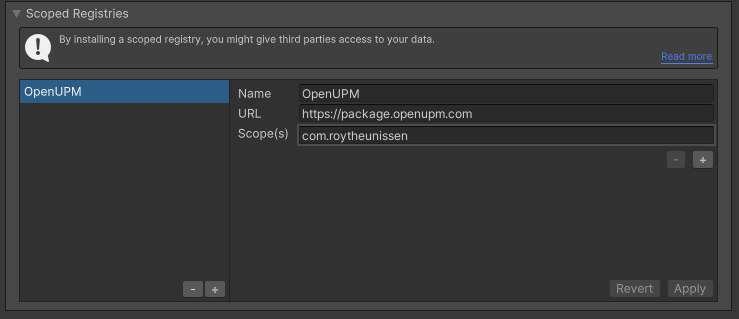
Go to Edit > Project Settings > Package Manager. Under 'Scoped Registries' make sure there is an OpenUPM entry.
If you don't have one: click the + button and enter the following values:
- Name:
OpenUPM - URL:
https://package.openupm.com
Then under 'Scope(s)' press the + button and add com.roytheunissen.
It should look something like this:
All of my packages will now be available to you in the Package Manager in the 'My Registries' section and can be installed from there.
Git Submodule
You can check out this repository as a submodule into your project's Assets folder. This is recommended if you intend to contribute to the repository yourself.
OpenUPM
The package is available on the openupm registry. It's recommended to install it via openupm-cli.
openupm add com.roytheunissen.createscriptdialog
Manifest
You can also install via git URL by adding this entry in your manifest.json (make sure to end with a comma if you're adding this at the top)
"com.roytheunissen.assetpalette": "https://github.com/RoyTheunissen/Create-Script-Dialog.git"
Unity Package Manager
From Window->Package Manager, click on the + sign and Add from git:
https://github.com/RoyTheunissen/Create-Script-Dialog.git
Acknowledgements
This tool was originally created by Unity themselves many years ago. I was not satisfied with its functionality so around 2014 I added namespace support.
The original tool has officially become deprecated but I have been using it all this time and gradually expanding it and improving it, and I've been getting a lot of value out of it over the years. I hope you will too.
Contact
Comments
No comments yet. Be the first!
Sign in to join the conversation
Sign In