Custom Drawer Toolkit
A collection of useful custom property drawers for Unity.
com.corle-bell.custom-drawer Install via UPM
Add to Unity Package Manager using this URL
https://www.pkglnk.dev/custom-drawer.git?path=Assets/CustomDrawer README Markdown
Copy this to your project's README.md
Style
Preview 
## Installation
Add **Custom Drawer Toolkit** to your Unity project via Package Manager:
1. Open **Window > Package Manager**
2. Click **+** > **Add package from git URL**
3. Enter:
```
https://www.pkglnk.dev/custom-drawer.git?path=Assets%2FCustomDrawer
```
[](https://www.pkglnk.dev/pkg/custom-drawer)README
安装
{
    "scopedRegistries": [
        {
            "name": "package.openupm.com",
            "url": "https://package.openupm.com",
            "scopes": [
                "com.core-bell.custom-drawer"
            ]
        }
    ],
    "dependencies": {
        "com.core-bell.custom-drawer": "1.1.0"
    }
}
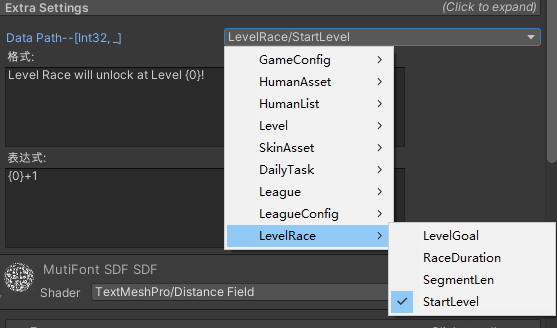
ClassVariableSelect
选择类中的字段
 [ClassVariableSelect(typeof(TableItem), typeof(int), "_", false)]
    public string dataPath;
参数1:类型
参数2:要筛选的类型
参数3:字段名称过滤表达式
参数4:字段名称过滤的Match值
ShowTimeStamp
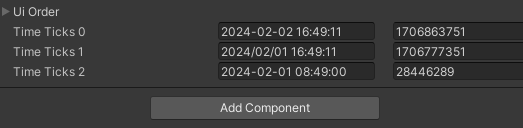
格式化显示时间戳
[ShowTimeStamp("yyyy/MM/dd HH:mm:ss", 60,true)]
public int TimeTicks1 = 1706777351;
参数1:显示格式
参数2:时间戳比例, 60的话就是相当于,以分钟作为时间戳
参数3:是否显示为当前时区
Editor界面显示
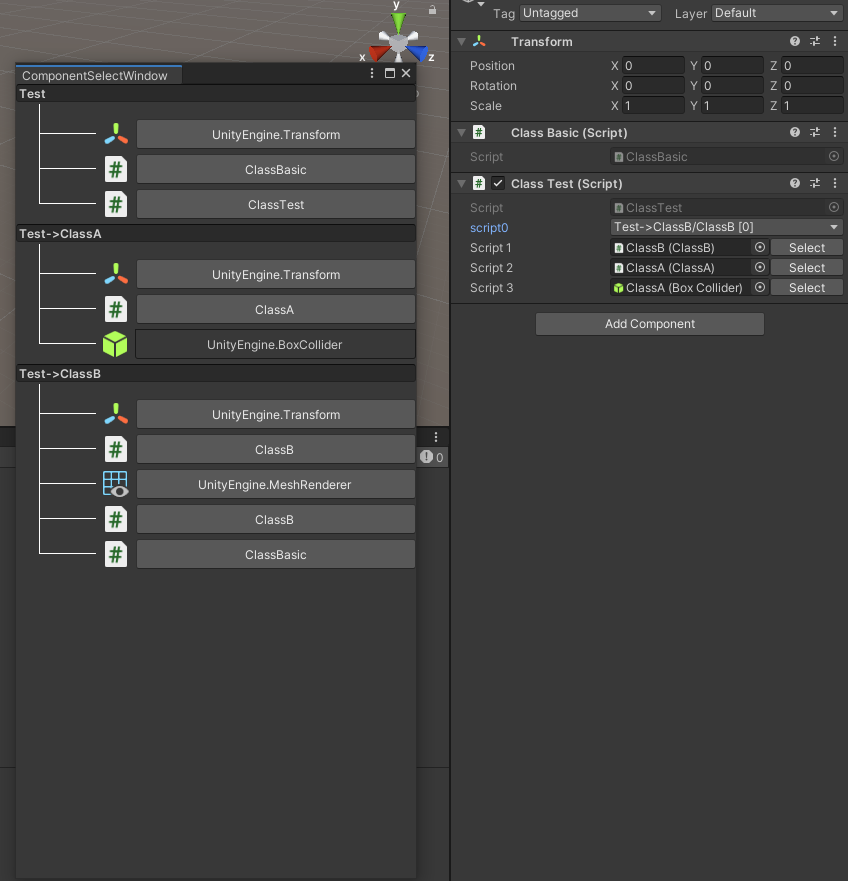
ComponentSelect
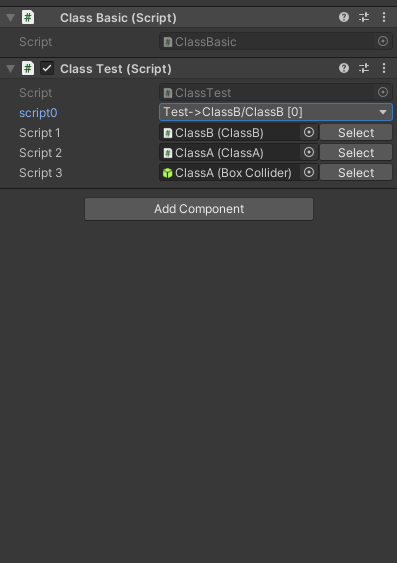
选择脚本选择器
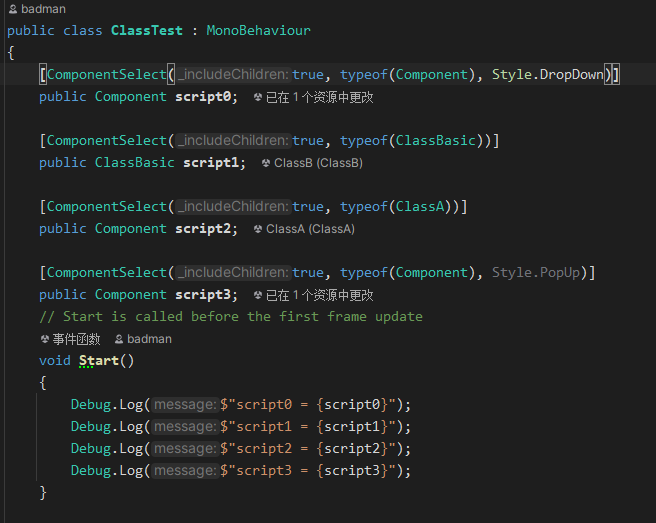
[ComponentSelect(true, typeof(Component), Style.PopUp)]
第一个参数为是否包含子物体的脚本
第二个参数是脚本的类型
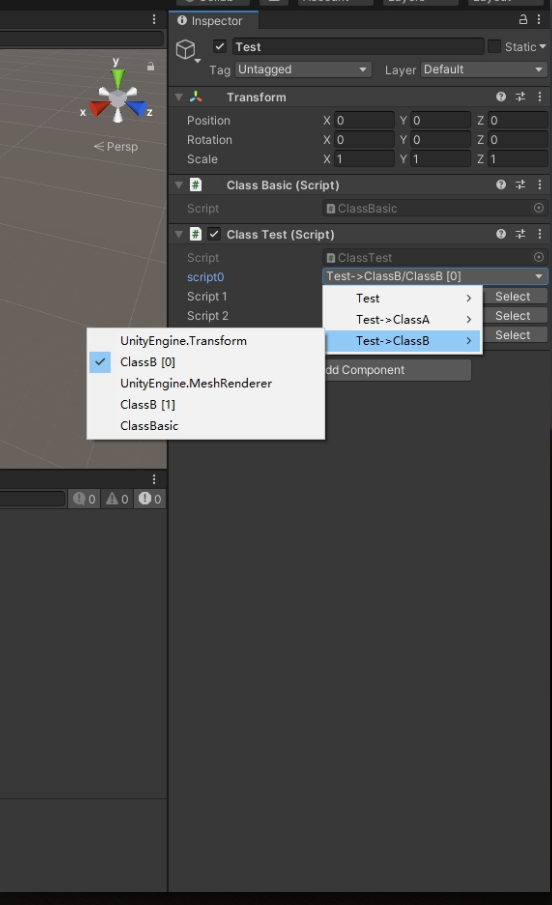
第三个参数是Drawer类型,两种可选。下拉列表,和弹窗,默认是弹窗。
Editor界面显示
特性使用代码示例
弹窗界面展示
下拉列表展示
ConstValueSelect
常量字符串选择器
指定类型则指定的类型里选择。
不指定类型的话会搜索含有 [ConstValueContent]的类列出,通过上方的下拉菜单选择。
[ConstValueContent]
public class GameStringDefine
{
    public const string Game_Begin = "Game_Begin";
    public const string Game_Play = "Game_Play";
    public const string Game_End = "Game_End";

    public const int Game_PlayerSpeed = 10;
    public const int Game_PlayerAttack = 100;
    public const int Game_PlayerHp = 800;
}


[ConstValueContent]
public class UIDefine
{
    public const int UI_Game = 0;
    public const int UI_Win = 1;
    public const int UI_Fail = 2;

    public const string UI_Title = "UI_Title";
    public const string UI_Button = "UI_Button";
    public const string UI_Slider = "UI_Slider";
}

public class ClassTest : MonoBehaviour
{
    [ConstStringSelect]
    public string text0;

    [ConstIntSelect]
    public int number1;

    [ConstIntSelect(typeof(UIDefine))]
    public int A;

    [ConstStringSelect(typeof(GameStringDefine))]
    public string B;
}
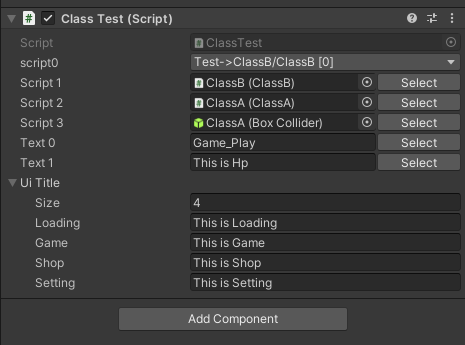
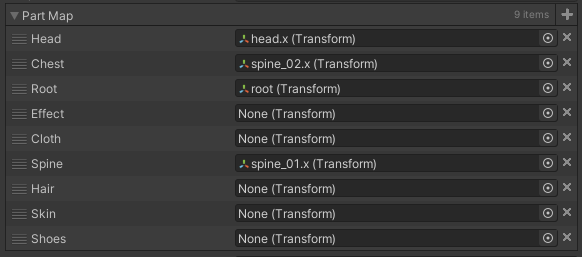
CustomLabelList
自定义数组标题 兼容Odin插件
public enum UIName
{
    Loading,
    Game,
    Shop,
    Setting
}

[CustomLabelList(typeof(UIName))]
public string[] UiTitle;


[CustomLabelList("_UIOrder_Labels")]
public int[] UiOrder;

private static string[] _UIOrder_Labels = new string[]
{
    "String_Loading",
    "String_Game",
    "String_Shop",
    "String_Setting",
};
Editor界面显示
Comments
No comments yet. Be the first!
Sign in to join the conversation
Sign In