DH Stats System
DH Stats provides a unified system for managing character and entity statistics in Unity games. Apply time-based modifiers with Set, Add, and Multiply operations to int, float, and bool stats defined via ScriptableObjects. The system automatically recalculates modified values with intelligent caching for performance. Includes editor windows for ID management and modular UI samples for rapid implementation.
com.dh.dh_stats 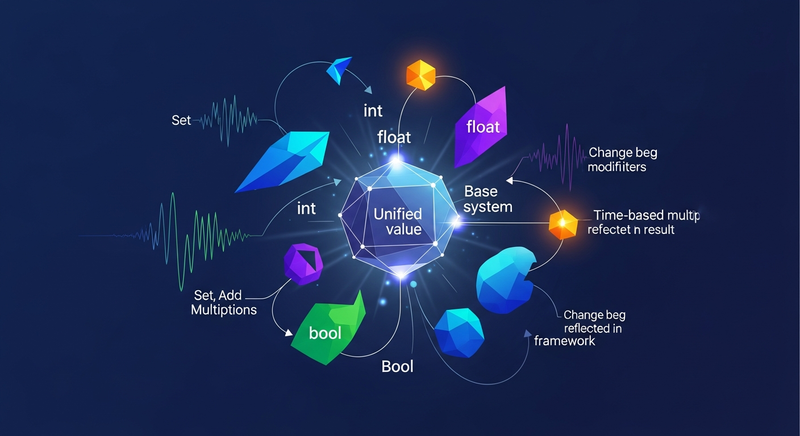
Install via UPM
Add to Unity Package Manager using this URL
https://www.pkglnk.dev/dh-stats.git README Markdown
Copy this to your project's README.md

## Installation
Add **DH Stats System** to your Unity project via Package Manager:
1. Open **Window > Package Manager**
2. Click **+** > **Add package from git URL**
3. Enter:
```
https://www.pkglnk.dev/dh-stats.git
```
[](https://www.pkglnk.dev/pkg/dh-stats)README
DH Stats
DH Stats provides a unified way of dealing with stats within your Unity project. It supports for these stats to be modified by applying modifiers that support a timed expiry and several operations such as Set, Add and Multiply. Of course you can also just alter the base value of the stats manually or set no expiry at all. The modifier System ensures that every change, being expiry, removal or addition of a Modifier, or a modification of the stats' base value, is reflected in the resulting value. This means that the modifiers have to be re-applied. DH Stats attempts to optimize this problem by caching values and only recalculating values that require to be recalculated.
Features:
- Stats
- Allows n-many Stat types
- Stats are defined in a user-friendly way via ScriptableObjects
- Stats can have the types bool, float and int
- Defining which of your entities in your game have what stat available, is also possible through ScriptableObjects and then instanciating them through .ToStat().
- Stat instances can be modified at runtime very easily by applying modifiers or changing the base value
- Modifiers
- You can add an arbitrary amount of Modifiers to any Stat
- Modifiers support the types bool, float and int. Where float modifiers can also be applied to int stats and vice versa
- Modifiers support the operations Set, Add and Multiply.
- Modifiers can have expiry times, which will automatically have them be deleted when the time has been reached
- Modifiers can be created using ScriptableObjects and then .ToModifier() to can an instance.
You can also not use the ScriptableObjects and do it yourself, but you will have to ensure to have a proper way of dealing with Ids.
Samples:
Current samples:
- Starter Pack
- Contains basic overrides for the classes in the package, so you can easily add or modify things later. It also contains Editor Windows that help you overview your DataObjects, especially regarding the distribution of IDs.
- Starter Pack with examples
- Contains the Starter Pack and a basic implementation of a whole Stat and Modifier System, including the UI (uGUI based) for each of those. The UI is modular and can just be reused.
Roadmap:
Soon(tm): Mirror networking support
No comments yet. Be the first!