QuickEye Utility
New Serializable Types: - `UnityDictionary` - `UnityTimeSpan` - `UnityDateOnly` - `UnityDateTime` Other: - `GameObjectPool` - `RepeatingInt`
com.quickeye.utility 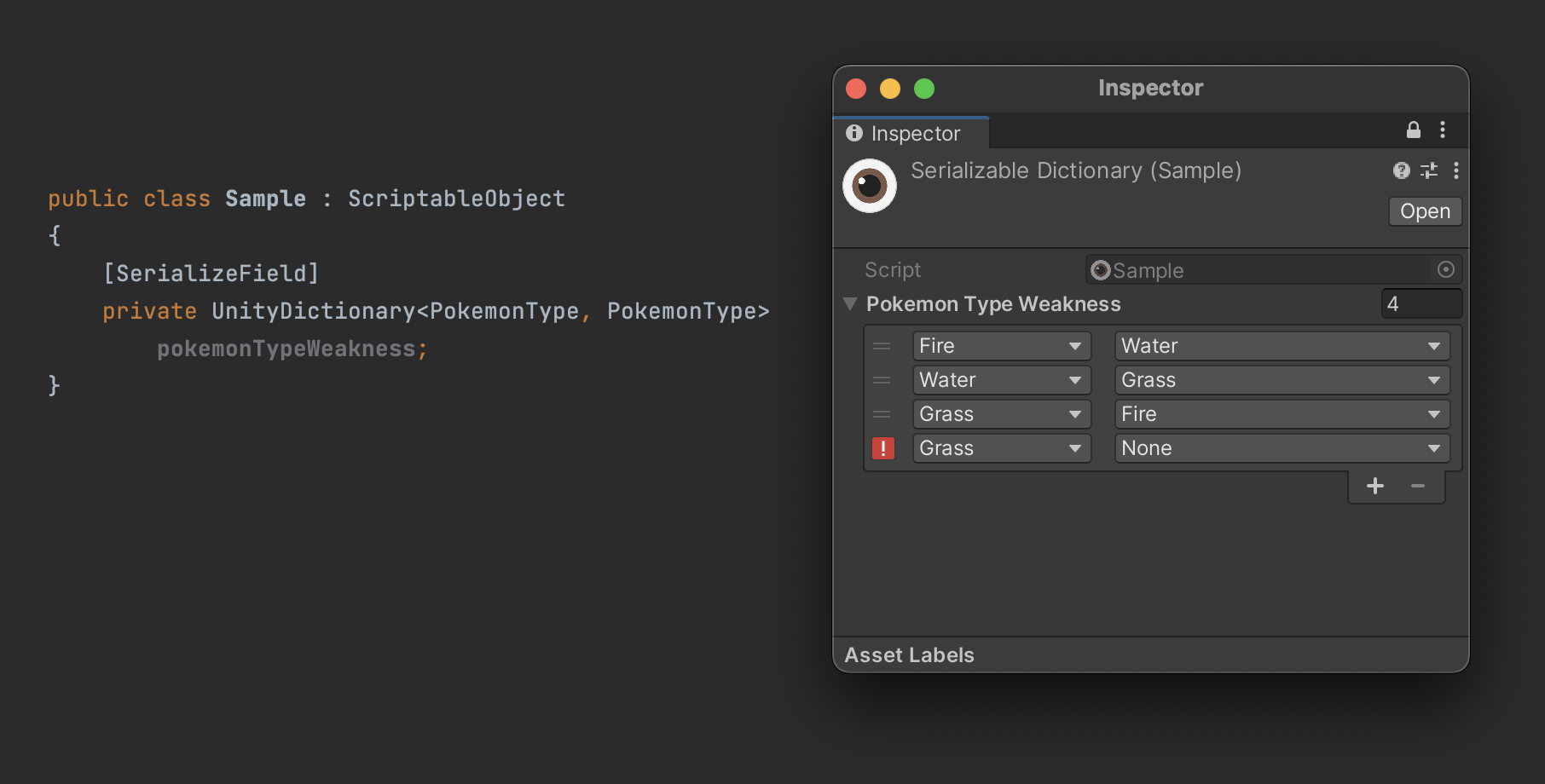
Install via UPM
Add to Unity Package Manager using this URL
https://www.pkglnk.dev/ernsur-utility.git README Markdown
Copy this to your project's README.md

## Installation
Add **QuickEye Utility** to your Unity project via Package Manager:
1. Open **Window > Package Manager**
2. Click **+** > **Add package from git URL**
3. Enter:
```
https://www.pkglnk.dev/ernsur-utility.git
```
[](https://www.pkglnk.dev/pkg/ernsur-utility)Dependencies (1)
README

QuickEye Utility
UnityDictionary Serialized and editable
New type and property drawer to serialize and edit dictionaries in inspector.
Time Serialization Types
Data types, GUI Controls and Property Drawers related to time.
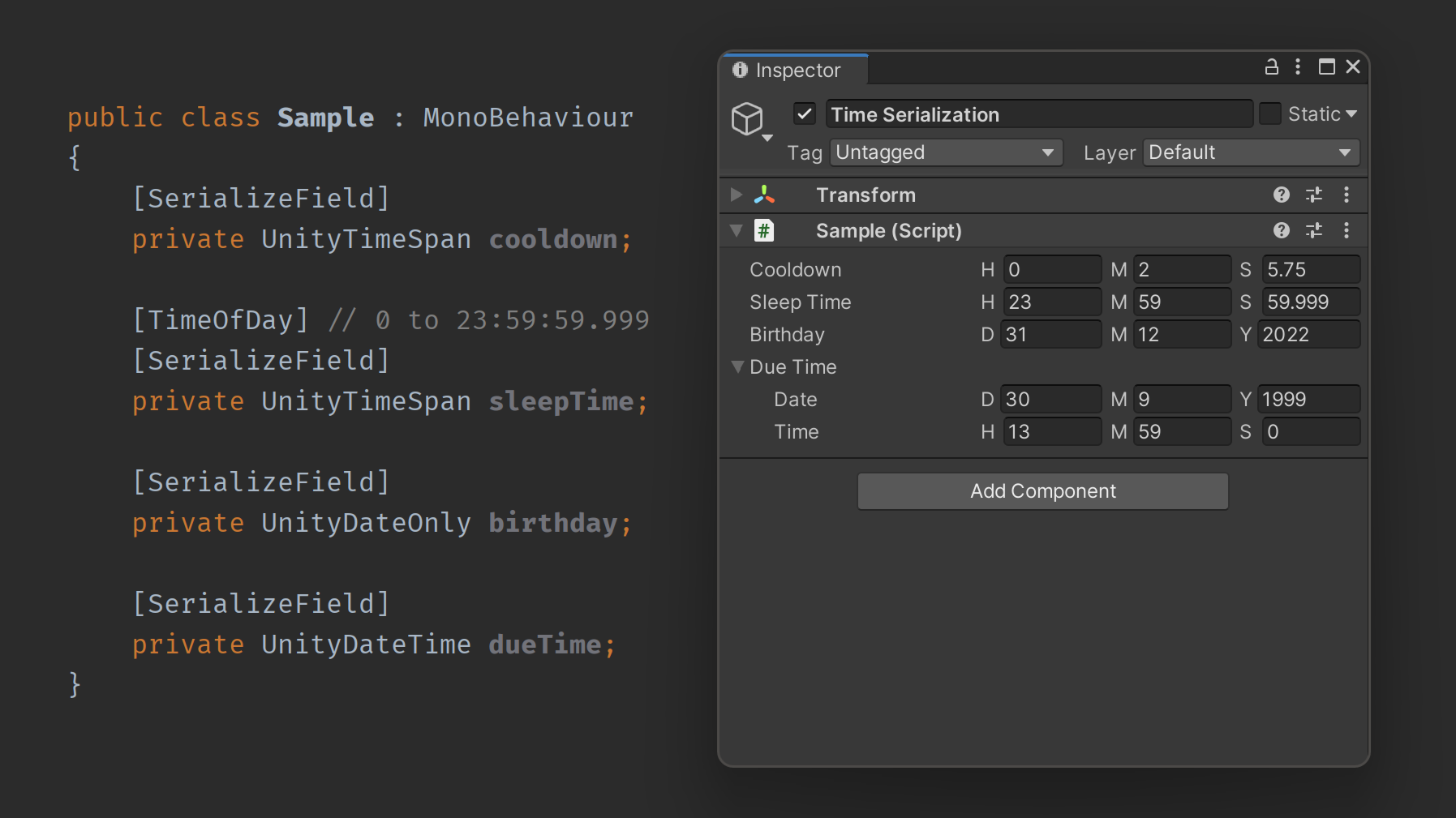
UnityTimeSpan
System.TimeSpan equivalent. If TimeOfDayAttribute is used on serialized field the property drawer will restrain input between 0 and 23:59:59.999.
UnityDateTime & UnityDateOnly
System.DateTime and .NET 6s System.DateOnly equivalents.
One-Asset
One Asset became a standalone package that can be found at ErnSur/One-Asset.
Editor
Custom Editor Window Title Settings
- Go to: Edit > Preferences (Windows) or Unity > Preferences (macOS)
- Select Window Title from sidebar
Modify Unity Editor main window title to include information relevant for you!

Duplicate Window Action
- Open from menu bar: Window/Duplicate Window
- Shortcut: Shift+Ctrl+D (Windows) or Shift+Cmd+D (macOS)
Handy tool when you need to open another inspector to compare or drag and drop data. It will duplicate focused editor window, lock it (in case of inspector or project browser) and position it directly next to the original one.

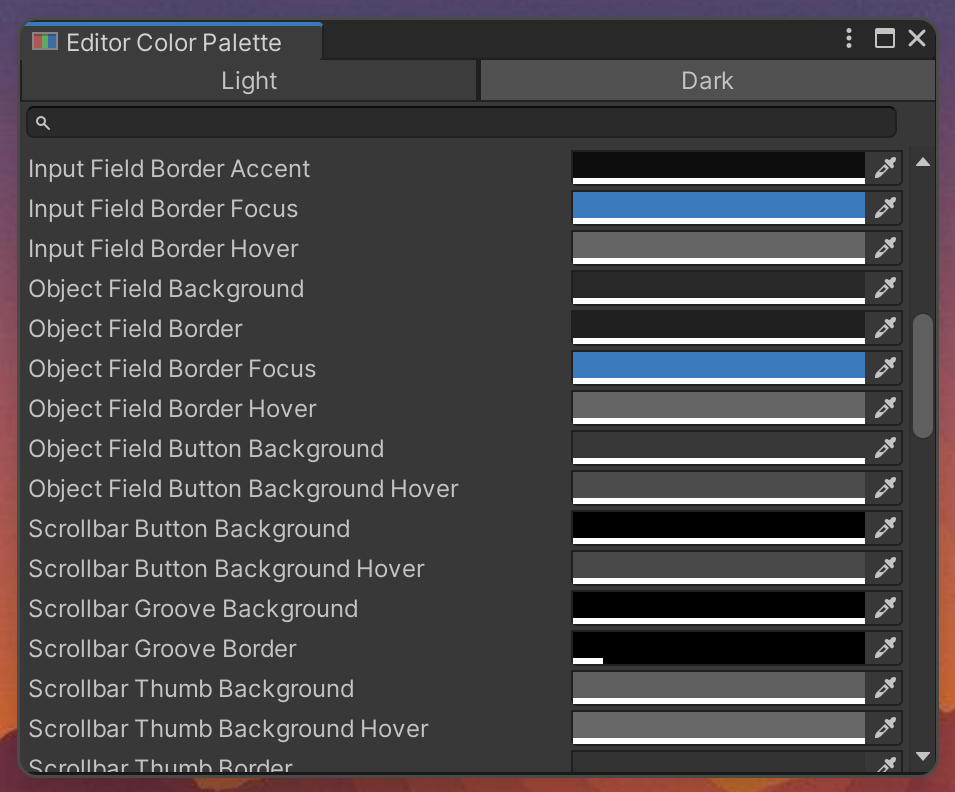
EditorColorPalette and Editor Color Palette Window
- Open from menu bar: Window/Editor Color Palette
- Use
QuickEye.Utility.Editor.EditorColorPaletteclass to access colors from code.
Browser for color values used by Unity Editor.
Other
Container and PoolContainer
A serializable object that holds a prefab and a Transform reference, implements IList<T>.
AddNew method creates a new instance of prefab inside the transform. Because of IList<T>, it functions as a
collection with additional behavior of easy object instantiation.
PoolContainer has the same interface but uses object pooling. Cuts much of the boilerplate code with UI scripting.
GameObjectPool
Object pool pattern implementation with Unity specific API.
- Serializable, can be configured from editor.
- Prototype as prefab.
- Configurable transform parent.
Comments
No comments yet. Be the first!
Sign in to join the conversation
Sign In