GameBooom MCP For Unity - Unity MCP Server
Open-source MCP server for Unity Editor. Let AI assistants like Claude Code, Cursor, Codex, and Copilot control Unity through 60+ built-in tools.
com.gamebooom.unity.mcp 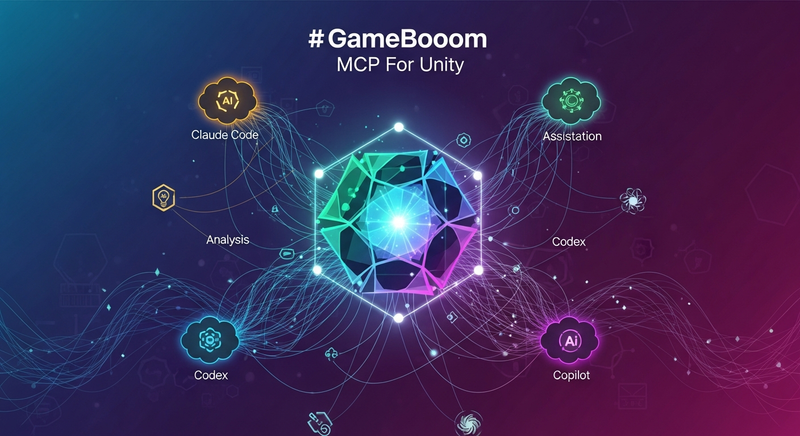
Install via UPM
Add to Unity Package Manager using this URL
https://www.pkglnk.dev/gamebooom-mcp.git README Markdown
Copy this to your project's README.md

## Installation
Add **GameBooom MCP For Unity - Unity MCP Server** to your Unity project via Package Manager:
1. Open **Window > Package Manager**
2. Click **+** > **Add package from git URL**
3. Enter:
```
https://www.pkglnk.dev/gamebooom-mcp.git
```
[](https://www.pkglnk.dev/pkg/gamebooom-mcp)Dependencies (1)
README
GameBooom MCP For Unity
Open-Source MCP Server for Unity Editor




中文 | English
GameBooom MCP For Unity is an open-source Unity Editor plugin that acts as an MCP (Model Context Protocol) server, allowing AI assistants like Claude Code, Cursor, Windsurf, Codex, and VS Code Copilot to interact directly with your Unity Editor.
Describe your game in one sentence — your AI assistant builds it in Unity through GameBooom MCP For Unity's 60+ built-in tools for scene creation, script generation, asset management, and editor automation.
"Build a snake game with a 10x10 grid, food spawning, score UI, and game-over screen"
Your AI assistant handles it through GameBooom MCP For Unity: creates the scene, generates all scripts, sets up the UI, and configures the game logic — all from a single prompt.
Highlights
- 60+ Built-in Tools — Scene manipulation, script generation, asset management, play mode control, visual feedback, and more across 15 modules
- MCP Server — HTTP JSON-RPC 2.0 transport, works with any MCP-compatible AI client
- MCP Client — Connect to external MCP servers for extended capabilities
- Reflection-Based Tool Discovery — Add custom tools by simply annotating your classes, no registration code needed
- Vendor Agnostic — Works with any AI client that supports MCP: Claude Code, Cursor, Windsurf, Codex, VS Code Copilot, etc.
Before You Start
- This package is Editor-only. It does not add runtime components to your built game.
- The MCP server listens on
http://127.0.0.1:8765/by default. - Read-only tools work immediately. If scene-changing tools return an approval error, re-enable auto-approve in your GameBooom settings.
Quick Start
1. Install via UPM (Git URL)
In Unity, go to Window → Package Manager → + → Add package from git URL:
https://github.com/GameBooom/unity-mcp.git
Alternative: Install via OpenUPM
openupm add com.gamebooom.unity.mcp
2. Start the MCP Server
Menu: GameBooom → MCP Server to start the server.
The server runs on http://127.0.0.1:8765/ by default.
3. Configure Your AI Client
Claude Code / Claude Desktop
{
  "mcpServers": {
    "gamebooom": {
      "type": "http",
      "url": "http://127.0.0.1:8765/"
    }
  }
}
Cursor
{
  "mcpServers": {
    "gamebooom": {
      "url": "http://127.0.0.1:8765/"
    }
  }
}
VS Code
{
  "servers": {
    "gamebooom": {
      "type": "http",
      "url": "http://127.0.0.1:8765/"
    }
  }
}
Trae
{
  "mcpServers": {
    "gamebooom": {
      "url": "http://127.0.0.1:8765/"
    }
  }
}
Kiro
{
  "mcpServers": {
    "gamebooom": {
      "type": "http",
      "url": "http://127.0.0.1:8765/"
    }
  }
}
Codex
[mcp_servers.gamebooom]
url = "http://127.0.0.1:8765/"
Windsurf
Use the same JSON structure as Cursor unless your local Windsurf version requires a different MCP config format.
4. Verify the Connection
Open your AI client and try a safe read-only request first:
"Call
get_scene_infoand tell me what scene is open."
If that works, your client is connected correctly.
5. Start Building
Open your AI client and try: "Create a 3D platformer level with 5 floating platforms"
Built-in Tools
GameBooom MCP For Unity ships with 60+ tool functions across 15 modules:
| Category | Tools |
|---|---|
| GameObject | create_primitive, create_game_object, delete_game_object, find_game_objects, get_game_object_info, set_transform, duplicate_game_object, rename_game_object, set_parent, add_component, set_tag_and_layer, set_active |
| Hierarchy | get_hierarchy |
| Components | get_component_properties, list_components, set_component_property, set_component_properties |
| Scripts | create_script, edit_script, patch_script |
| Assets | create_material, assign_material, find_assets, delete_asset, rename_asset, copy_asset |
| Files | read_file, write_file, search_files, list_directory, exists |
| Scene | get_scene_info, list_scenes, save_scene, open_scene, create_new_scene, enter_play_mode, exit_play_mode, set_time_scale, get_time_scale |
| Prefabs | create_prefab, instantiate_prefab, unpack_prefab |
| UI | create_canvas, create_button, create_text, create_image |
| Animation | create_animation_clip, create_animator_controller, assign_animator |
| Camera | get_camera_properties, set_camera_projection, set_camera_settings, set_camera_culling_mask |
| Screenshot | capture_game_view, capture_scene_view |
| Packages | install_package, remove_package, list_packages |
| Compilation | wait_for_compilation, request_recompile |
| Visual Feedback | select_object, focus_on_object, ping_asset, log_message, show_dialog, get_console_logs |
Adding Custom Tools
Create your own tools with simple attribute annotations:
using System.ComponentModel;

[ToolProvider("MyTools")]
public static class MyCustomTools
{
    [Description("Spawns enemies at random positions in the scene")]
    public static string SpawnEnemies(
        [ToolParam("Number of enemies to spawn", Required = true)] int count,
        [ToolParam("Prefab path in Assets")] string prefabPath)
    {
        // Your implementation here
        return $"Spawned {count} enemies";
    }
}
Methods are automatically discovered, converted to snake_case (spawn_enemies), and exposed via MCP with JSON Schema definitions.
Architecture
MCP Server (HTTP JSON-RPC 2.0)
    └─ MCPRequestHandler (protocol handling)
        └─ MCPExecutionBridge
            └─ FunctionInvokerController (reflection-based invocation)
                └─ Tool Functions (60+ built-in tools across 15 modules)
External AI Client → HTTP Request → MCPRequestHandler → MCPExecutionBridge → FunctionInvokerController → tool method
GameBooom Pro
Looking for more? GameBooom Pro adds these capabilities:
- In-Editor Chat UI — Native chat interface with streaming responses, no external AI client needed
- Orchestrator — Multi-step task automation (describe a goal, AI plans and executes)
- Automated Testing — Input simulation + code execution for end-to-end test workflows
- Code Execution — Run any C# code in the sandbox, whether Unity is playing or idle
- Vision / Multimodal — Screenshot → AI analysis → auto-fix UI issues
- Checkpoint Rollback — Undo any AI modification with one click
- AI Asset Generation — Image, 3D model, animation, and audio generation
- Smart Context System — Auto-inject scene hierarchy, project structure, git status into prompts
- Managed Hosting — No API key needed, backend-proxied LLM access
Requirements
- Unity 2022.3 or later
- .NET / Mono with
Newtonsoft.Json
Contributing
Contributions are welcome! Please read the Contributing Guide before submitting a PR.
Since GameBooom MCP For Unity is licensed under GPLv3, all derivative works must also be open-sourced under the same license.
License
GPLv3 — Free to use, modify, and distribute. Any derivative work must be open-sourced under GPLv3.
No comments yet. Be the first!