GizmosPlus
A Unity Package that provides additional GIzmo shapes and tools.
com.zchfvy.gizmosplus 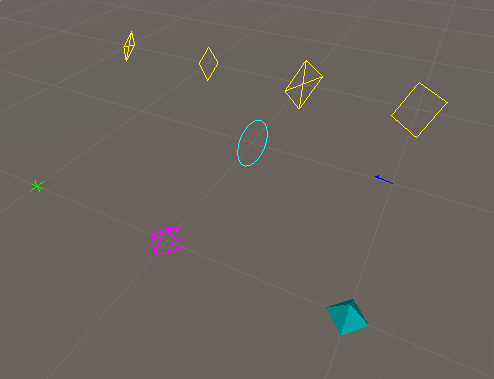
Install via UPM
Add to Unity Package Manager using this URL
https://www.pkglnk.dev/gizmosplus.git README Markdown
Copy this to your project's README.md

## Installation
Add **GizmosPlus** to your Unity project via Package Manager:
1. Open **Window > Package Manager**
2. Click **+** > **Add package from git URL**
3. Enter:
```
https://www.pkglnk.dev/gizmosplus.git
```
[](https://www.pkglnk.dev/pkg/gizmosplus)README

GizmosPlus
A toolkit for easier Gizmo usage in Unity. Contains various commonly used useful shapes and also functionality for drawing Gizmos outside of normal OnDrawGizmos flow.
Installation
Via OpenUPM
This package is available on the OpenUPM registry. You can install it form there using openupm-cli:
openupm add com.zchfvy.gizmosplus
Via git
Alternatively, this can be isntalled directly from github.Simply open your
manifest.json file located in the Packages folder of your unity project and
add the follwing line to the list of dependencies:
"com.zchfvy.gizmosplus": "https://github.com/zchfvy/GizmosPlus.git"
Usage
At the top of your file use the Plus namespace
using Zchfvy.Plus
Then simply call methods out of the GizmosPlus class
GizmosPlus.Cross(transform.position, 1.0f)
For creating Gizmos outside normal flow use the GizmosPlusAsync class
GizmosPlusAsync.DrawAsync(() => {
    // Draw Gizmos in here
});
For a complete listing of available methods and their parameters please consult the Documentation
No comments yet. Be the first!