Hierarchy Gameobject Active Toggle
Adds buttons to enable/disable gameobjects directly from the hierarchy
wischeropp.jonas.hierarchy-active-toggle 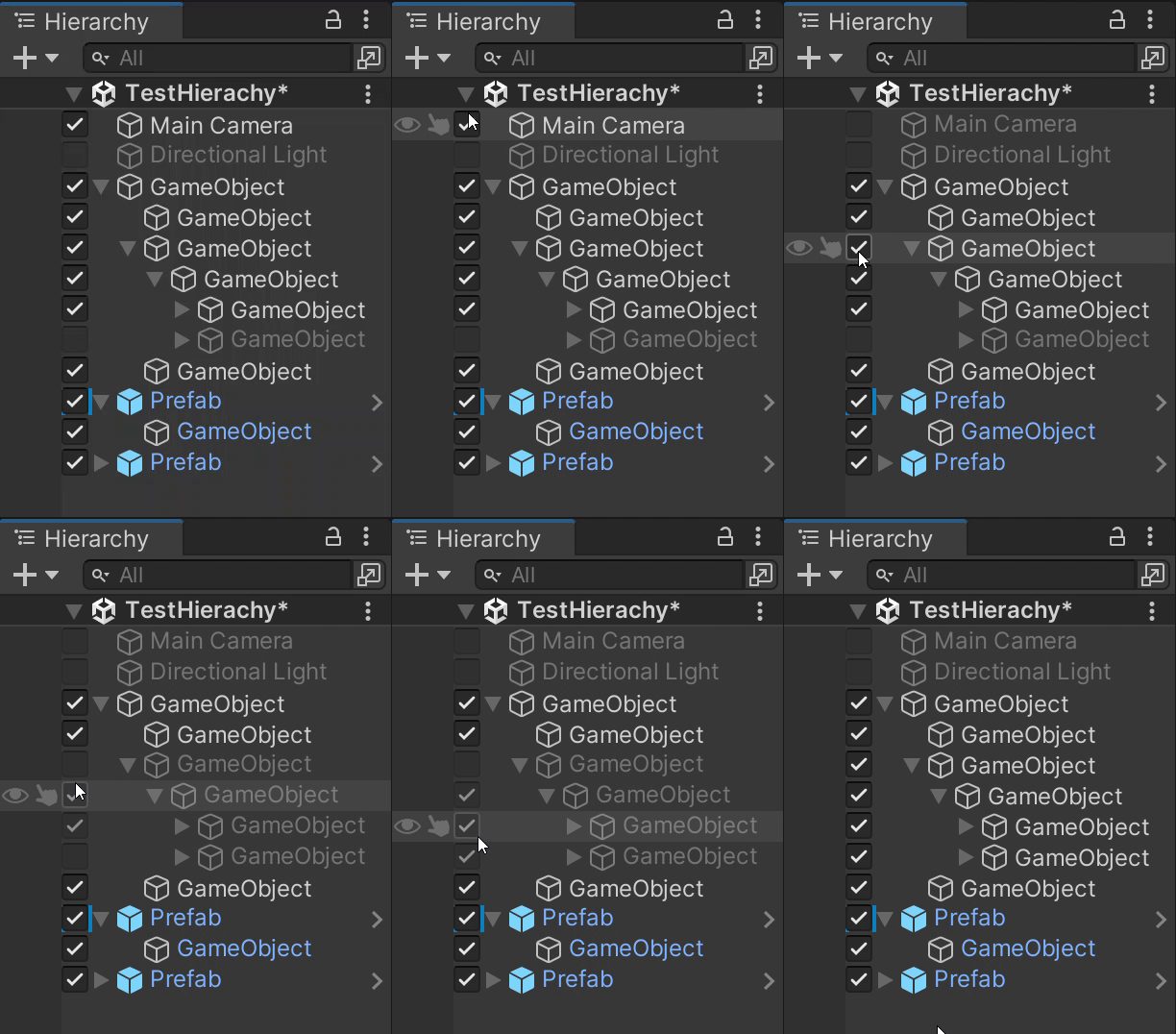
Install via UPM
Add to Unity Package Manager using this URL
https://www.pkglnk.dev/hierarchy-active-toggle.git README Markdown
Copy this to your project's README.md

## Installation
Add **Hierarchy Gameobject Active Toggle** to your Unity project via Package Manager:
1. Open **Window > Package Manager**
2. Click **+** > **Add package from git URL**
3. Enter:
```
https://www.pkglnk.dev/hierarchy-active-toggle.git
```
[](https://www.pkglnk.dev/pkg/hierarchy-active-toggle)README
:experimental:
= Hierarchy Gameobject Active Toggle (Unity)
This package adds buttons to enable/disable gameobjects directly from the hierarchy. + In the preferences the package can be customized and disabled individually per user (menu:Edit[Preferences... > Hierarchy > Active Toggle]).
ifdef::env-github[] ++++
ifndef::env-github[] image::demonstration.gif[Demonstration, align=center] endif::[]
(Probably also works in other unity versions. I just have only tested it in 2022.3)
== Keybindings [horizontal] Middle Mouse:: Toggle enabled state of hovered gameobject
== Setup Installation by using the Package Manager:
. Click on the + in the Package Manager window
. Chose Add package from git URL...
. Insert the following URL https://github.com/JonasWischeropp/unity_hierarchy_active_toggle.git
. Press the Add-Button
If necessary more information can be found link:https://docs.unity3d.com/Manual/upm-ui-giturl.html[here].
No comments yet. Be the first!