Illusion RP
Unity high-definition graphics plugin for Universal Render Pipelines.
com.kurisu.illusion-render-pipelines 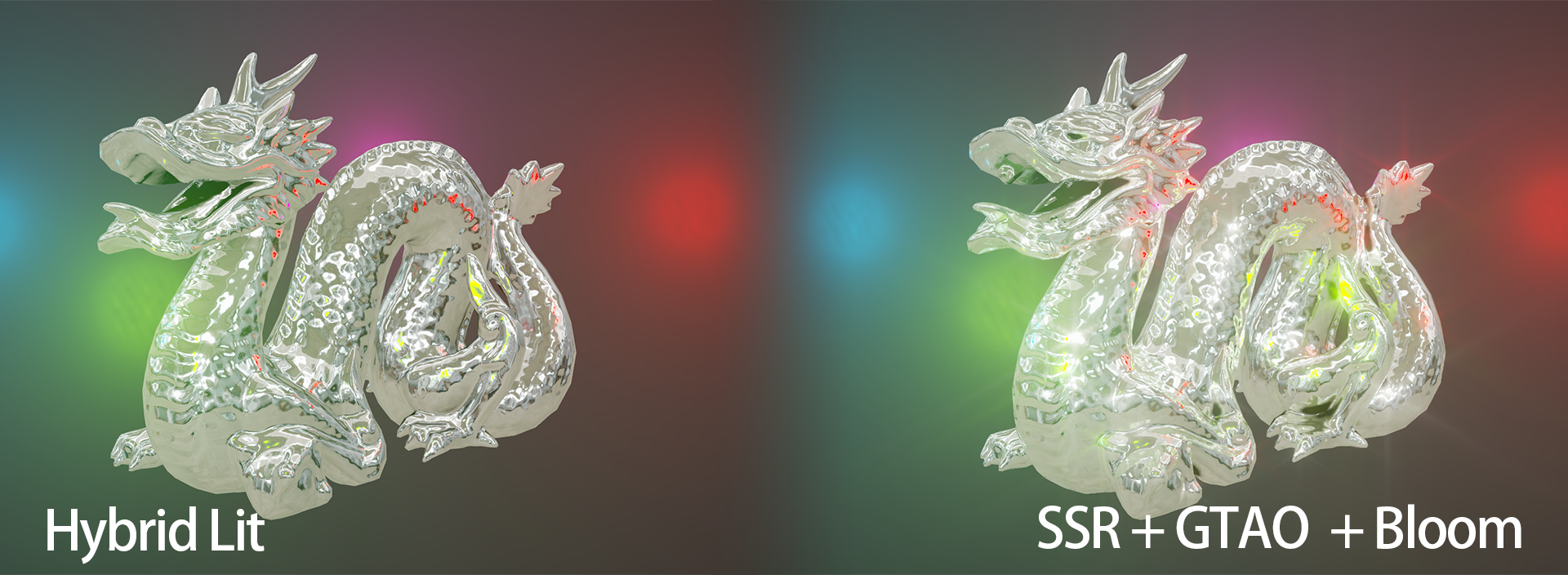
Install via UPM
Add to Unity Package Manager using this URL
https://www.pkglnk.dev/illusion-render-pipelines.git README Markdown
Copy this to your project's README.md

## Installation
Add **Illusion RP** to your Unity project via Package Manager:
1. Open **Window > Package Manager**
2. Click **+** > **Add package from git URL**
3. Enter:
```
https://www.pkglnk.dev/illusion-render-pipelines.git
```
[](https://www.pkglnk.dev/pkg/illusion-render-pipelines)Dependencies (4)
README



IllusionRP
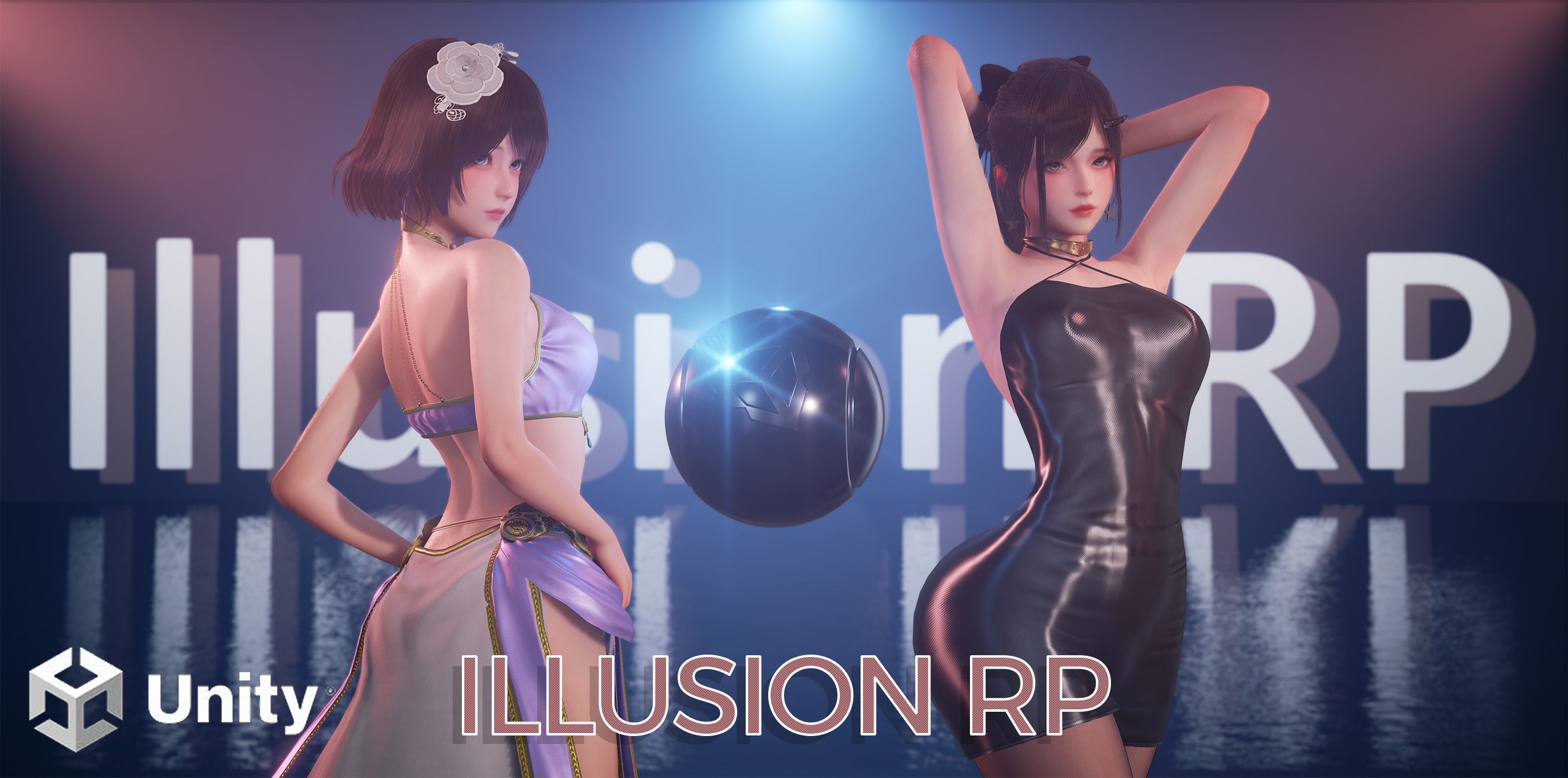
Unity high-definition graphics plugin for Universal Render Pipelines.
Highlights
- High-quality graphics features with one-click integration for your URP project
- Ready-to-use shaders and templates for Amplify Shader Editor
- Compatible with Unity 2022, 2023, and Unity 6 versions
Demo
Sponza Demo
IllusionRP demo for Sponza scene, see AkiKurisu/IllusionRP-Demo for more details.

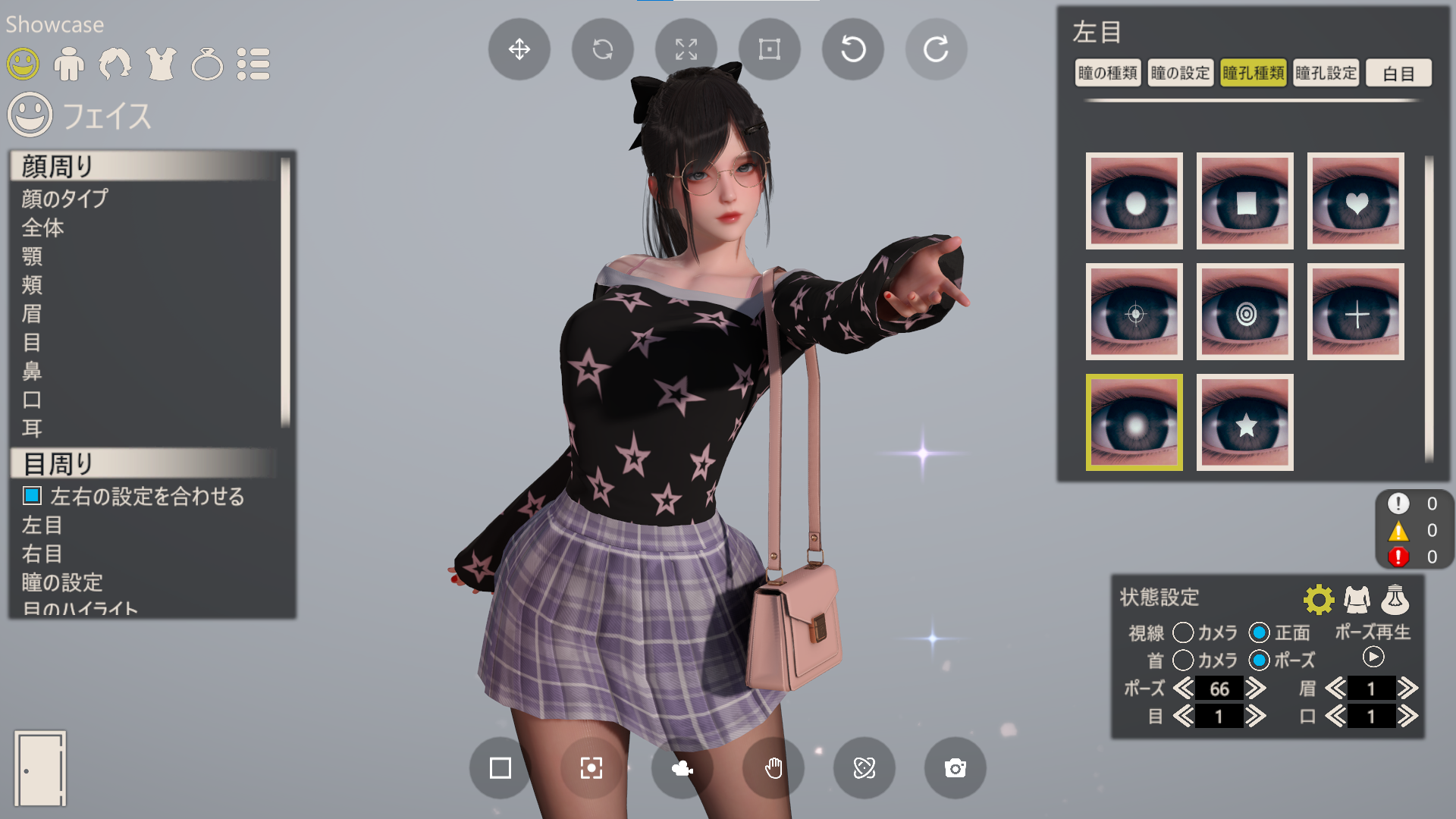
AIChara Remaster Demo
IllusionRP is first designed to re-rendering game characters of @ILLUSION.
Demo is WIP, stay tuned.
Notice
Designed for Forward and Forward+ rendering path, Deferred rendering path is not supported.
Add new shading model in deferred rendering path need modify the URP source code, which is hard to maintain. While using forward rendering path, we can add shaders without limitations.
Platforms
Android (Vulkan)
Standalone Windows (DX12)
Version
- Unity 6.3 (URP 17.3.0)
Unity 2022.3.62f1 (URP 14.0.12)
Unity 2023.2.22f1 (URP 16.0.6)
Install
Use git URL to download package by Unity Package Manager https://github.com/AkiKurisu/IllusionRP.git.
To fix compute shader compilation error when enable Forward+, copy the ./com.unity.render-pipelines.ps5~ folder to your project Package directory and rename it to com.unity.render-pipelines.ps5.
Setup
- Replace Post Process Data with
IllusionRPPostProcessDatain your URP renderer asset.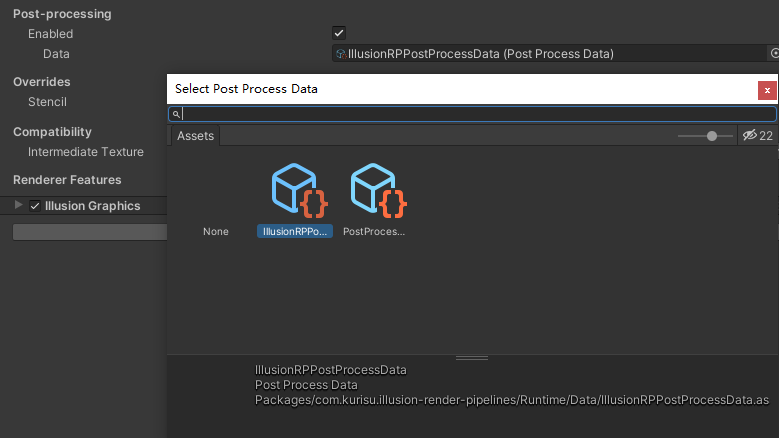
- Add
Illusion Graphicsrenderer feature in your URP renderer asset.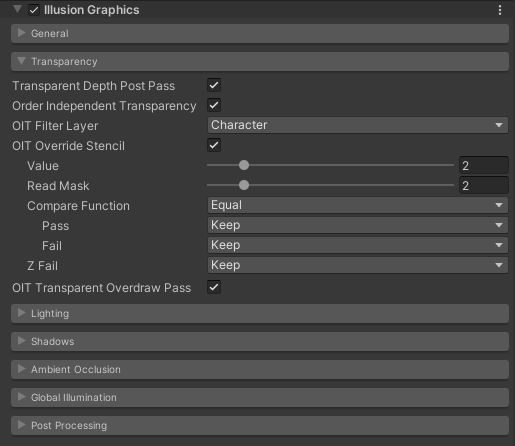
[!Tip] For best visual experience and performance, I recommend you to enable
Depth PrimingandForward+in renderer asset to use Pre-Z Cluster Forward Rendering.
Features
Introduction to included rendering features.
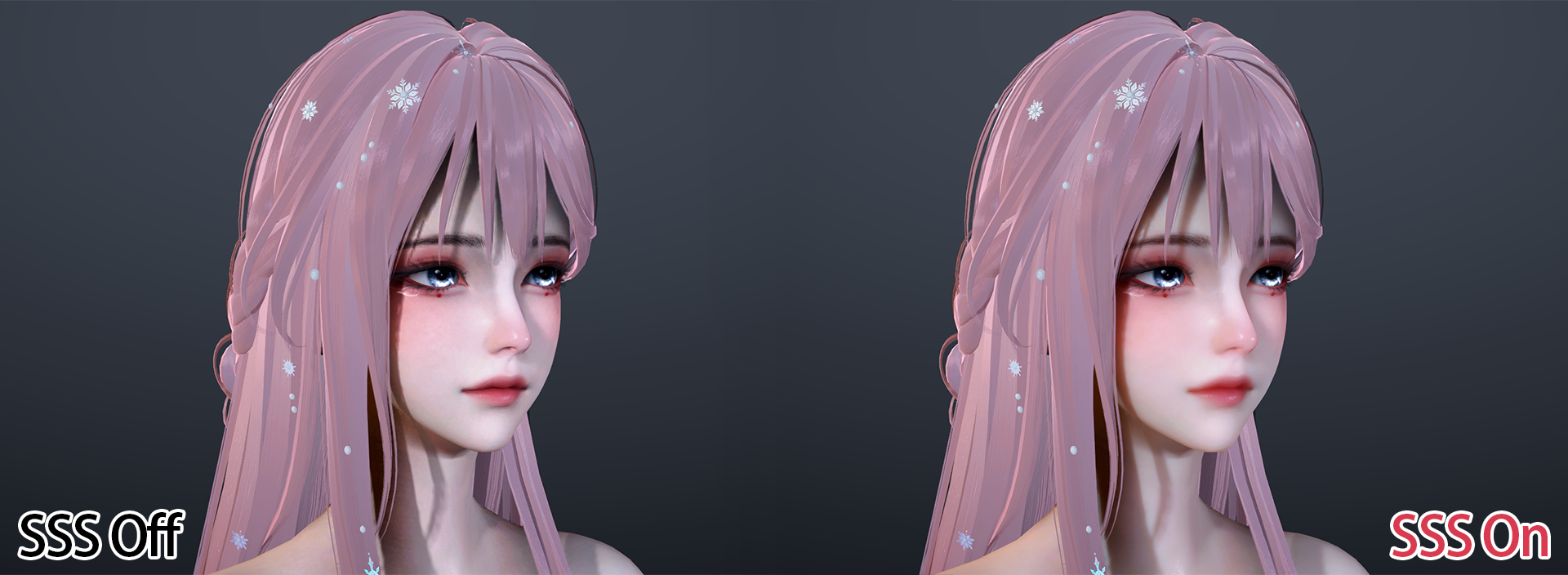
Skin
Support Screen Space Subsurface Scattering (SSSSS) ported from HDRP and fallback to Spherical Gaussian Subsurface Scattering (SGSSS) introduced by Matt - Approximating Subsurface Scattering With Spherical Gaussians when screen space sss is disabled.
Dual Lobe Specular provides a more natural skin effect.
Hair
Support Kajiya-Kay shading model with better performance.
Support Marschner shading model implemented by Unreal Engine.
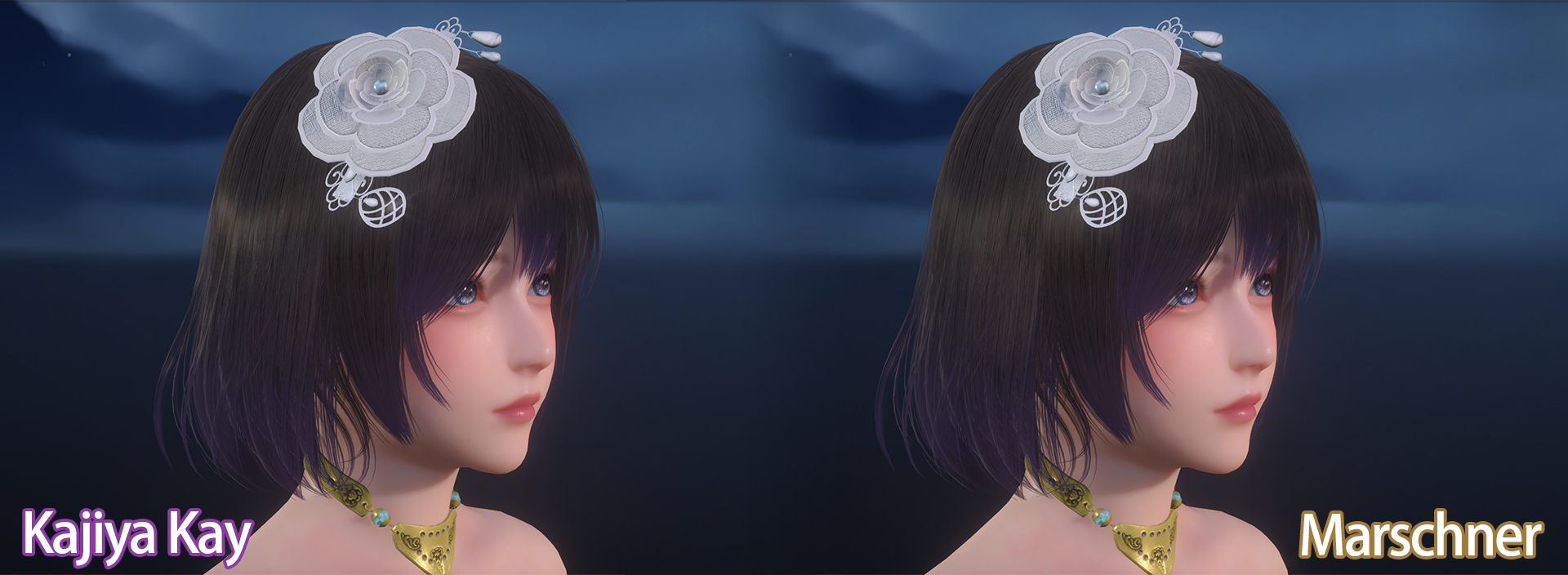
Multipass is used (opaque & transparent).
OIT to solve hair transparent rendering order based on NVIDIA's Weighted Blended Order-Independent Transparency.
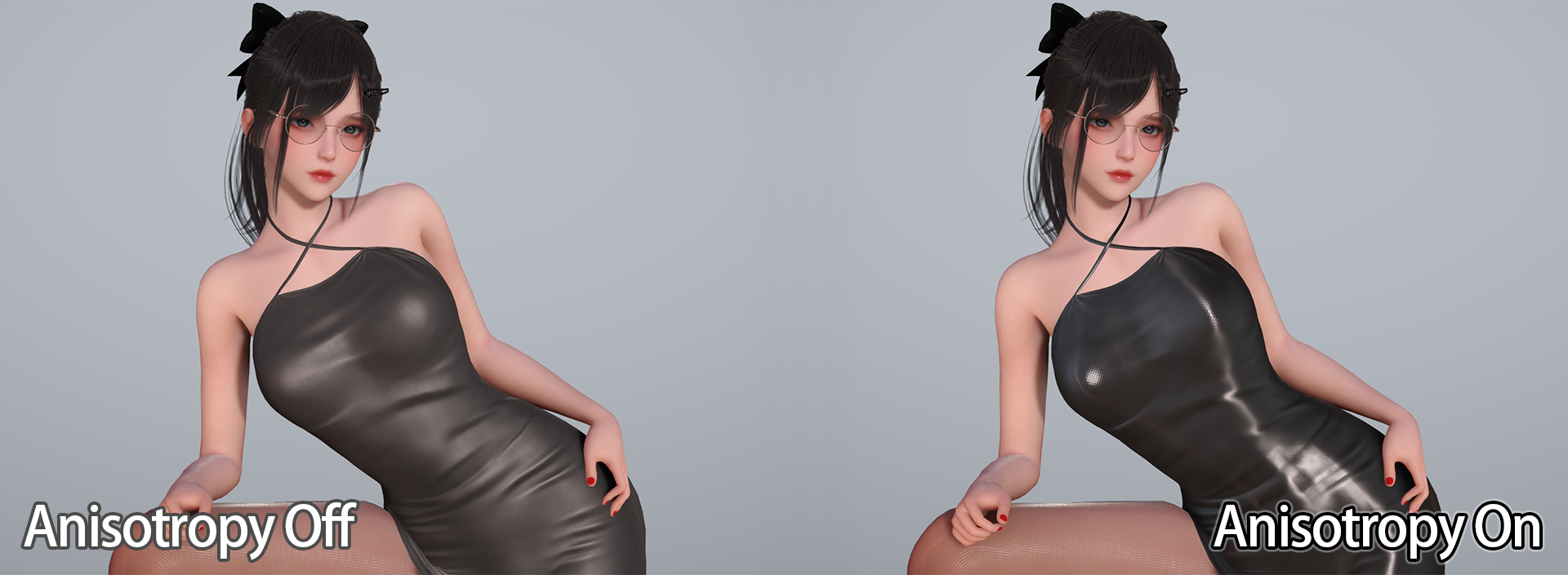
Fabric
Support Anisotropy Specular.
Oren-Nayar diffuse model.
Sheen Scattering with Ashikhmin (smooth) and Charlie (softer) model.
Hybrid Lit
The upgraded version of Universal Render Pipeline/Lit shader.
Support PreIntegrated Imaged Based Lighting ported from HDRP.
Support all Screen Space Lighting features in IllusionRP.
Support Order Independent Transparency.
[!TIP] You can directly replace the urp lit shader with
Universal Render Pipeline/Hybrid Litshader to get better lighting results.
Water
Water shader is modified from URP samples and has been converted to ASE version.
[!TIP] To sample full scene color instead of
_CameraOpaqueTexture, you need enablerequireHistoryColororScreenSpaceReflectioninIllusion Graphicsrenderer feature.
Shadows
Support Per-Object Shadow based on stalomeow/StarRailNPRShader to enhance character shadow quality.
Include Contact Shadows ported from HDRP to capture small details.
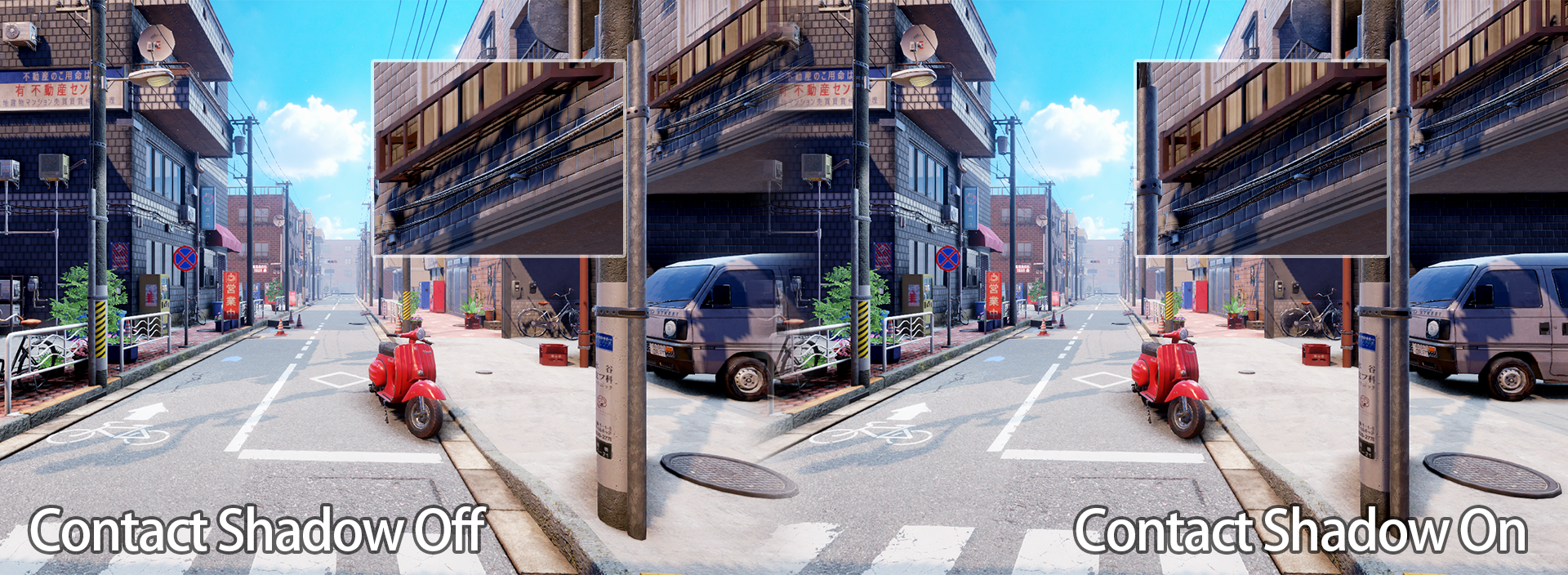
Support Micro Shadows ported from HDRP to simulate small details embedded in the Material of a GameObject, but not in its Mesh geometry.
Support Fragment Shadow Bias to reduce shadow acne.
[!Warning] Enable Fragment Shadow Bias will let IllusionRP shaders not compatiable with URP's built-in shader since we now apply shadow bias in receiver fragement shader instead of in caster vertex shader.
Include Percentage-Closer Soft Shadow from recaeee/RecaNoMaho_P for more realistic shadows.
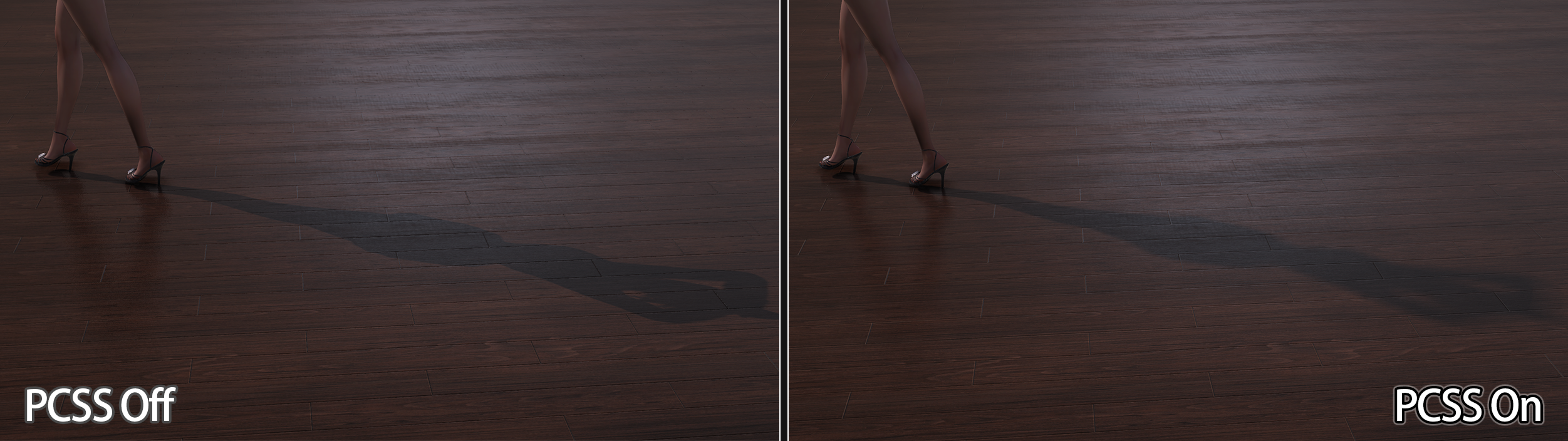
[!TIP] Percentage-Closer Soft Shadow only works for Main Light Shadow Caster and Per-Object Shadow Caster.
Ambient Occlusion
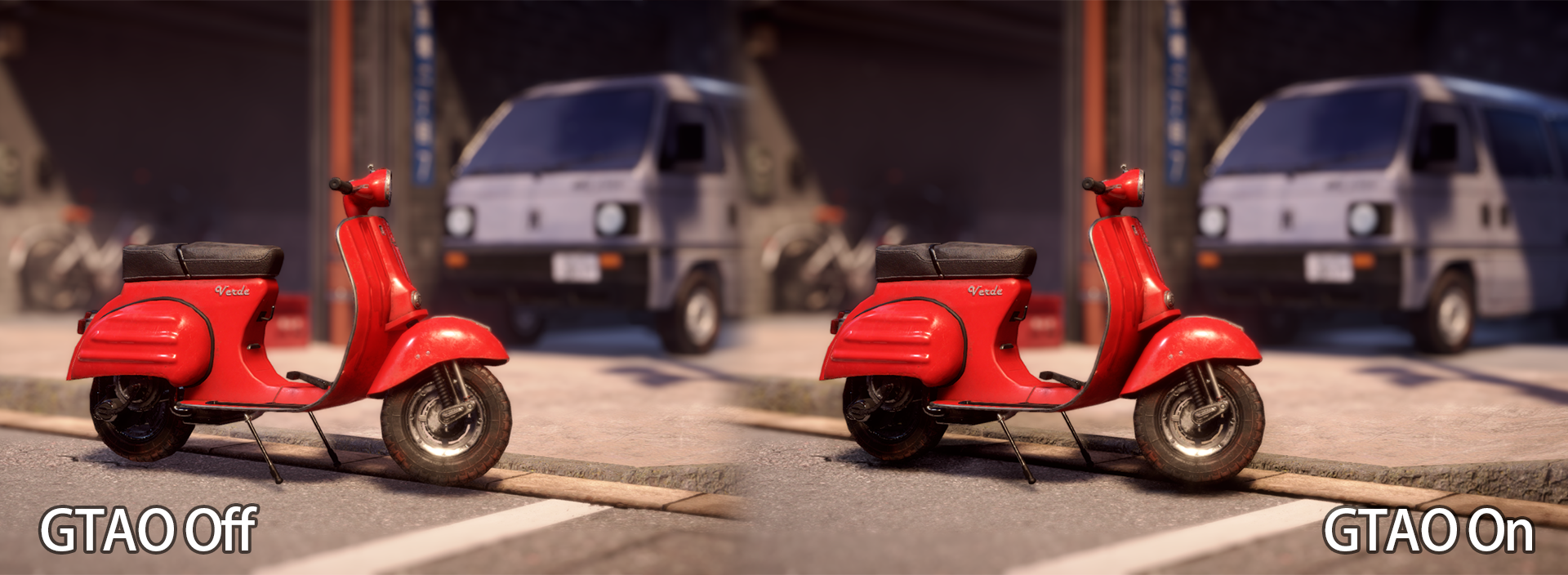
Include Ground Truth Ambient Occlusion based on bladesero/GTAO_URP and HDRP implementation.
Support AO Multi-Bounce and Separate AO for diffuse and specular lighting.
Global Illumination
Include Screen Space Reflection based on EricHu33/URP_SSR and HDRP implementation.
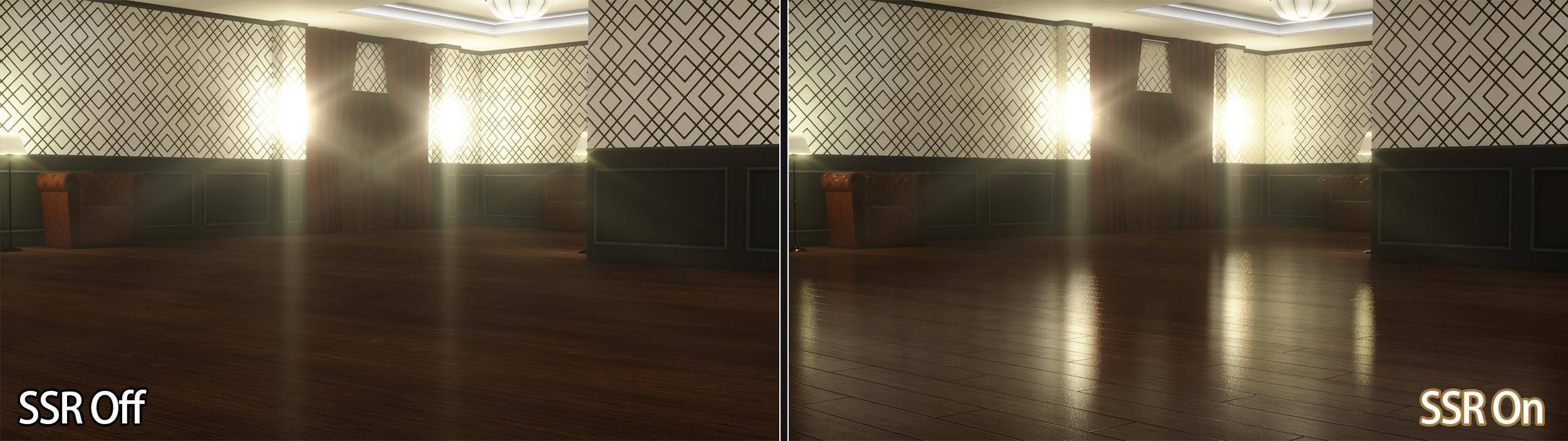
Support 3 algorithms: View Space Linear Search, Screen Space Linear Search and Hiz Search.
Include Precomputed Radiance Transfer Global Illumination (PRTGI) based on AKGWSB/CasualPRT.
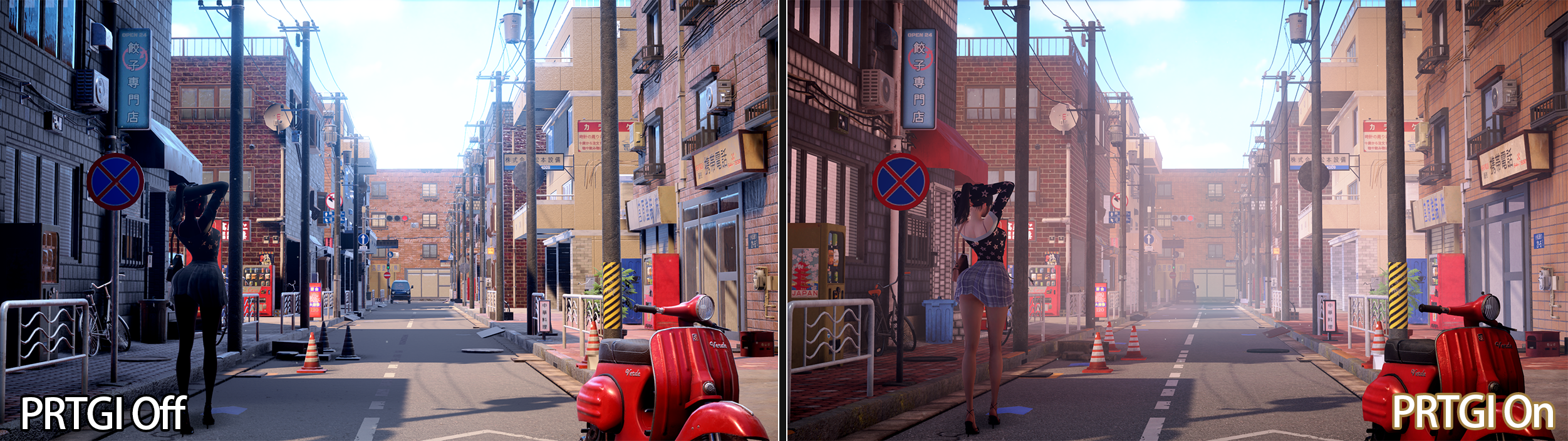
[!TIP]
PRTGIwill not affect materials that use baked lightmaps.
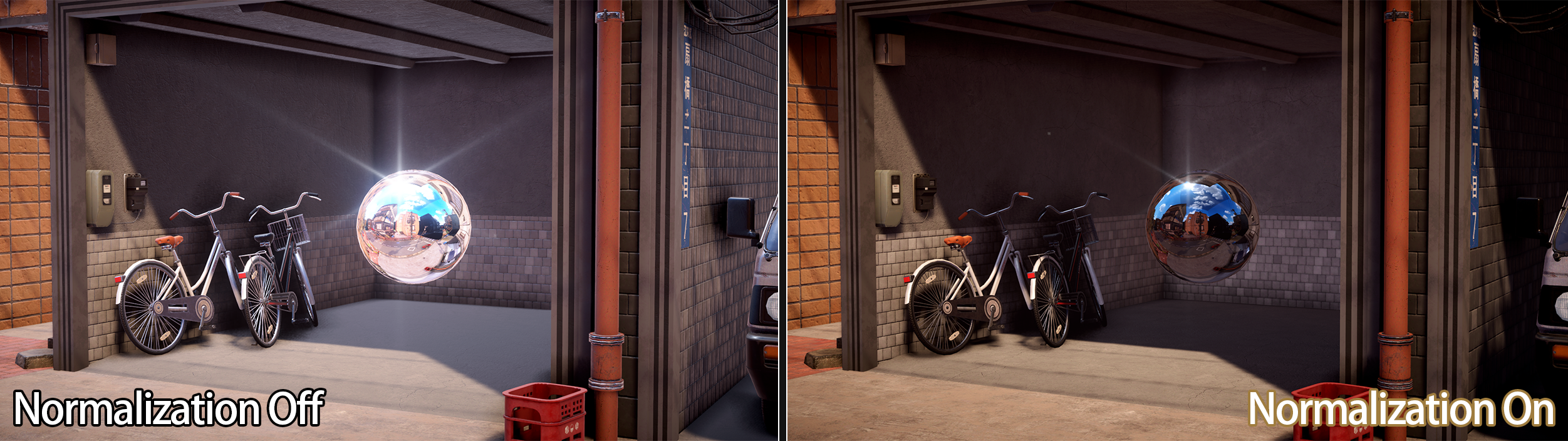
Support Reflection Probe Normalization based on Unity Adaptive Probe Volume when enable PRTGI to prevent light leaking.
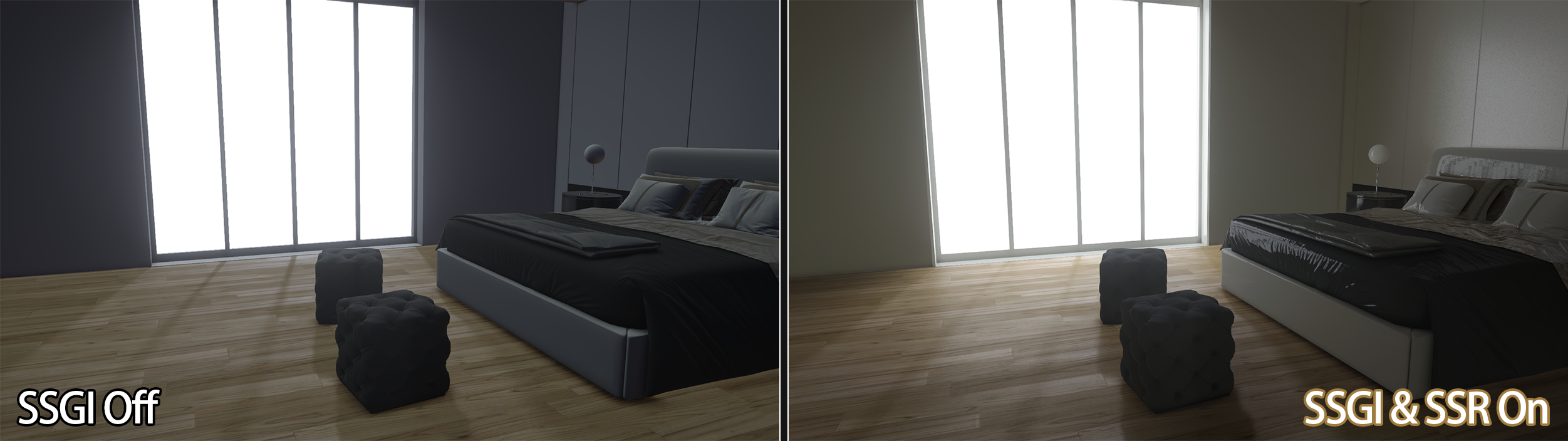
Include Screen Space Global Illumination based on jiaozi158/UnitySSGIURP and HDRP implementation.
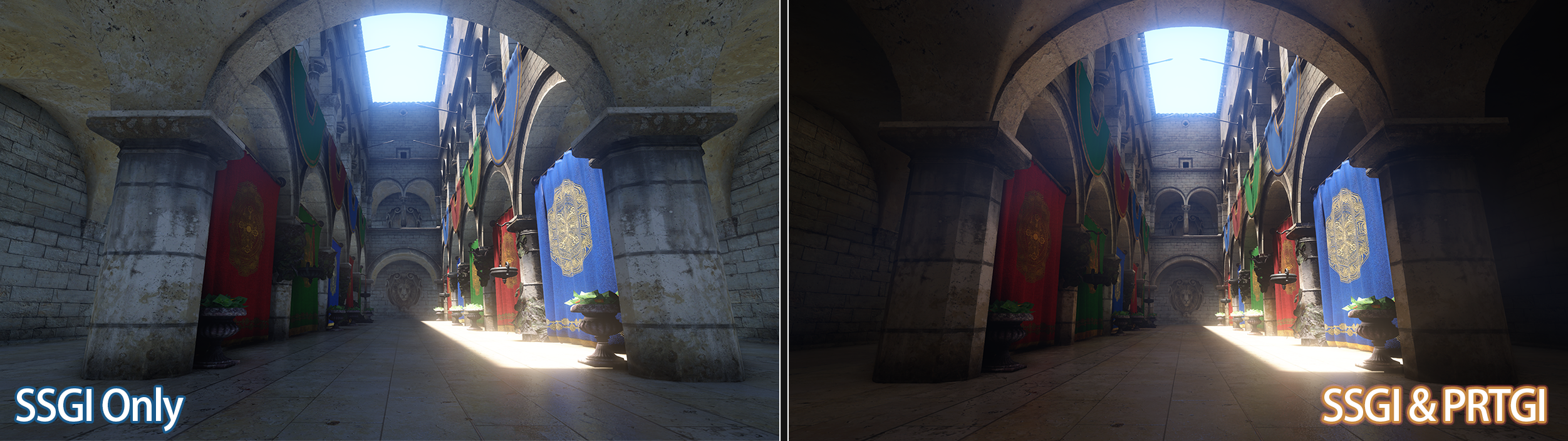
[!TIP] Recommend to use
PRTGIoutdoor and combine withSSGIindoor.Also,
SSGIwill not affect materials that use baked lightmaps.
Post Processing
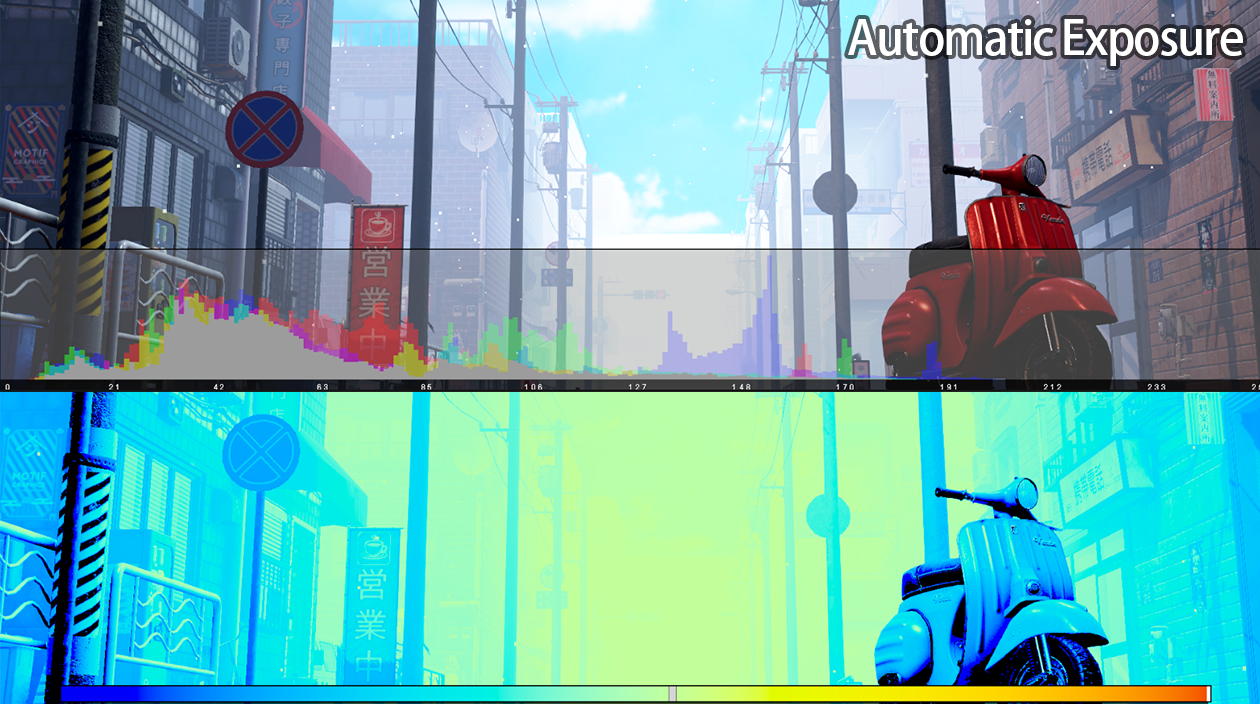
Include Automatic Exposure ported from HDRP.
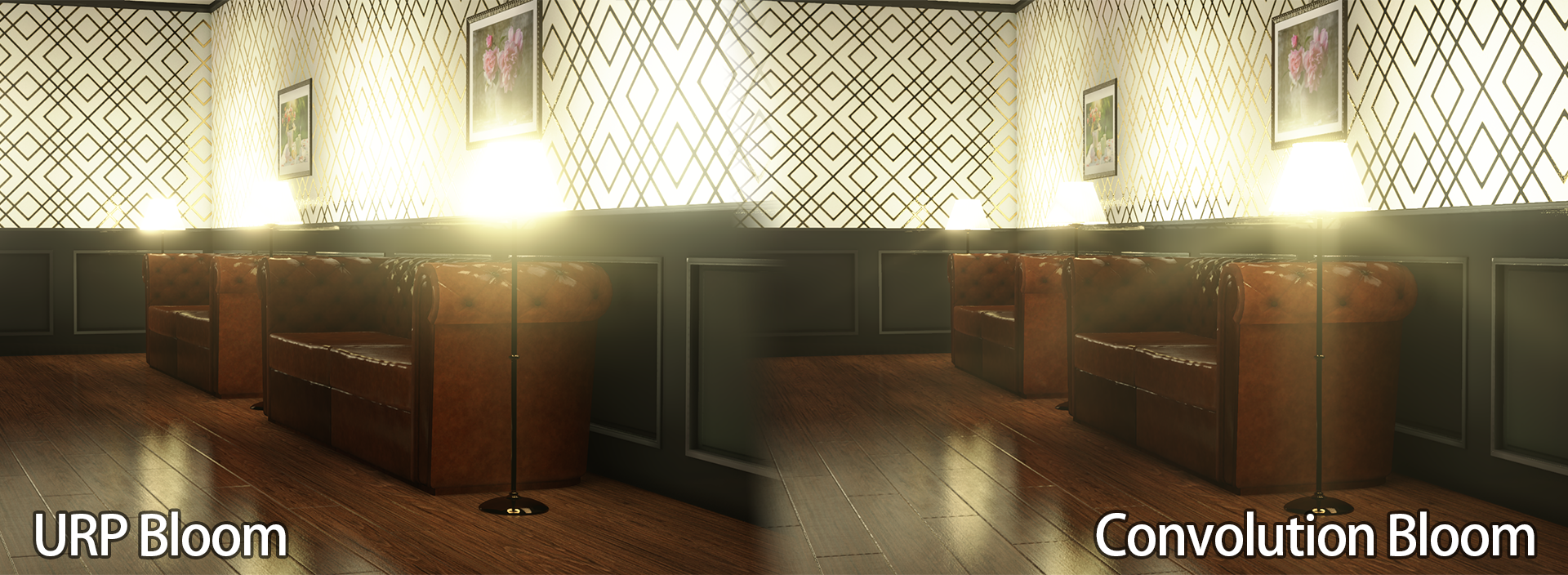
Include Convolution Bloom from StellarWarp/High-Performance-Convolution-Bloom-On-Unity.
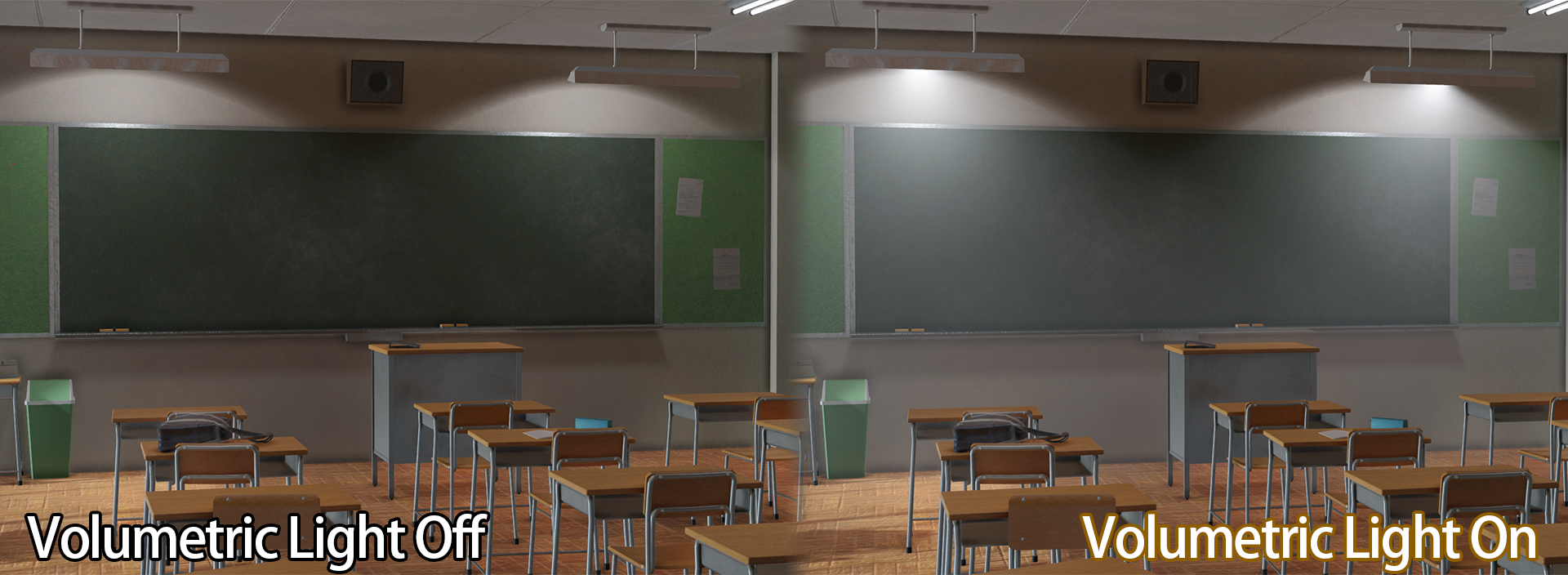
Include Volumetric Light from CristianQiu/Unity-URP-Volumetric-Light.
Include Advanced Tonemapping with two kinds:
Gran-Turismo from yaoling1997/GT-ToneMapping better for anime characters.
Filmic ACES from Unreal Engine which is more artist friendly.
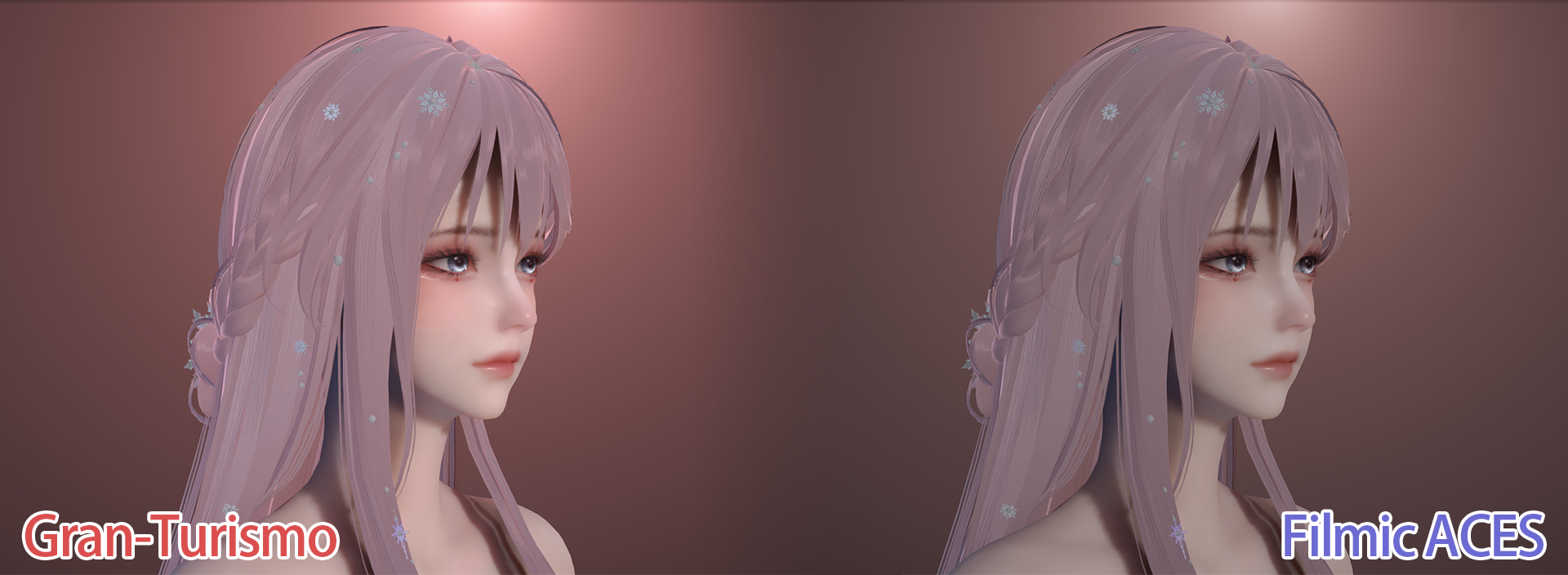
[!NOTE] Advanced Tonemapping only works in
High Dynamic Rangegrading mode.
Debugging
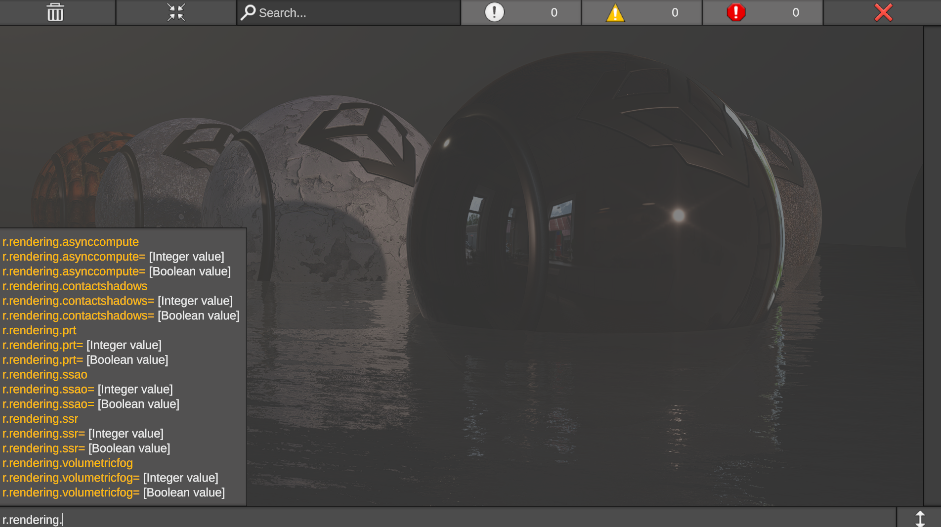
Recommended to install Chris to use Unreal-like console variables for debugging rendering features.
Install from git url
https://github.com/AkiKurisu/Chris
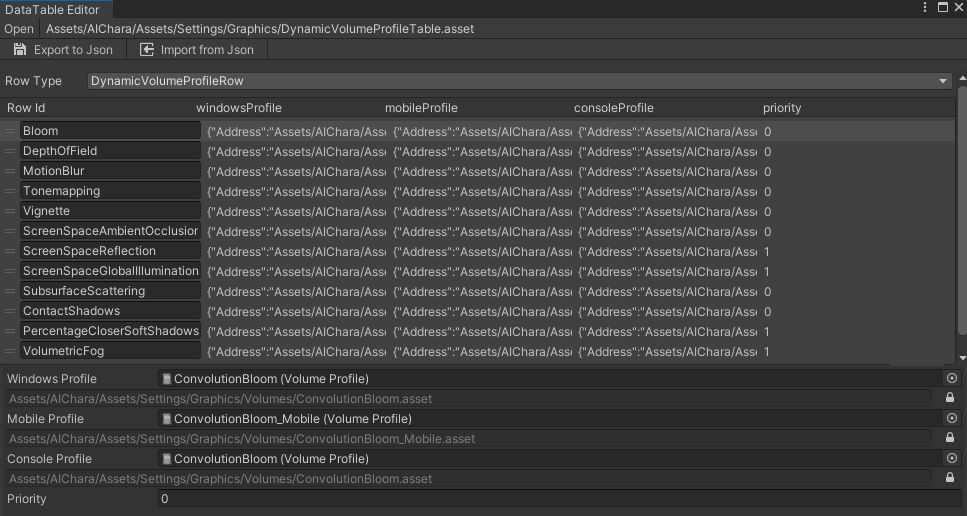
Chris also provides a Data-Driven Dynamic Volume Provider to support configuring volume profile per-platform.
Documents
Documents are generated with Devin AI, please create an issue if you find any problems.
Contribution
See Contributing for more details.
Credits
Thanks to the following great works and articles.
HigashiSan/Weighted-Blended-OIT-in-Unity-URP
Unity-Technologies/shading-rate-demo
StellarWarp/High-Performance-Convolution-Bloom-On-Unity
CristianQiu/Unity-URP-Volumetric-Light
Matt - Approximating Subsurface Scattering With Spherical Gaussians
jplee - Extra technique for Skin shader by URP
jplee - UE4 ACES Tone mapping port URP
Naughty Dog - The Process of Creating Volumetric-based Materials in Uncharted 4
NVIDIA - Weighted Blended Order-Independent Transparency
Casual Effects - Weighted, Blended Order-Independent Transparency
ZZNEWCLEAR13 - 在URP的片元着色器中应用阴影偏移
Articles
Technical articles related to IllusionRP.
License
Licensed under the Unity Companion License for Unity-dependent projects--see Unity Companion License.
Unless expressly provided otherwise, the Software under this license is made available strictly on an "AS IS" BASIS WITHOUT WARRANTY OF ANY KIND, EXPRESS OR IMPLIED. Please review the license for details on these and other terms and conditions.
For integrated third-party code, please refer to their licenses included in the package.
No comments yet. Be the first!