AnkleBreaker Studio - Utils Inspector
Powerful custom inspector attributes and property drawers for Unity Editor. Features 30+ attributes including conditional visibility, layout grouping, toggle buttons, asset preview with metadata, validation, and more.
com.anklebreaker-studio.utils.inspector 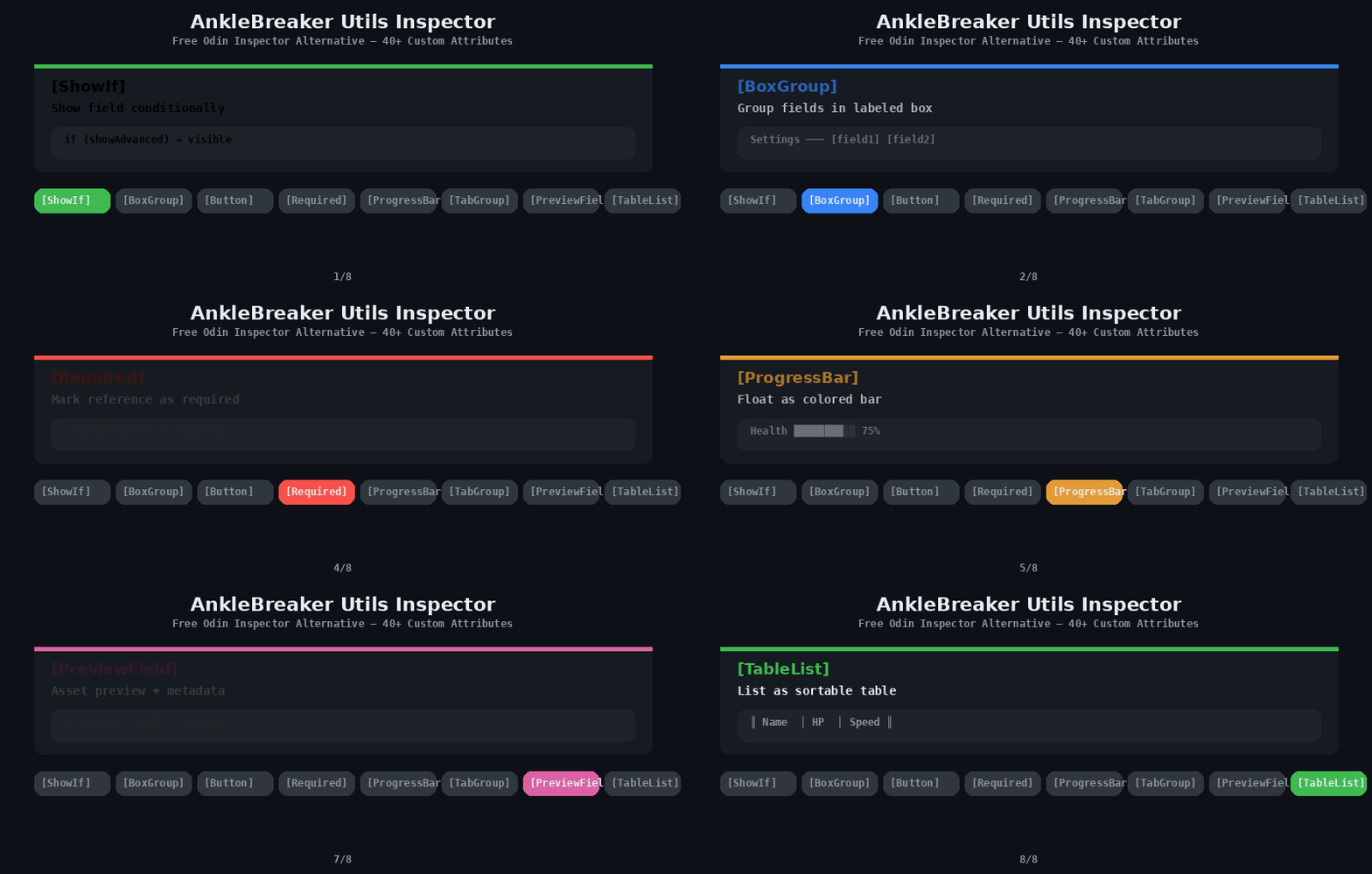
Install via UPM
Add to Unity Package Manager using this URL
https://www.pkglnk.dev/inspector.git README Markdown
Copy this to your project's README.md

## Installation
Add **AnkleBreaker Studio - Utils Inspector** to your Unity project via Package Manager:
1. Open **Window > Package Manager**
2. Click **+** > **Add package from git URL**
3. Enter:
```
https://www.pkglnk.dev/inspector.git
```
[](https://www.pkglnk.dev/pkg/inspector)Used By (1)
README
AnkleBreaker Utils Inspector — Free Odin Inspector Alternative
40+ custom inspector attributes and property drawers for Unity Editor. ShowIf, BoxGroup, TabGroup, Button, Required, ProgressBar, PreviewField, TableList, and more — everything you need without the Odin price tag. Free and open source by AnkleBreaker Studio.


Installation
Add via Unity Package Manager using the Git URL:
https://github.com/AnkleBreaker-Studio/AnkleBreaker-Utils-Inspector.git#Release
Attributes
Conditional Visibility & Enable
| Attribute | Description |
|---|---|
[ShowIf("field")] |
Shows field conditionally based on a bool, enum value, or method |
[ShowIf("field", value)] |
Shows field when field equals value |
[HideIf("field")] |
Hides field conditionally |
[HideIf("field", value)] |
Hides field when field equals value |
[EnableIf("field")] |
Enables/disables field based on condition |
[EnableIf("field", value)] |
Enables field when field equals value |
[DisableInPlayMode] |
Disables field during play mode |
[DisableInEditorMode] |
Disables field in editor mode |
Layout & Grouping
| Attribute | Description |
|---|---|
[BoxGroup("name")] |
Groups fields in a labeled box |
[BoxGroup("name", foldable: true)] |
Foldable box group |
[FoldoutGroup("name")] |
Collapsible foldout group |
[TabGroup("tab")] |
Organizes fields into tabs |
[HorizontalGroup("name")] |
Places fields side by side |
[HorizontalGroup("name", 0.5f)] |
Horizontal with custom width ratio |
[PropertyOrder(n)] |
Controls field display order |
[PropertySpace(before, after)] |
Adds spacing around a field |
[SectionHeader("title")] |
Draws a section header (CenterLine style, default) |
[SectionHeader("title", SectionHeaderStyle.Line)] |
Bold label + thin line below |
[SectionHeader("title", SectionHeaderStyle.Box)] |
Dark box behind title |
[SectionHeader("title", SectionHeaderStyle.Clean)] |
Bold label only, no decoration |
Field Display
| Attribute | Description |
|---|---|
[ReadOnly] |
Makes field read-only in inspector |
[LabelText("text")] |
Custom label for inspector field |
[HideVariableName] |
Hides the variable name in inspector |
[HideInNormalInspector] |
Hides field in default inspector |
[SuffixLabel("unit")] |
Appends unit text after field (ms, px, %, etc.) |
[GUIColor(r, g, b)] |
Tints the field with a color |
[FolderPath] |
Folder picker with browse button |
[FreeRange(min, max)] |
Slider that allows values outside range |
Buttons & Toggles
| Attribute | Description |
|---|---|
[Button] |
Displays a method as a clickable button |
[Button("Label")] |
Button with custom label |
[Button(Mode = ButtonMode.EnabledInPlayMode)] |
Play-mode-only button |
[ToggleButton] |
Boolean displayed as a colored toggle button |
[ToggleButton("On", "Off")] |
Toggle with custom labels |
[ToggleButton(big: true)] |
Double-height toggle button |
[InlineButton("method", "label")] |
Small button next to a field |
[EnumToggleButtons] |
Enum displayed as toggle button toolbar |
Validation & Info
| Attribute | Description |
|---|---|
[Required] |
Marks a reference field as required |
[Required("message")] |
Required with custom warning message |
[ValidateInput("method", "msg")] |
Custom validation with error/warning |
[HelpBox("msg", type)] |
Displays a help box above the field |
[InfoBox("msg")] |
Informational message box |
[ABToolTip("method")] |
Dynamic tooltip from a method |
Data & Input
| Attribute | Description |
|---|---|
[ValueDropdown("member")] |
Dropdown from a list field or method |
[OnValueChanged("method")] |
Calls a method when value changes |
[MinMaxSlider(min, max)] |
Range slider for Vector2 fields |
[ProgressBar(min, max)] |
Displays float as a colored progress bar |
[AutoCompleteText(keys)] |
Text field with autocomplete suggestions |
Preview & Advanced
| Attribute | Description |
|---|---|
[PreviewField] |
Asset preview with metadata (dimensions, file size, path) |
[PreviewField(80)] |
Custom preview size. Supports Texture2D, Sprite, Mesh, GameObject |
[InlineEditor] |
Draws ScriptableObject fields inline |
[TableList] |
Draws list as a sortable table |
[ShowInInspector] |
Shows non-serialized fields/properties (read-only) |
Serialized Classes
AB_SerializedDictionary<TKey, TValue>— Serializable dictionary for Unity inspector
Editor Utilities
ABGroupedEditor— Base editor class handling all grouping, conditional visibility, and layoutABEditor— Base editor class with utility methods
Why Choose This Over Odin Inspector?
Odin Inspector is a great tool, but it costs $55+ per seat. AnkleBreaker Utils Inspector provides the most commonly used attributes — ShowIf, BoxGroup, TabGroup, Button, Required, ProgressBar, PreviewField, TableList, and more — completely free and open source. It covers 90% of what most Unity developers use Odin for, at zero cost.
Part of the AnkleBreaker Ecosystem
| Package | Description |
|---|---|
| AnkleBreaker-Core | Base classes, interfaces, delegates |
| Utils-Inspector (this) | 40+ custom inspector attributes |
| Utils-Extensions | 50+ C# extension methods for Unity |
| Utils-UniversalTypes | Universal wrappers for localization, assets, audio |
| Unity MCP | 268 AI tools for Unity Editor control |
Requirements
- Unity 2022.3 LTS or later
License
See LICENSE.md
No comments yet. Be the first!