Autoware Map Toolbox
Streamline lanelet2 map creation for Autoware directly within Unity. This toolbox enables efficient map design with PCD point cloud import, intuitive node-based lanelet editing, and built-in traffic light and regulatory element management. Ideal for autonomous vehicle simulation and testing workflows.
com.autocore.map-toolbox 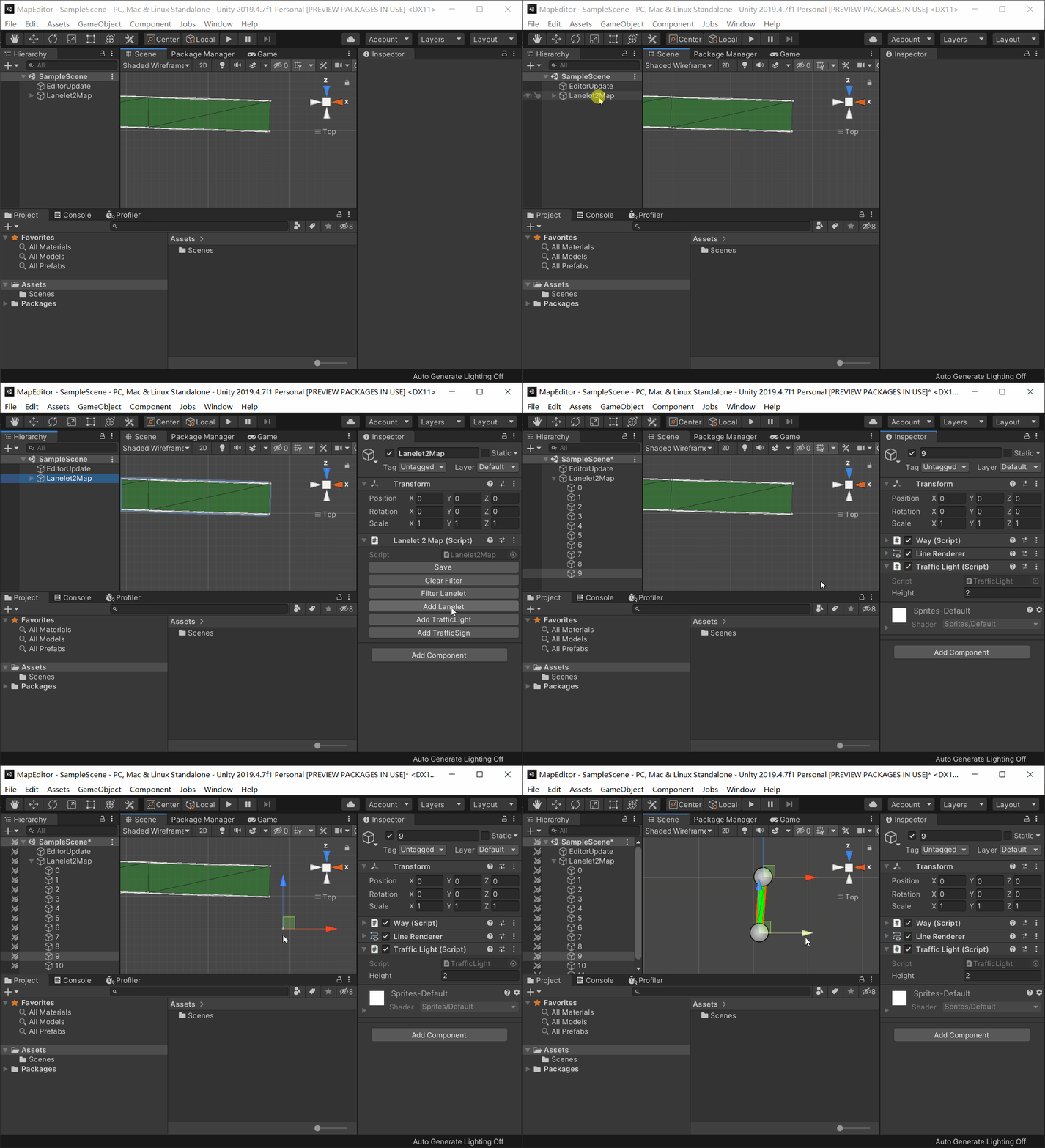
Install via UPM
Add to Unity Package Manager using this URL
https://www.pkglnk.dev/map-toolbox.git README Markdown
Copy this to your project's README.md
Style
Preview 
## Installation
Add **Autoware Map Toolbox** to your Unity project via Package Manager:
1. Open **Window > Package Manager**
2. Click **+** > **Add package from git URL**
3. Enter:
```
https://www.pkglnk.dev/map-toolbox.git
```
[](https://www.pkglnk.dev/pkg/map-toolbox)Dependencies (1)
README
Map Toolbox for Autoware.



Description
This a unity plugin helps user create lanelet2 maps for Autoware efficiently.
For vector map format (which will become obsoleted), ref to vector_map branch.
Requirements
- Windows 10, patched to build 1803 or later
- Unity 2019.4.0 or above
- Git
How to use
- Create your new project in Unity 2019.4
- In unity editor menu bar, click Window -> Package Manager -> ➕ -> Add package from git URL...
- Paste this git URL in text field
https://github.com/autocore-ai/MapToolbox.git
- If any error message appears, try restart unity editor.
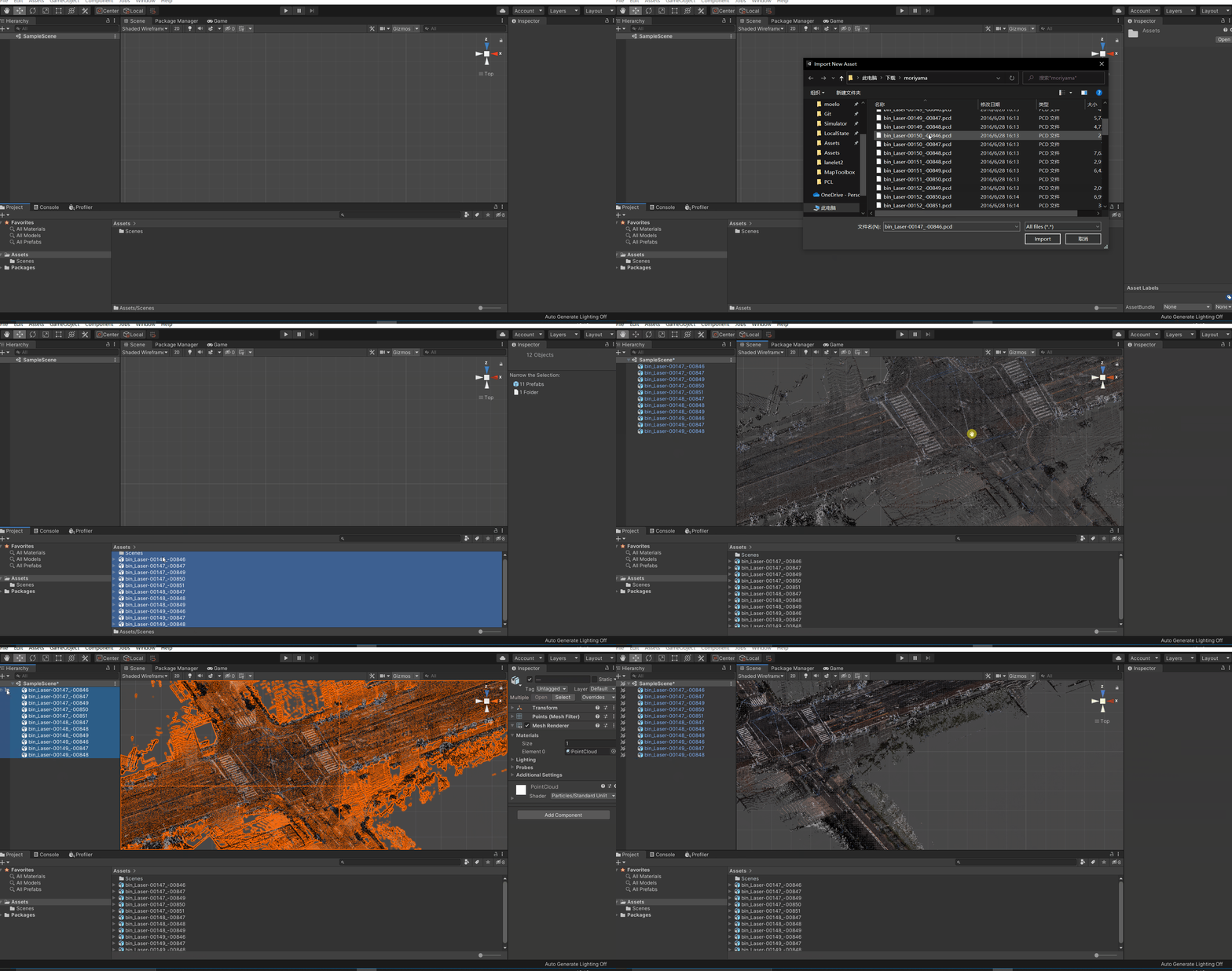
- Import PCD by right click in Project Panel and Import New Asset... then drag pcd file to hierarchy.
- Create new map by right click in Hierarchy, Autoware -> Lanelet2Map
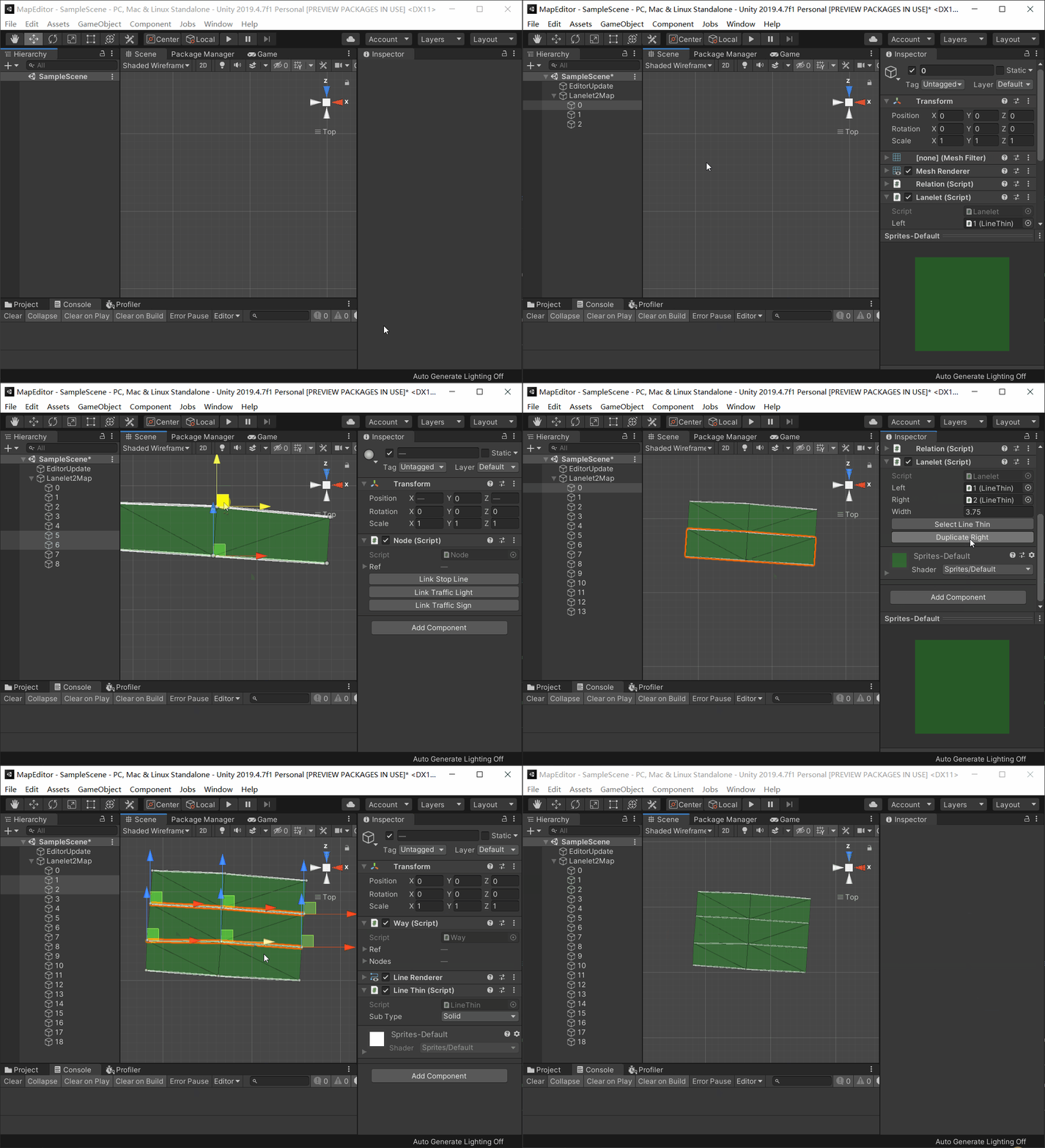
- Create new lanelet by "Add Lanelet" on Lanelet2Map script, left mouse with Crtl to add nodes and Ctrl + Shift to remove nodes.
- Select Nodes to move position
- Add traffic light buttom ref line just like add lanelet nodes, then modify height of traffic light
- Select two nodes and link to a stop line then add traffic light selection with Ctrl, click button "add regulatory element" on "Way" script to create relation between stop line and traffic light.
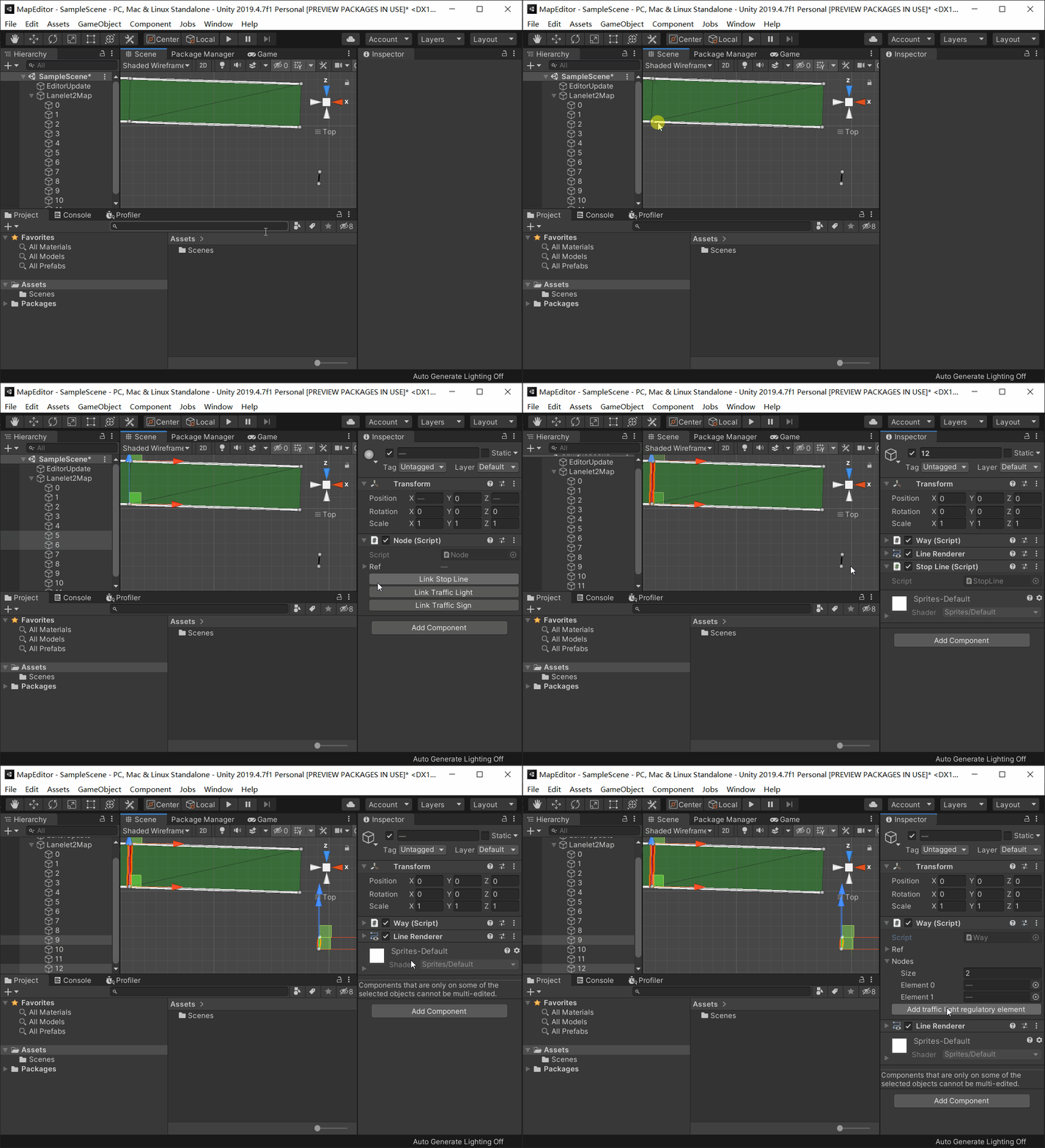
- Click "Save" on Lanelet2Map to export osm map file.
No comments yet. Be the first!