Material Property Provider

A MonoBehaviour based class that will automatically set its Renderers with a MaterialPropertyBlock built from fields and properties marked with MaterialProperty Attribute. When using SRP Batcher, unique instances of materials will be made at runtime for optimal performances.
com.unity.material-property-provider Install via UPM
Add to Unity Package Manager using this URL
https://www.pkglnk.dev/material-property-provider.git 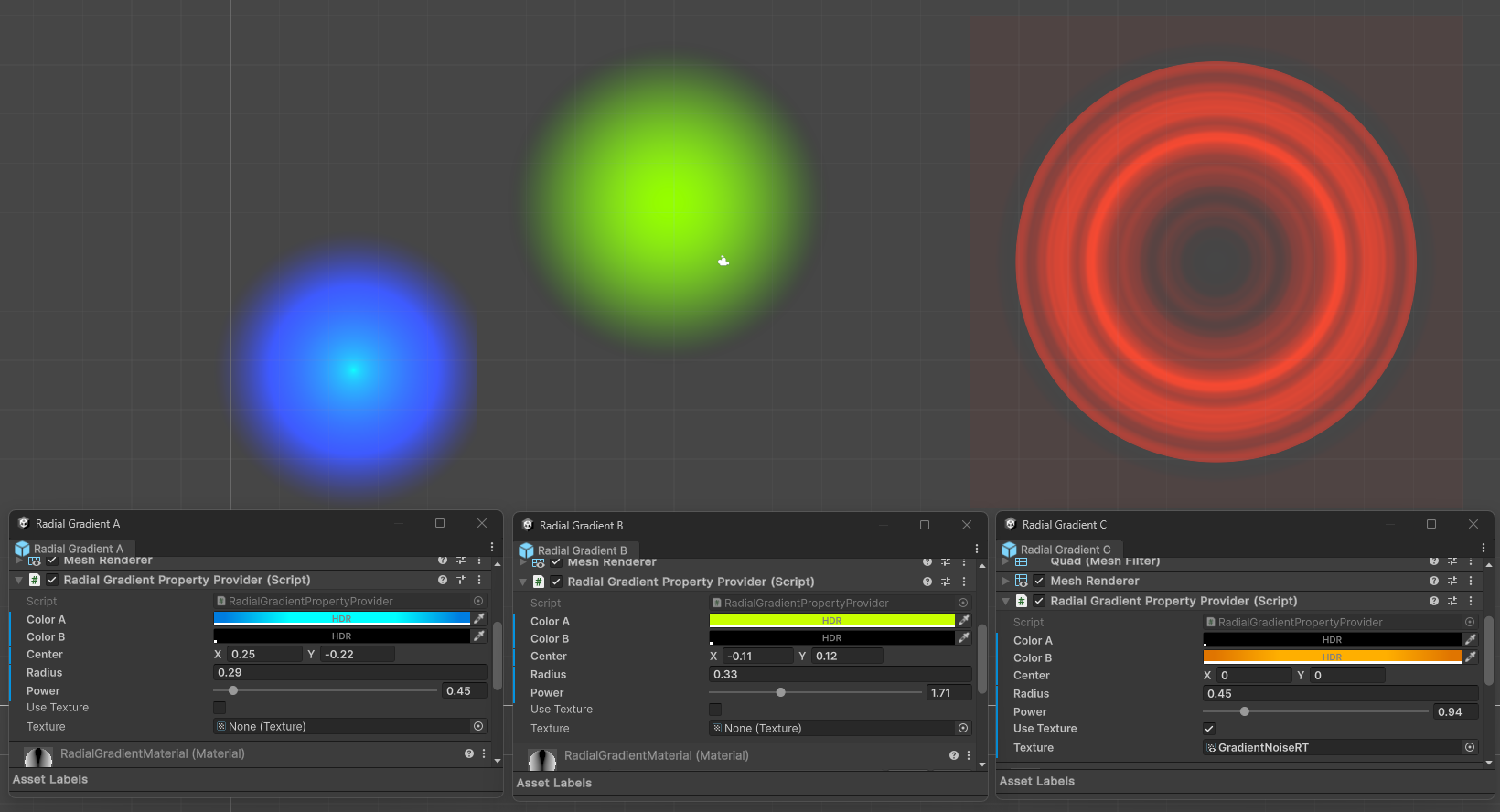
README Markdown
Copy this to your project's README.md

## Installation
Add **Material Property Provider** to your Unity project via Package Manager:
1. Open **Window > Package Manager**
2. Click **+** > **Add package from git URL**
3. Enter:
```
https://www.pkglnk.dev/material-property-provider.git
```
[](https://www.pkglnk.dev/pkg/material-property-provider)README
Material Property Provider
Problem Statement
Making Renderers use unique values, without manually creating Material Variants
Requires handling Material Property Blocks, and/or Material Instances (at Runtime only).
Assigning values from a MonoBehaviour
Requires setting the Material Property Block or Material's properties on Start(), OnValidate(), Reset(), and Update().
SRP Batcher Compatibility
Requires using Material Property Blocks when in Edit Mode (not to leak Materials in the Editor), but unique Material Instances at Runtime.
Solution
A MonoBehaviour based class that will automatically set its Renderer's Material Properties built from fields and properties marked with MaterialProperty Attribute.
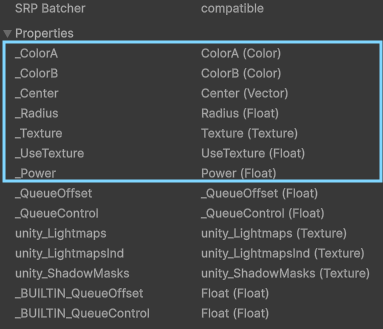
Derive from MaterialPropertyProviderBase and decorate Fields and Properties with [MaterialProperty("_Reference")] Attributes to add them to the Material Properties that will automatically be handled.
Supported Types are:
- bool, float, int, Color, Vector2, Vector3, Vector4, Matrix4x4.
- bool?, float?, int?, Color?, Vector2?, Vector3?, Vector4?, Matrix4x4?, nullable types are not serializable but will work on properties.
- Texture, Texture2D, Texture3D, Cubemap, RenderTexture, float[], Vector4[], Matrix4x4[], GraphicsBuffer and ComputeBuffer.
For nullable types, assigning null will revert the property to the original material's.
Any other type will issue a warning and just be discarded.
SRP Batcher Compatibility
When using URP or HDRP with SRP Batcher Enabled, Material Property Blocks will only be used when in Edit Mode. Runtime / Play Mode will then make unique Material instances. Make sure your Materials are compatible with the SRP Batcher.
Example
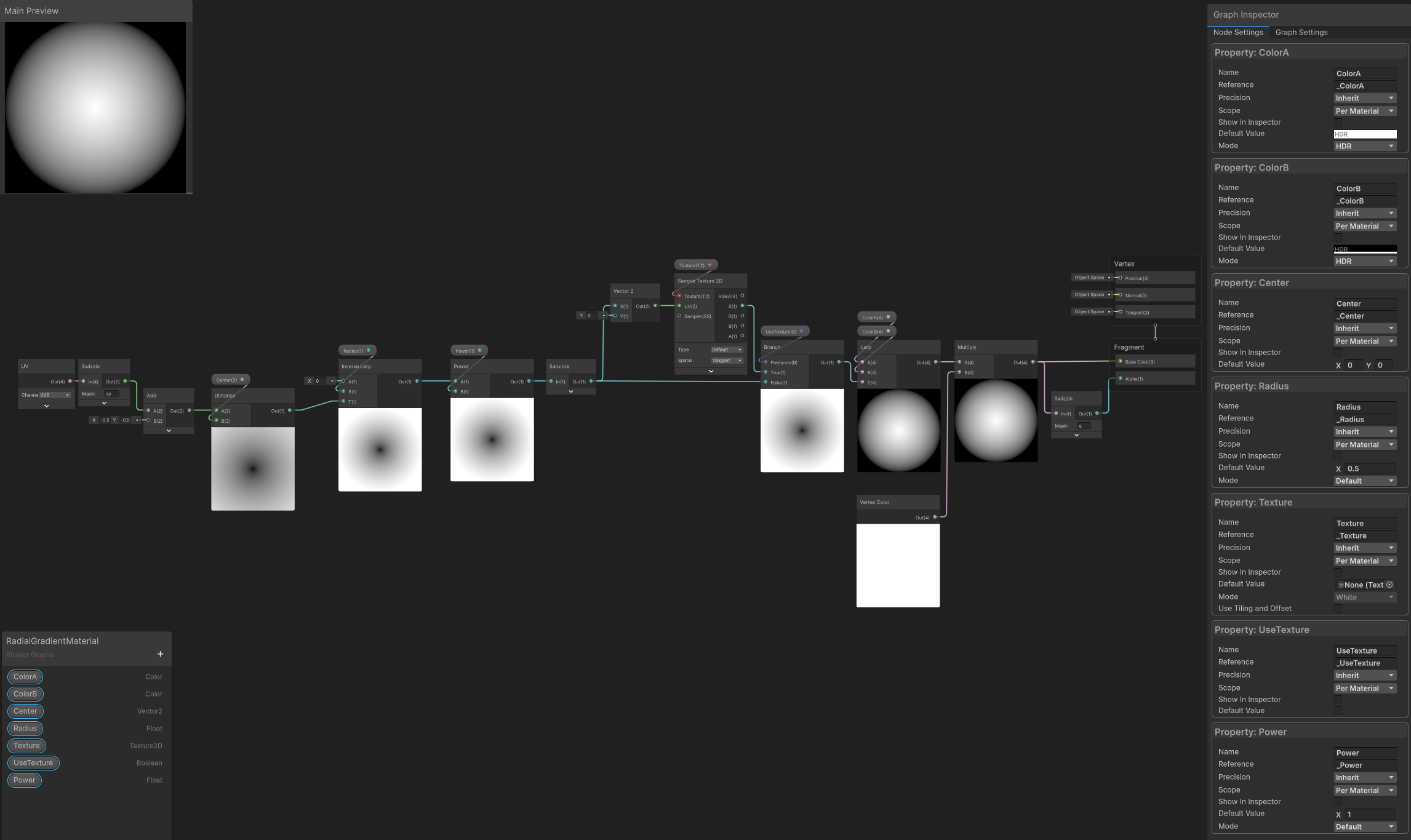
Radial Gradient
[ExecuteAlways] // this allows for animated properties preview in Timeline when in Edit Mode
public class RadialGradientPropertyProvider : MaterialPropertyProviderBase
{
#pragma warning disable CS0414
    [SerializeField, ColorUsage(true, true), MaterialProperty("_ColorA")] Color _colorA = Color.yellow;
    [SerializeField, ColorUsage(true, true), MaterialProperty("_ColorB")] Color _colorB = Color.cyan;

    [SerializeField, MaterialProperty("_Center")] Vector2 _center;
    [SerializeField, MaterialProperty("_Radius")] float _radius = .5f;

    [SerializeField, Range(.1f, 5f), MaterialProperty("_Power")] float _power = 1f;

    [SerializeField] bool _useTexture;

    [SerializeField, MaterialProperty("_Texture")] Texture _texture;
#pragma warning restore CS0414

    [MaterialProperty("_UseTexture")]
    public bool UseTexture { get => _useTexture && _texture != null; }

    Renderer[] _renderers;
    protected override Renderer[] renderers // <-- passing the renderers to work with
    {
        get
        {
            if (_renderers == null)
                _renderers = new Renderer[1] { GetComponent<Renderer>() };

            return _renderers;
        }
    }
}
The component will automatically set the fields' and properties' values in the Renderer's Material Properties.
Source Material Change
Should you change the source material, you can call material.HasChanged(); on the source to trigger propagation through duplicates.
Comments
No comments yet. Be the first!
Sign in to join the conversation
Sign In