AM Modular Behavior System
A lightweight, extensible runtime framework for composing modular game logic in Unity using processors and pipelines.
com.ghoonykim.am.modular-behavior-system 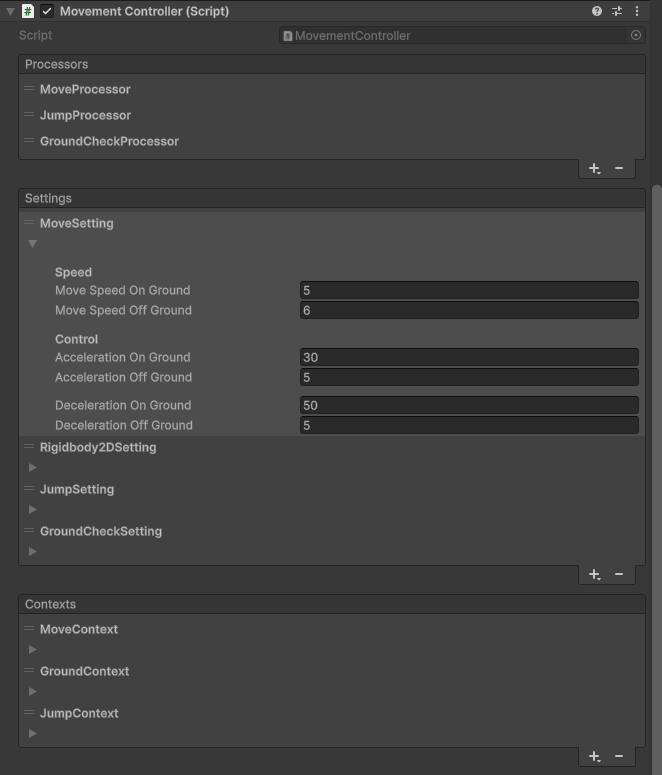
Install via UPM
Add to Unity Package Manager using this URL
https://www.pkglnk.dev/modular-behavior-system.git README Markdown
Copy this to your project's README.md

## Installation
Add **AM Modular Behavior System** to your Unity project via Package Manager:
1. Open **Window > Package Manager**
2. Click **+** > **Add package from git URL**
3. Enter:
```
https://www.pkglnk.dev/modular-behavior-system.git
```
[](https://www.pkglnk.dev/pkg/modular-behavior-system)README
Unity Modular Behavior System
1. Overview
This Unity package provides a Modular Behavior System.
It is designed to easily add and manage various behaviors on game objects.
Each behavior is structured as an independent module, offering excellent reusability and maintainability.
The system consists of three core components:
Setting
Holds immutable or semi-immutable data at runtime.Context
Represents the current state during runtime.Processor
The unit that executes the actual behavior logic.
2. Key Features
Unity Inspector Support
- Setting, Processor, and Context can be easily configured in the Inspector.
- Designers and developers can collaboratively adjust behaviors intuitively.
Flexible Behavior Configuration
- Various behaviors can be created by changing the Processor composition.
- Provides high extensibility and reusability.
Minimal Runtime GC
- Causes almost no GC allocations during runtime.
- Helps prevent frame drops and improves performance.
3. How to Use
3.1 Package Installation
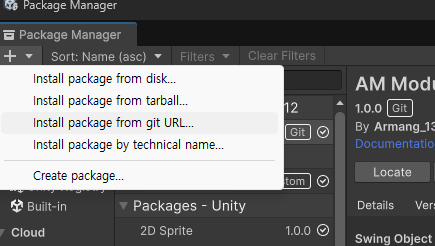
Install via Git URL in the Unity Package Manager.
https://github.com/Armangi1312/unity-am-modular-behavior-system.git
Select "Add package from Git URL" in the Package Manager and enter the URL above.
3.2 Behavior Configuration
Add Setting, Processor, and Context in the Inspector to configure behaviors.
Processor Management
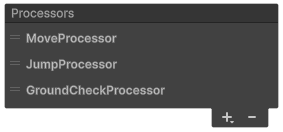
+button: Add a Processor-button: Remove a Processor- Drag to reorder (adjust priority)
Cannot be modified during runtime.
Adding Setting / Context
- Can be added in the same way as Processors.
- Settings and Contexts required by a Processor are added automatically.
4. Documentation & Examples
For detailed code explanations and examples, refer to the documentation below.
No comments yet. Be the first!