Open Game Kit

A comprehensive toolkit for Unity game development featuring action sequences, spline systems, variable tracking, UI components, and extensive game development utilities.
com.tolinsimpson.open-game-kit Install via UPM
Add to Unity Package Manager using this URL
https://www.pkglnk.dev/open-game-kit.git 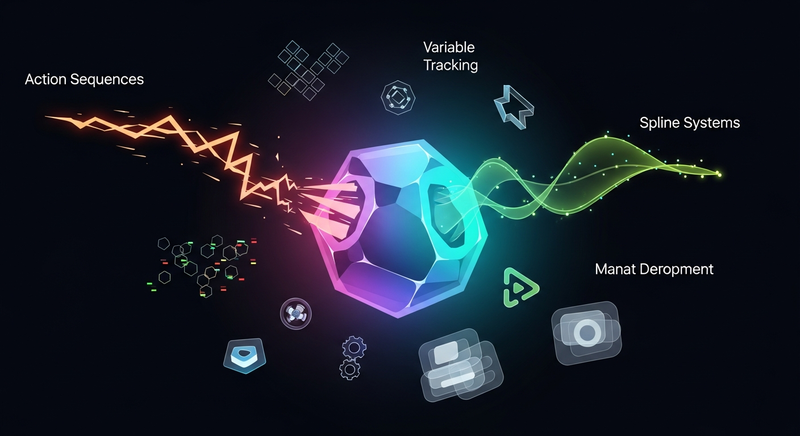
README Markdown
Copy this to your project's README.md

## Installation
Add **Open Game Kit** to your Unity project via Package Manager:
1. Open **Window > Package Manager**
2. Click **+** > **Add package from git URL**
3. Enter:
```
https://www.pkglnk.dev/open-game-kit.git
```
[](https://www.pkglnk.dev/pkg/open-game-kit)README


Open Game Kit
A comprehensive toolkit for Unity game development featuring action sequences, spline systems, variable tracking, UI components, and extensive game development utilities.
Installation
Via Unity Package Manager (Git URL)
- Open Unity Package Manager
- Click the
+button and select "Add package from git URL" - Enter:
https://github.com/TolinSimpson/Open-Game-Kit.git
Via OpenUPM
# Install via OpenUPM CLI
openupm add com.tolinsimpson.open-game-kit
Manual Installation
- Download the latest release from GitHub Releases
- Import the
.unitypackagefile into your project
Features
🎯 Action System
Action Modules & Sequences
A powerful event-driven action system for creating complex gameplay behaviors without coding.
Core Components:
- ActionSequencer: Execute sequences of actions with various flow control options
- ActionModule: Base class for all actions with delay support and event handling
- ActionSequence: Manage collections of actions with advanced flow control
Available Action Categories:
- Animation Actions: Control Animator components
- Audio Actions: Play sounds, music, and audio effects
- App Manager Actions: Control application lifecycle and settings
- Event Actions: Trigger Unity Events and custom callbacks
- GameObject Actions: Manipulate GameObjects (activate, destroy, instantiate)
- Light Actions: Control lighting components
- NavMesh Agent Actions: AI navigation and pathfinding
- Raycaster Actions: Perform raycasting operations
- Renderer Actions: Control material properties and rendering
- Rigidbody Actions: Physics-based movement and forces
- Scene Actions: Load and manage scenes
- Time Actions: Delays, timers, and time manipulation
- Transform Actions: Position, rotation, and scale operations
- UI Actions: User interface interactions and animations
- Variable Tracker Actions: Manipulate tracked variables
Action Events:
- Continue, Stop, SkipNext, GoBack, SkipToEnd, Restart, ToRandom, Hold, Release, Error
📈 Variable System
Variable Tracking & Management
A robust system for tracking and manipulating game variables with automatic serialization and reset capabilities.
Supported Variable Types:
- StringVariable: Text and string data
- IntVariable: Integer numbers
- FloatVariable: Floating-point numbers
- DoubleVariable: Double-precision numbers
- Vector2Variable: 2D vectors
- Vector3Variable: 3D vectors
- Vector4Variable: 4D vectors
- QuaternionVariable: Rotation data
Features:
- Automatic initialization and reset functionality
- Persistent variable tracking across scenes
- Integration with Action System for variable manipulation
- Custom inspector support for easy editing
🎨 Spline System
Advanced Spline Mathematics
Comprehensive spline implementation supporting multiple curve types for smooth path creation and animation.
Supported Spline Types:
- Bezier Curves: Smooth parametric curves with control points
- Hermite Curves: Cubic curves with tangent vector control
- Catmull-Rom Splines: Smooth curves passing through all points
- B-Splines: Uniform curves with excellent smoothness
- Linear Interpolation: Simple straight-line paths
- Raw Points: Direct point-to-point connections
Features:
- Arc-length parameterization for even spacing
- Customizable segment resolution
- Local and world space support
- Integration with Unity's Transform system
- Path equalization for consistent movement speeds
🎮 Core Components
Essential Game Components
Ready-to-use components for common game functionality.
Components Include:
- AppManager: Centralized application lifecycle management
- ActionSequencer: Execute action sequences with advanced flow control
- VariableTracker: Track and persist game variables
- ActivationEvents: Handle object activation/deactivation events
- PersistentSettings: Manage settings that persist across sessions
Features:
- Drag-and-drop functionality
- Inspector-friendly interfaces
- Event-driven architecture
- Performance optimized
🖱️ Input System
Input Handling Components
Comprehensive input management for both traditional and modern input systems.
Input Components:
- UserInput: Handle keyboard, mouse, and controller input
- PointerEvents: Mouse and touch pointer interactions
UI Input Components:
- UIButtonToggle: Advanced button states and animations
- UIGroupToggle: Manage groups of UI elements
- UISizeToggle: Animated size transitions for UI elements
Features:
- Cross-platform input support
- Touch and mouse compatibility
- Customizable input mapping
- UI-specific input handling
🎭 Animation Components
Animation & Visual Effects
Components for creating smooth animations and visual effects.
Features:
- Seamless integration with Unity's Animation system
- Custom animation curves and timing
- Event-driven animation triggers
- Performance-optimized animation handling
⚡ Physics Components
Physics Integration
Advanced physics components for realistic game mechanics.
Features:
- Rigidbody manipulation actions
- Force and torque applications
- Collision detection helpers
- Physics-based movement systems
🛠️ Utility Components
Miscellaneous Utilities
Additional helper components for various game development needs.
Features:
- Logic operations and mathematical utilities
- Integration helpers for third-party assets
- Custom attributes for enhanced inspector functionality
- Debugging and development tools
🎯 Custom Attributes
Inspector Enhancements
Custom attributes to improve the Unity Inspector experience.
Available Attributes:
- SRAttribute: Serialized reference attribute for polymorphic serialization
- SRNameAttribute: Custom naming for serialized references
- SRPickerAttribute: Enhanced picker interface for serialized references
- MessageAttribute: Display custom messages in the inspector
Features:
- Enhanced inspector workflows
- Better serialization support
- Improved developer experience
- Visual feedback and guidance
🔧 Editor Tools
Development Tools
Powerful editor extensions and tools for enhanced development workflow.
Features:
- Custom Inspectors: Enhanced inspector interfaces for components
- Property Drawers: Custom property drawing for better UI
- Serialization Tools: Advanced serialization helpers
- Editor Decorations: Visual enhancements for the editor interface
Tools Include:
- Advanced debugging utilities
- Performance profiling helpers
- Asset management tools
- Workflow optimization features
🔌 Third-Party Integrations
External Package Support
Seamless integration with popular Unity packages and tools.
Supported Integrations:
- AI Navigation Package: Enhanced NavMesh utilities
- PuppetMaster: Advanced character physics integration
Features:
- Plug-and-play integration
- Backwards compatibility
- Optional dependencies
- Extended functionality for integrated packages
Logic Operations
The toolkit includes comprehensive logic operations for game development:
- Probability Systems: Random chance calculations with various distribution methods
- Mathematical Utilities: Common game math operations
- Comparison Operations: Value comparison and validation
- Boolean Logic: Complex logical operations and conditions
Getting Started
- Install the package using one of the methods above
- Add core components to your GameObjects:
- Add
AppManagerto manage application lifecycle - Add
ActionSequencerto execute action sequences - Add
VariableTrackerto manage game variables
- Add
- Create action sequences using the intuitive inspector interface
- Set up splines for smooth path animations
- Configure input handling with the provided input components
Documentation
License
This project is licensed under the MIT License - see the LICENSE file for details.
Contributing
Contributions are welcome! Please feel free to submit a Pull Request. For major changes, please open an issue first to discuss what you would like to change.
Support
Made with ❤️ by Tolin Simpson
Comments
No comments yet. Be the first!
Sign in to join the conversation
Sign In