EB Pools
EB Pools is a lightweight object pooling library that improves performance by reusing instantiated objects instead of repeatedly creating and destroying them. Replace just two lines of code—Instantiate/Destroy with InstantiateFromPool/DestroyInPool—to reduce garbage collection overhead. Features include simple setup, event interfaces, and scriptable pools for advanced use cases.
br.com.expressobits.pools 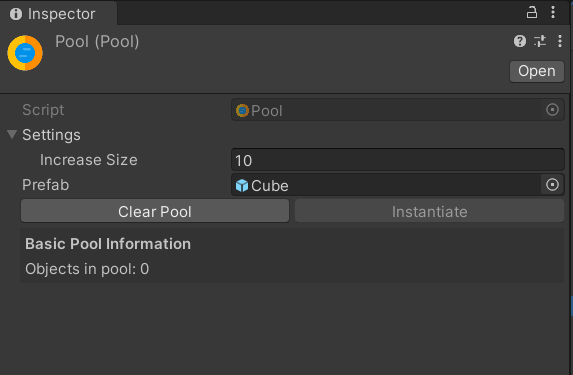
Install via UPM
Add to Unity Package Manager using this URL
https://www.pkglnk.dev/pools.git README Markdown
Copy this to your project's README.md

## Installation
Add **EB Pools** to your Unity project via Package Manager:
1. Open **Window > Package Manager**
2. Click **+** > **Add package from git URL**
3. Enter:
```
https://www.pkglnk.dev/pools.git
```
[](https://www.pkglnk.dev/pkg/pools)README
Welcome to Expresso Bits Pools 👋




Unity performance issues generating and destroying multiple objects? This simple library solves your problem in a simple way. With few steps your object can be reused several times, avoiding the garbage collector. Create Simple and Easy Pool of objects! This extension creates easy use of Pool with objects that are instantiated and destroyed, avoiding excessive use of memory and processing.
Features
✔️ Simple use, Change only 2 line of your code!
✔️ Interfaces for events.
✔️ Pooler component for Unity Events.
Usage
Simple change Instantiate/Destroy method for this.InstantianteInPool/this.DestroyInPool!.
Before
      Instantiate(prefab);
      ...
      Destroy(gameObject);
After
    this.InstantiateFromPool(prefab);
    ...
    this.DestroyInPool(gameObject);
Advanced Usages
For more advanced use, scriptable Pool can be created by Expresso Bits/Pools/Pool
In the code just use:
    pool.Instantiate();
    ...
    pool.Destroy();
Install
With Git Url
To install open Window > Package Manager and click on the + package icon and choose "Add package from git url" and type:
and you're done!
With OpenUPM
- Add openupm registry. Click on the menu Edit -> Project settings..., and add a scoped registry like so:
Name: OpenUPM
Url: https://package.openupm.com
Scopes:
com.openupm
br.com.expressobits
- Close the project settings
- Open the package manager. Click on menu Window -> Package Manager and select "Packages: My Registries", select the latest version of EB Pools and click install
- You may come back to the package manager to unistall EB Pools or upgrade it.
No comments yet. Be the first!