Preset Manager
Preset Manager automates the application of Unity Presets to assets based on folder structure, eliminating repetitive manual configuration. Key features include automatic preset detection per folder, customizable property handling, auto-application to newly imported assets, and folder-relative preset adjustments. Streamline your asset pipeline and maintain consistent settings across your project.
com.brunomikoski.presetmanager 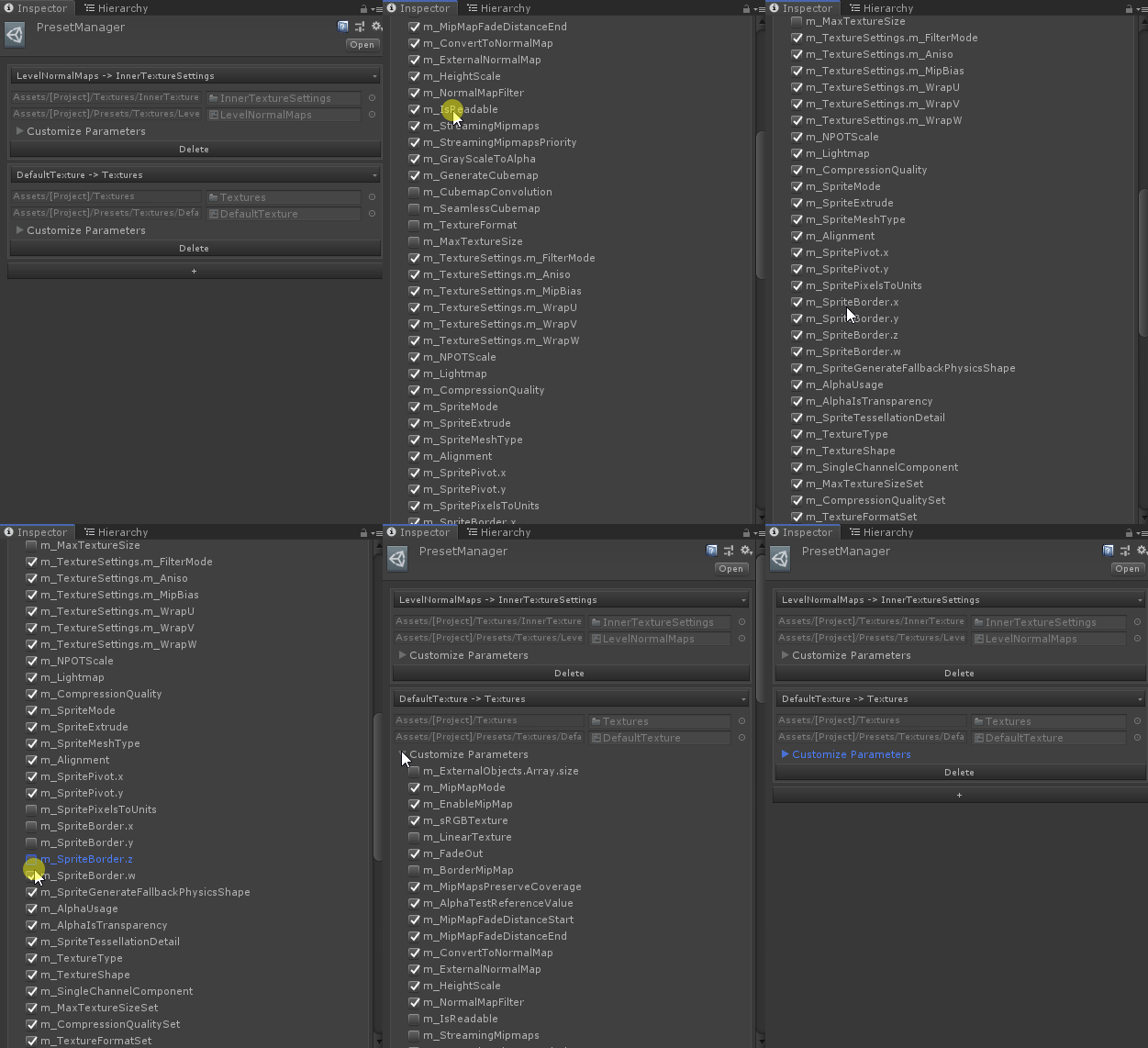
Install via UPM
Add to Unity Package Manager using this URL
https://www.pkglnk.dev/presetmanager.git README Markdown
Copy this to your project's README.md

## Installation
Add **Preset Manager** to your Unity project via Package Manager:
1. Open **Window > Package Manager**
2. Click **+** > **Add package from git URL**
3. Enter:
```
https://www.pkglnk.dev/presetmanager.git
```
[](https://www.pkglnk.dev/pkg/presetmanager)README
Preset Manager




Preset Manager is the missing per folder preset for Unity.
Applies Preset to objects respecting the folder structure and settings.
Features
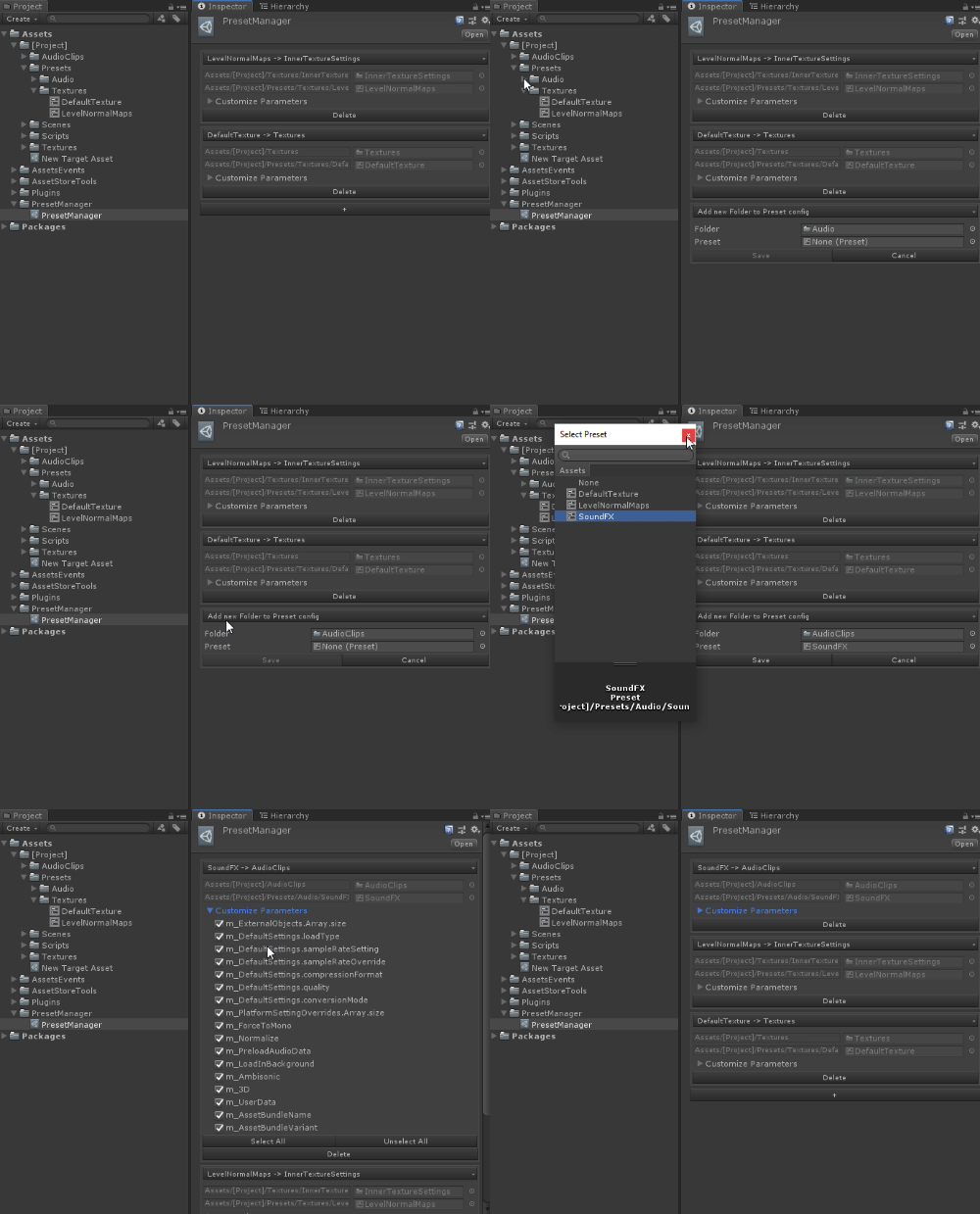
- Load all available Presets in the Project
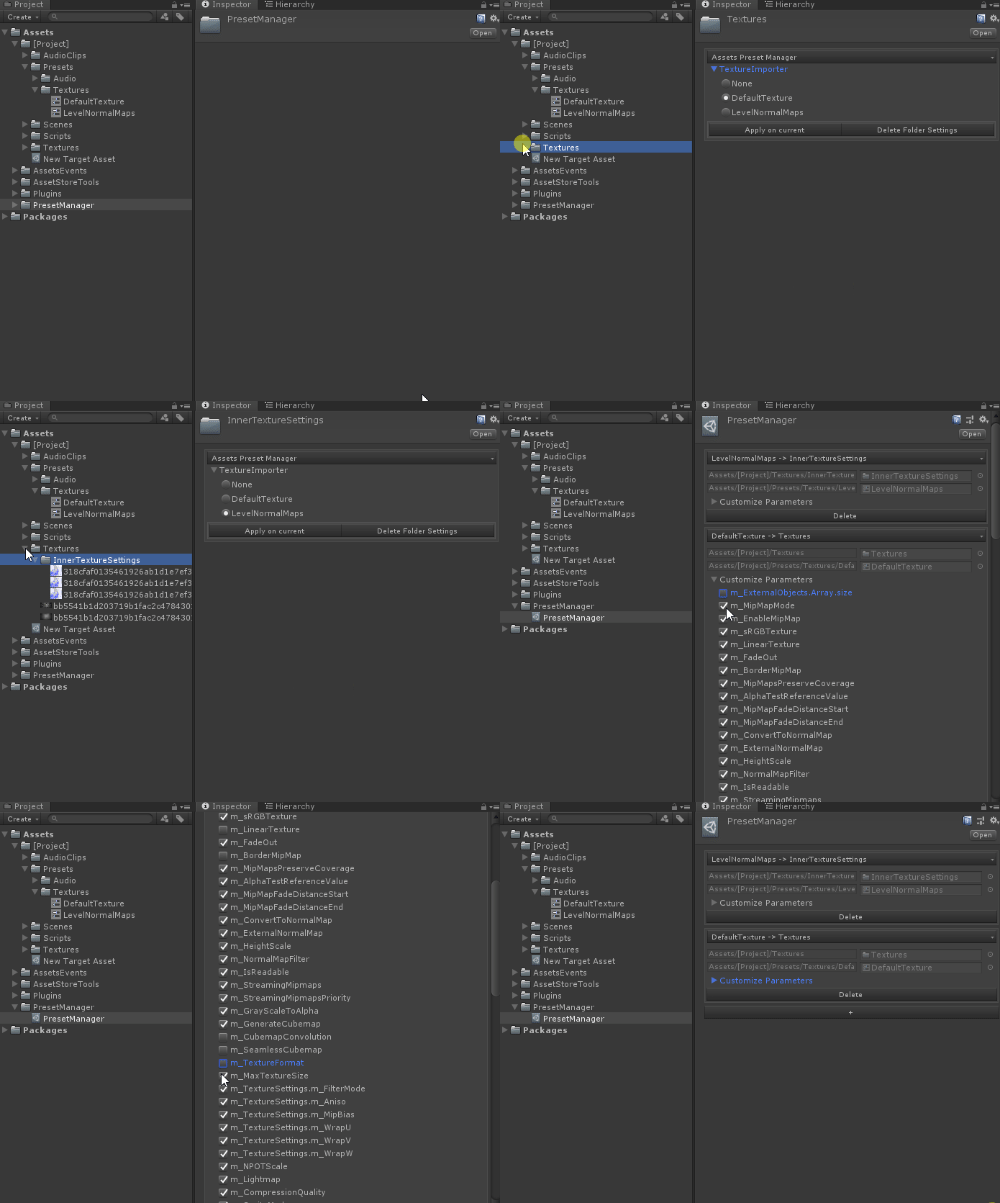
- When a folder is selected, verify if there's an asset that can use one of the available presets.
- Display the Options per asset type
- Automatically applies to new assets
- You can apply the specific preset per folder.
- Allow customization of ignored properties!
- Relative changes based on specific folder
System Requirements
Unity 2018.4.0 or later versions. Feel free to try an older version, should work just fine.
Installation
OpenUPM
The package is available on the openupm registry. It's recommended to install it via openupm-cli.
openupm add com.brunomikoski.presetmanager
Manifest
You can also install via git URL by adding this entry in your manifest.json
"com.brunomikoski.presetmanager": "https://github.com/badawe/PresetManager.git"
Unity Package Manager
from Window->Package Manager, click on the + sign and Add from git: https://github.com/badawe/PresetManager.git
No comments yet. Be the first!