Pumkins Avatar Tools
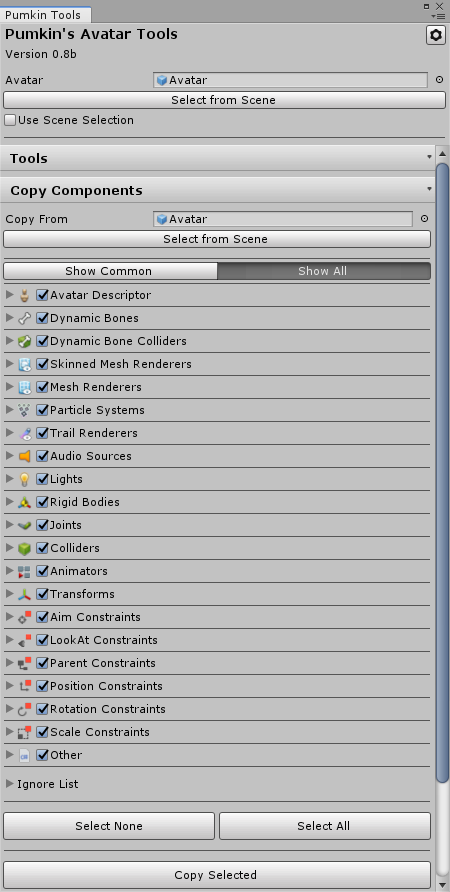
An editor script that adds tools to help you setup avatars faster and easier. It includes a component copier that makes it a lot easier to reimport your avatars, and tools to make your thumbnails nicer.
io.github.rurre.pumkinsavatartools 
Install via UPM
Add to Unity Package Manager using this URL
https://www.pkglnk.dev/pumkinsavatartools.git README Markdown
Copy this to your project's README.md

## Installation
Add **Pumkins Avatar Tools** to your Unity project via Package Manager:
1. Open **Window > Package Manager**
2. Click **+** > **Add package from git URL**
3. Enter:
```
https://www.pkglnk.dev/pumkinsavatartools.git
```
[](https://www.pkglnk.dev/pkg/pumkinsavatartools)README
How to install
If using VCC, find my listing here, and info how to use it here.
Alternatively, download the latest unity package here and import it into your project as normal.
Pumkin's Avatar Tools
An editor script that adds tools to help you setup avatars faster and easier. It includes a component copier that makes it a lot easier to reimport your avatars, and tools to make your thumbnails nicer.
To install these tools grab the .unitypackage from releases then simply import it into your unity project.
Make sure to delete any older versions of Pumkin Tools from your project before importing
Also make sure that you are using the correct version of Unity and the latest version of VRChat SDK2 or SDK3

If you've got questions, check out the Wiki for a more detailed explanation of what everything does.
Haven't updated it in ages, probably won't anytime soon, sorry.
If you need help, want to report a bug, offer suggestions or want to test WIP builds, consider joining my Discord server!
If you like this project and would like to give something back, consider donating by buying me a ko-fi! Thanks~
Screenshots:





No comments yet. Be the first!