Quad-Divisible Sprite Processor
Resizes sprite dimensions to be divisible by 4 for optimal compression
com.maoyeedy.quad-sprite-processor 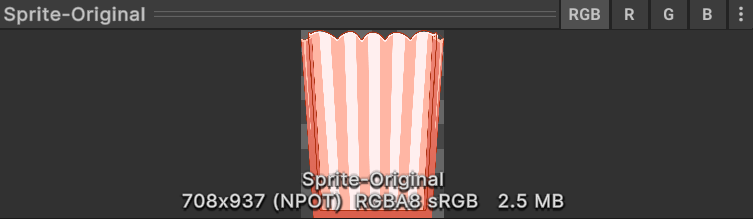
Install via UPM
Add to Unity Package Manager using this URL
https://www.pkglnk.dev/quad-sprite-processor.git README Markdown
Copy this to your project's README.md

## Installation
Add **Quad-Divisible Sprite Processor** to your Unity project via Package Manager:
1. Open **Window > Package Manager**
2. Click **+** > **Add package from git URL**
3. Enter:
```
https://www.pkglnk.dev/quad-sprite-processor.git
```
[](https://www.pkglnk.dev/pkg/quad-sprite-processor)README
Quad-Divisible Sprite Processor


Why Quad-Divisible?
During school projects, artists often gave me sprites with dimensions like 543x981 or 1381x737.
Those can't be compressed to DXTn/BCn formats, thus bloating our final build size.
However, By resizing their dimensions to multiples of four, we witness significant smaller size:
Original |
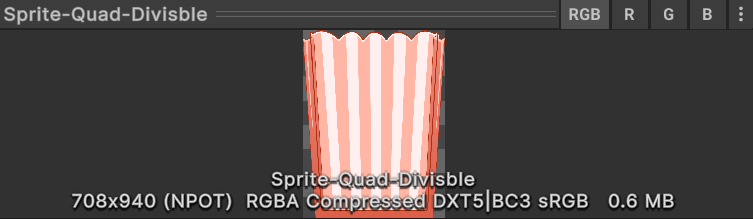 Quad-Divisible (Way Smaller) |
Features
- Resize textures to be quad-divisible with minimal quality loss
- Batch process multiple textures at once
- Allow considering imported size, instead of original size
How to Install
Package Manager - Install Package from Git URL
https://github.com/Maoyeedy/QuadSpriteProcessor.git
Or use OpenUPM CLI
openupm add com.maoyeedy.quad-sprite-processor
Note: Only supports Unity 2021.3 Onwards. (As it utilizes Texture2D.Reinitialize)
How to Use
It's recommended to use it when making the final release builds, instead of whenever you import a new sprite.
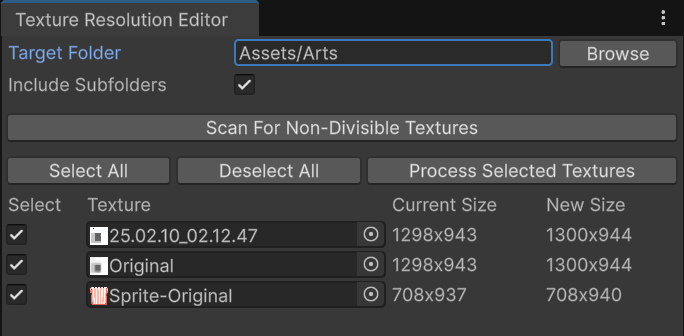
1. Editor window
Tools/Quad Sprite Processor
Set path, Scan, Select, Process
2. Context Menu (less recommended)
- (Multi-Select and) right-click assets in project panel.
- Resize to be Quad-Divisible
Development
TODO
- Backup the original sprites? (Not high priority, as I myself'd just rely on VCS to rollback.)
- Better options with more validationa and callbacks
- Add tranparent pixel instead of resize for transparent PNG
- Option to "Round to nearest power of two" (For mipmap needs)
- Allow using it as AssetPostprocessor, with some matching rules. So that it auto-converts every sprite you import
Why making this
As most of my projects are built for WebGL, I've always been trying to squeeze the build sizes for faster loading time.
I once optimized a 2D game WebGL Build from 100MB to 40MB with a custom Powershell script to recursively process all textures. However, that requires CLI and ImageMagick, so I made it integrated into Unity Editor to be more user-friendly.
Contribution
Any bug reports/feature requests are welcome! Open an issue and I will look into it asap.
Resize Test Results
- 254x254 - needs small adjustment
- 257x257 - slightly above max size
- 252x256 - one dimension already divisible
- 255x253 - different remainders
- 445x447 - similar to original problem
- 255x255 - at edge of max size
- 259x257 - just above max size
- 445x445 - square version of original
Command to generate test image:
magick -size {width}x{height} canvas:black test_{width}x{height}.png
No comments yet. Be the first!