Recyclable Scroll Unity

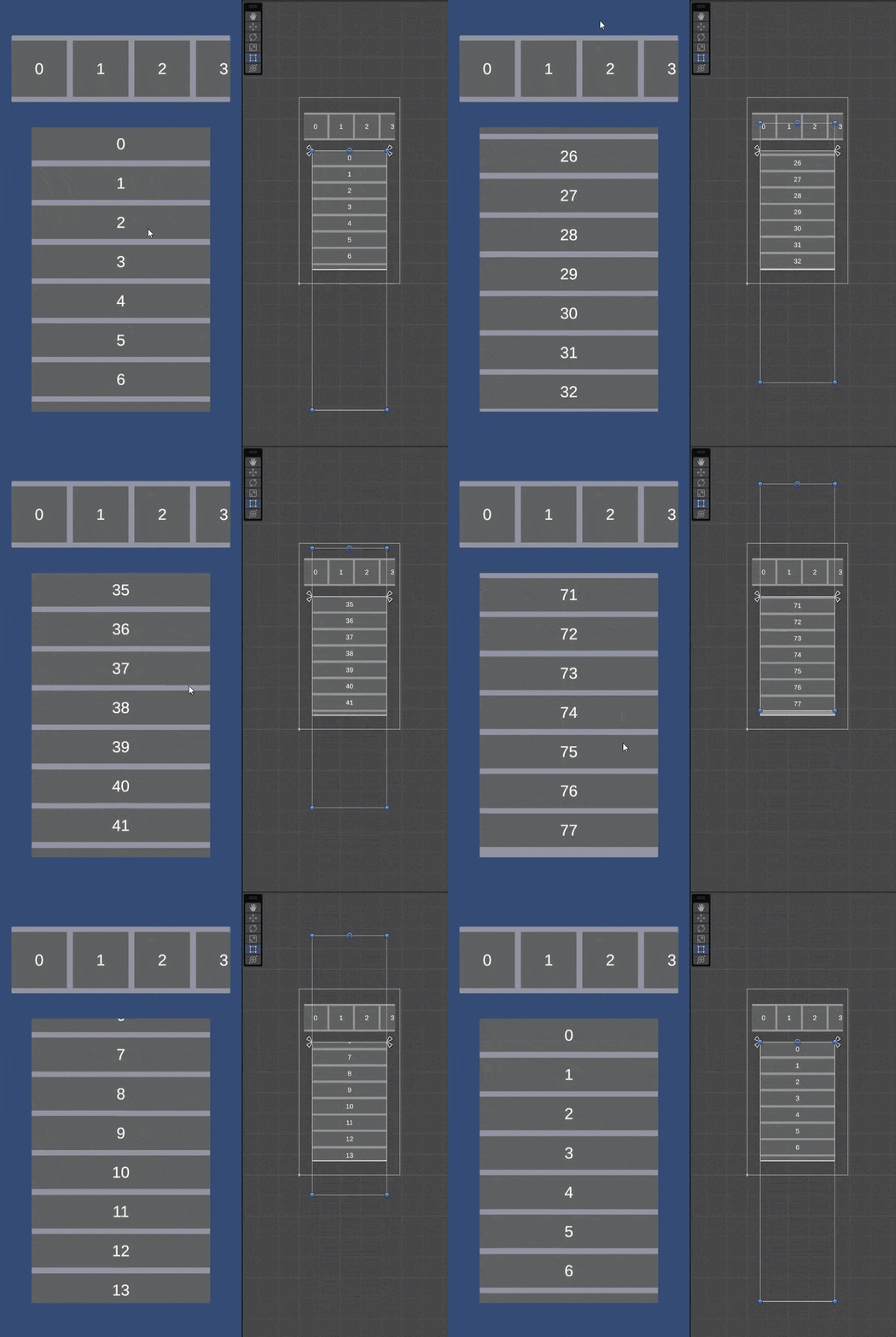
Instead of creating thousands of objects that consume RAM and slow down CPU processing, this system maintains only a small number of elements sufficient to display on the screen and updates their data as the screen is scrolled.
Unity Project
Download the source from GitHub
Dependencies (41)
Unity UI 1.0.0Timeline 1.7.7JetBrains Rider Editor 3.0.36com.unity.feature.2d 2.0.1AI 1.0.0UI 1.0.0VR 1.0.0XR 1.0.0TextMeshPro 3.0.7Unity Version Control 2.12.4Wind 1.0.0Audio 1.0.0Cloth 1.0.0IMGUI 1.0.0Umbra 1.0.0Video 1.0.0Test Framework 1.1.33Physics 1.0.0Terrain 1.0.0Tilemap 1.0.0Visual Scripting 1.9.4Visual Studio Editor 2.0.22Director 1.0.0Vehicles 1.0.0Animation 1.0.0Physics 2D 1.0.0com.unity.modules.androidjni 1.0.0UI Elements 1.0.0Asset Bundle 1.0.0JSON Serialize 1.0.0Screen Capture 1.0.0Particle System 1.0.0Terrain Physics 1.0.0Unity Analytics 1.0.0Image Conversion 1.0.0Unity Web Request 1.0.0Device Simulator Devices 1.0.1Unity Web Request WWW 1.0.0Unity Web Request Audio 1.0.0Unity Web Request Texture 1.0.0Unity Web Request Asset Bundle 1.0.0
README
Recyclable Scroll - Reusing UI Elements
Key Features
- High Performance: Only creates the minimum number of objects necessary to fill the viewport.
- Support for large datasets: Can display lists of up to thousands of items without increasing resource consumption.
- Easy integration: Based on Unity UI’s standard ScrollRect, the source code can be customized to suit individual preferences.
Comparison with Traditional Methods
| Criteria | Traditional Scroll | Reusable Scroll |
|---|---|---|
| Number of Objects | Equal to the total amount of data → the more data, the more objects. | Fixed, typically twice the number visible in the viewport. |
| RAM usage | Increases gradually with data | Low and stable |
Operating principle
- Pagination: Uses the
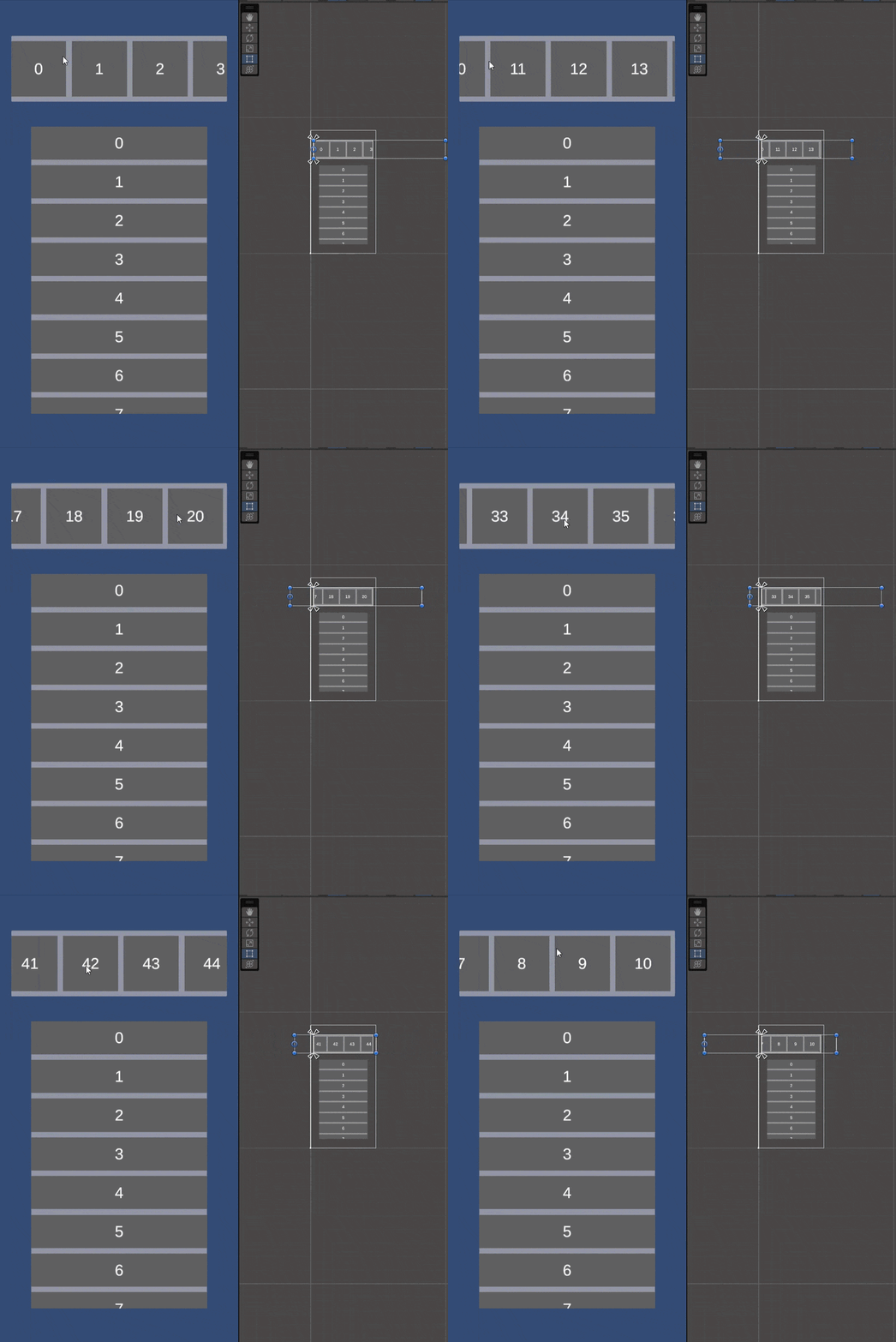
pageIndexvariable to control data boundaries. - Scrolling: When content reaches the edge of the viewport, it is moved to the appropriate position to allow further scrolling (while updating the displayed data).
Quick Setup Guide
- Attach the
RecyclableScrollVertical.cs/RecyclableScrollHorizontal.csscript to the GameObject containing the ScrollRect (you can place it elsewhere too 😅). - Drag the
ScrollRectandContentRTvariables forRecyclableScrollVertical.cs/RecyclableScrollHorizontal.csonto the Inspector window. Set the maximum number of list items to display inTotalItems(or set it via code). Other variables visible in the Inspector will update automatically. - Configure the UI items in the list as child objects of the Content game object (make sure the number is just enough to fill the viewport).
- Configure
RecyclableScrollVertical.cs/RecyclableScrollHorizontal.csusing theInit()function with a callback function as a parameter to update the data. See the sample scriptItemLoader.csand the sample scene Scene_RecyclableScroll in Samples. - Retrieve the list of UI items inthe Content using the
TryGetComponentsInContentChildren()function. See the sample scriptItemLoader.csand the sample scene Scene_RecyclableScroll in Samples.
Comments
No comments yet. Be the first!
Sign in to join the conversation
Sign In