Scene Keeper
Scene Keeper automatically preserves your Unity Editor hierarchy state—including expanded/collapsed items and object selection—across scene switches, play mode transitions, and editor sessions. Never lose your workflow context again while developing levels or features. Configure which GameObjects remain permanently expanded, and optionally disable selection persistence for runtime sessions.
com.brunomikoski.scenekeeper 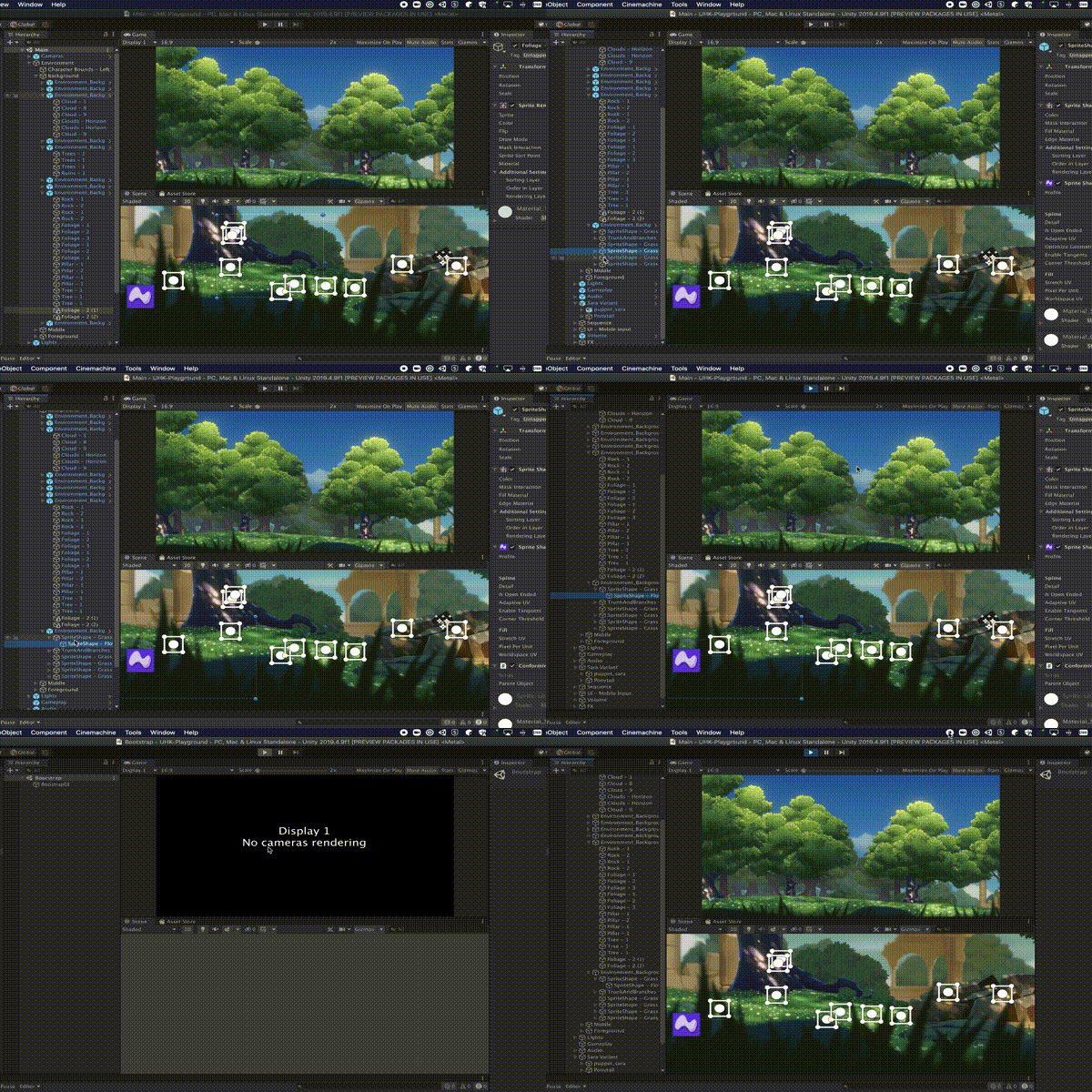
Install via UPM
Add to Unity Package Manager using this URL
https://www.pkglnk.dev/scenekeeper.git README Markdown
Copy this to your project's README.md

## Installation
Add **Scene Keeper** to your Unity project via Package Manager:
1. Open **Window > Package Manager**
2. Click **+** > **Add package from git URL**
3. Enter:
```
https://www.pkglnk.dev/scenekeeper.git
```
[](https://www.pkglnk.dev/pkg/scenekeeper)README
Scene Keeper



Sometimes when you are working on a specific feature or a part of a level inside a scene, and you want to tweak see it between Editor/Play time, unity always reset the hierarchy expand from all the items? Scene Keeper is here to rescue! Scene Keeper stores the hierarchy status for each scene, keeping exactly as you left before switching scenes/playing the game/editing the game. Stop losing your flow searching for things!
Features
- Store hierarchy state for all the items between play/editor mode
- Also store when regularly editing multiple scenes, you always gonna see it how you left it.
- Save your last selection on the scenes
- Force especific game objects to be expanded all the time by
Right Click/Scene Keeper/Always Expanded
FAQ
How do I use this?
Thats the cool part about it, you don't have to do anything, after adding the package to your project every time a scene is opened / closed all the expanded items and selection will be restored.
How I can turn off?
If its annoying for some reason, or someone don't want to use on your project you can quickly disable it by the menu Tools/Scene Keeper/Hierarchy/Keep Hierarchy, this will disable it.
Can I disable just the selection?
For sure the options is there on the same menu Tools/Scene Keeper/Selection/Keep Selection
Can I disable the selection at runtime?
Yes! If you don't want your selection be stored from runtime you can disable it here Tools/Scene Keeper/Selection/Ignore Playtime Selection, so seleciton will be only stored / restored at editor time.
System Requirements
Unity 2018.4.0 or later versions
How to install
Add from OpenUPM | via scoped registry, recommended
This package is available on OpenUPM: https://openupm.com/packages/com.brunomikoski.scenekeeper
To add it the package to your project:
- open
Edit/Project Settings/Package Manager - add a new Scoped Registry:
Name: OpenUPM URL: https://package.openupm.com/ Scope(s): com.brunomikoski - click Save
- open Package Manager
- click +
- select Add from Git URL
- paste
com.brunomikoski.scenekeeper - click Add
Add from GitHub | not recommended, no updates :(
You can also add it directly from GitHub on Unity 2019.4+. Note that you won't be able to receive updates through Package Manager this way, you'll have to update manually.
- open Package Manager
- click +
- select Add from Git URL
- paste
https://github.com/brunomikoski/SceneKeeper.git - click Add
Comments
No comments yet. Be the first!
Sign in to join the conversation
Sign In