Gameframe.SceneSwitcher
Gameframe.SceneSwitcher is a Unity editor window that streamlines scene management during development. Quickly switch between scenes with customizable buttons, featuring optional additive loading, auto-sort functionality, and edit mode for managing your scene list. Supports Unity 2018.4 and later with no external dependencies required.
com.gameframe.sceneswitcher 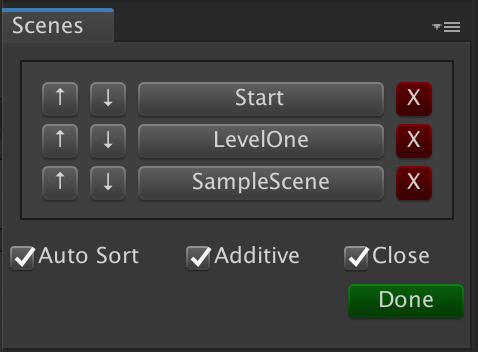
Install via UPM
Add to Unity Package Manager using this URL
https://www.pkglnk.dev/sceneswitcher.git README Markdown
Copy this to your project's README.md

## Installation
Add **Gameframe.SceneSwitcher** to your Unity project via Package Manager:
1. Open **Window > Package Manager**
2. Click **+** > **Add package from git URL**
3. Enter:
```
https://www.pkglnk.dev/sceneswitcher.git
```
[](https://www.pkglnk.dev/pkg/sceneswitcher)README

Gameframe.SceneSwitcher 👋




Unity editor window for quick scene switching.
Quick Package Install
Using UnityPackageManager (for Unity 2019.3 or later)
Open the package manager window (menu: Window > Package Manager)
Select "Add package from git URL...", fill in the pop-up with the following link:
https://github.com/coryleach/UnitySceneSwitcher.git#1.0.3
Using UnityPackageManager (for Unity 2019.1 or later)
Find the manifest.json file in the Packages folder of your project and edit it to look like this:
{
  "dependencies": {
    "com.gameframe.sceneswitcher": "https://github.com/coryleach/UnitySceneSwitcher.git#1.0.3",
    ...
  },
}
Usage
In the menu select Window -> SceneSwitcher
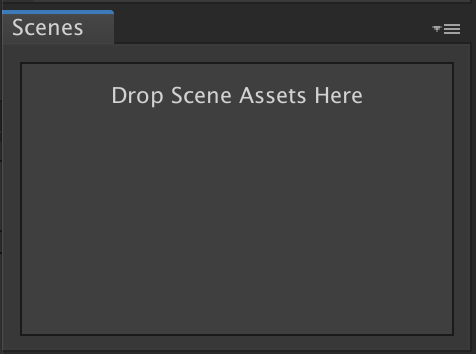

To enable edit mode use the hamburger menu at the top right of the window
AutoSort = Moves the most recently clicked button to the top of the list
Additive = Loads scene additively when the button is clicked
Close = Closes other scenes
Requirement
- Unity 2018.4 or later (Tested in Unity 2018.4.3f1)
- No other SDK are required
Author
👤 Cory Leach
- Twitter: @coryleach
- Github: @coryleach
Show your support
Give a ⭐️ if this project helped you!
This README was generated with ❤️ by Gameframe.Packages
Comments
No comments yet. Be the first!
Sign in to join the conversation
Sign In