Shank Game Tools - Services System
A Service Locator-based dependency injection system for Unity that centralizes service registration, retrieval, and lifecycle management. Features generic service registration, automatic initialization via ScriptableObject configuration, support for interface-based contracts, and complete unit test coverage. Simplifies service management across your project with a clean, extensible architecture.
com.shank.gametools.servicessystem 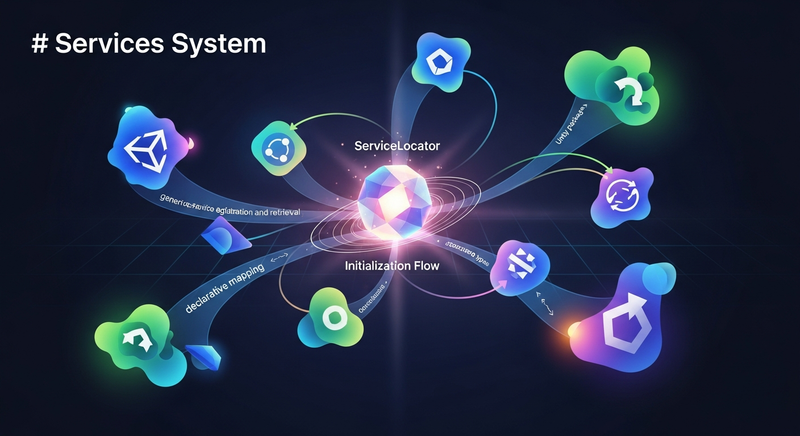
Install via UPM
Add to Unity Package Manager using this URL
https://www.pkglnk.dev/servicessystem.git README Markdown
Copy this to your project's README.md

## Installation
Add **Shank Game Tools - Services System** to your Unity project via Package Manager:
1. Open **Window > Package Manager**
2. Click **+** > **Add package from git URL**
3. Enter:
```
https://www.pkglnk.dev/servicessystem.git
```
[](https://www.pkglnk.dev/pkg/servicessystem)README
Services System
A dependency injection system based on the Service Locator pattern for Unity projects. Enables centralized registration, retrieval, and initialization of services.
Features
- Generic service registration and retrieval
- Support for interfaces and concrete types
- Automatic service initialization
- Declarative interface mapping via
GetInterfaceType() - Service lifecycle management
- Complete unit test coverage
Core Components
ServiceLocator
Static container that manages service registration and retrieval.
Methods:
Register<T>(T service)- Registers a generic serviceRegister(Type type, object service)- Registers a service with specific typeGet<T>()- Retrieves a registered serviceIsRegistered<T>()- Checks if a service is registeredClear()- Clears all registered services
IGameService
Base interface that all services must implement.
public interface IGameService
{
    void Initialize();
    bool IsInitialized { get; }
    Type GetInterfaceType() => GetType();
}
The GetInterfaceType() method allows each service to declare which type it should be registered as. Override to register by a custom interface.
GameServicesInitializer
MonoBehaviour component that registers and initializes all configured services during Awake().
ServiceConfig
ScriptableObject that stores the list of services to initialize. Create via Create > Game > ServiceConfig.
Getting Started
1. Create a Service
public interface IAudioService : IGameService

{
    void PlaySound(string soundId);
    void StopAllSounds();
}
public class AudioService : IAudioService

{
    private bool isInitialized;
    public bool IsInitialized => isInitialized;
    public Type GetInterfaceType() => typeof(IAudioService);

    public void Initialize()
    {
        isInitialized = true;
        InitializeSources();
        Debug.Log("AudioService initialized");
    }

    private void InitializeSources()
    {
        Debug.Log($"Initialize all audio sources");
    }

    public void PlaySound(string soundId)
    {
        Debug.Log($"Playing sound: {soundId}");
    }

    public void StopAllSounds()
    {
        Debug.Log("Stopping all sounds");
    }
}
2. Create ServiceConfig Asset
- Right-click in Project panel
- Create > Game > ServiceConfig
- Add services to the list in the Inspector and rearrange it as needed.
3. Setup Scene
- Create a GameObject in your scene
- Add
GameServicesInitializercomponent - Assign the
ServiceConfigasset - Services initialize automatically on
Awake()
4. Use Services
public class GameController : MonoBehaviour
{
    private void Start()
    {
        var audioService = ServiceLocator.Get<IAudioService>();
        audioService.PlaySound("background_music");
    }

    private void OnDestroy()
    {
        var audioService = ServiceLocator.Get<IAudioService>();
        audioService.StopAllSounds();
    }
}
Advanced Example: Multiple Services
public interface IInputService : IGameService
{
    Vector2 GetMovementInput();
}

public class InputService : IInputService
{
    public bool IsInitialized { get; private set; }

    public void Initialize()
    {
        IsInitialized = true;
    }

    public Vector2 GetMovementInput()
    {
        return new Vector2(Input.GetAxis("Horizontal"), Input.GetAxis("Vertical"));
    }

    public Type GetInterfaceType() => typeof(IInputService);
}


public interface IPhysicsService : IGameService
{
    void ApplyForce(Rigidbody rb, Vector3 force);
}

public class PhysicsService : IPhysicsService
{
    public bool IsInitialized { get; private set; }

    public void Initialize()
    {
        IsInitialized = true;
    }

    public void ApplyForce(Rigidbody rb, Vector3 force)
    {
        rb.AddForce(force, ForceMode.Force);
    }

    public Type GetInterfaceType() => typeof(IPhysicsService);
}

public class PlayerController : MonoBehaviour
{
    private IInputService inputService;
    private IPhysicsService physicsService; private Rigidbody rb;

    private void Start()
    {
        inputService = ServiceLocator.Get<IInputService>();
        physicsService = ServiceLocator.Get<IPhysicsService>();
        rb = GetComponent<Rigidbody>();
    }

    private void FixedUpdate()
    {
        var input = inputService.GetMovementInput();
        var force = new Vector3(input.x, 0, input.y) * 10f;
        physicsService.ApplyForce(rb, force);
    }
}
Best Practices
- Use interfaces - Always inject services through interfaces, not concrete types
- Override GetInterfaceType() - Declare the interface each service should be registered as
- Single responsibility - Each service should have one clear purpose
- Cleanup in tests - Call
ServiceLocator.Clear()to prevent state pollution
Unit Tests
Complete test coverage included:
ServiceLocatorTests- Service container behaviorServiceEntryTests- Service instantiation and cachingGameServicesInitializerTests- Initialization flow
Run tests via Window > General > Test Runner
Architecture
ServicesSystem/
├── Runtime/
│   ├── ServiceLocator.cs
│   ├── IGameService.cs
│   ├── ServiceEntry.cs
│   ├── ServiceConfig.cs
│   └── GameServicesInitializer.cs
├── Editor/
│   ├── ServiceConfigEditor.cs
│   ├── ServiceConfigPreferences.cs
│   └── ServiceEntryDrawer.cs
└── Tests/
    ├── ServiceLocatorTests.cs
    ├── ServiceEntryTests.cs
    ├── GameServicesInitializerTests.cs
    └── MockGameService.cs
Editor Components
ServiceConfigEditor
Custom inspector for ServiceConfig asset. Provides a reorderable list interface for managing services with:
- Drag-and-drop reordering of services
- Add/remove service entries
- Visual hierarchy and property editing
ServiceEntryDrawer
Property drawer for ServiceEntry that displays a dropdown menu of all available IGameService implementations. Automatically discovers service types via reflection and allows quick selection in the inspector.
ServiceConfigPreferences
Project settings provider accessible via Edit > Project Settings > Custom Project Settings/Service Config. Enables:
- Automatic discovery of existing
ServiceConfigassets - Quick creation of new
ServiceConfigif none exists - Centralized service configuration management
Important Notes
- Services initialize in registration order
ServiceLocatoris static and persists across scenes (clear between levels if needed)- Services should be thread-safe if used in multiple threads
Changelog
See CHANGELOG.md for version history and release notes.
Latest version 1.0.1.
License
This project is licensed under the GNU General Public License v3.0 - see the LICENSE file for details.
What this means
Under GPLv3, you are free to:
- Use this software for any purpose
- Modify and distribute modified versions
- Include in your projects
With the following conditions:
- Include the original license and copyright notice
- State changes made to the code
- Use the same license (GPLv3) for derivative works
- Disclose source code when distributing
For more information, visit GNU General Public License
Contributing
Contributions are welcome! Please feel free to submit pull requests or open issues for bugs and feature requests.
No comments yet. Be the first!