Unity Shell
Run shell commands directly from the Unity Editor with real-time output streaming to the console. Unity Shell provides a simple, powerful interface for executing commands asynchronously without blocking the editor, supporting multi-threaded execution, color log output, proper character encoding on Windows, and a background task manager for monitoring active processes.
com.bbbirder.shell Install via UPM
Add to Unity Package Manager using this URL
https://www.pkglnk.dev/shell.git README Markdown
Copy this to your project's README.md

## Installation
Add **Unity Shell** to your Unity project via Package Manager:
1. Open **Window > Package Manager**
2. Click **+** > **Add package from git URL**
3. Enter:
```
https://www.pkglnk.dev/shell.git
```
[](https://www.pkglnk.dev/pkg/shell)README



简单易用且功能丰富 Unity 命令行模块,用于 Editor 下调用命令行。兼容Windows和Mac OS。
Features List
重定向标准输出流到 Unity 控制台,支持众多特性。
Multi-threaded
不显示窗口,不干扰开发者;异步执行,不用担心阻塞 Unity 线程。
Waitable
可等待调用结果。支持同步方式和异步方式。
Color Log
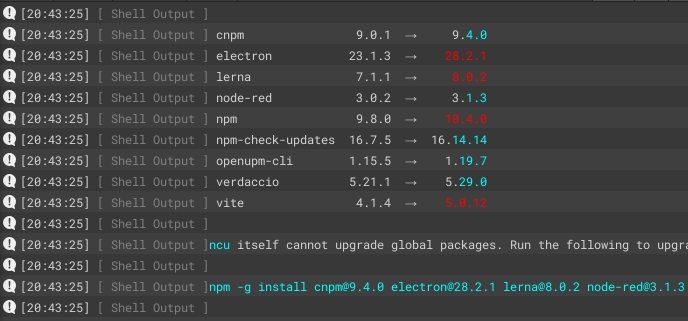
支持从标准输出流中识别彩色 log,并无缝对接到 UnityConsole。如下是执行ncu --color -g的输出结果:
Encoding
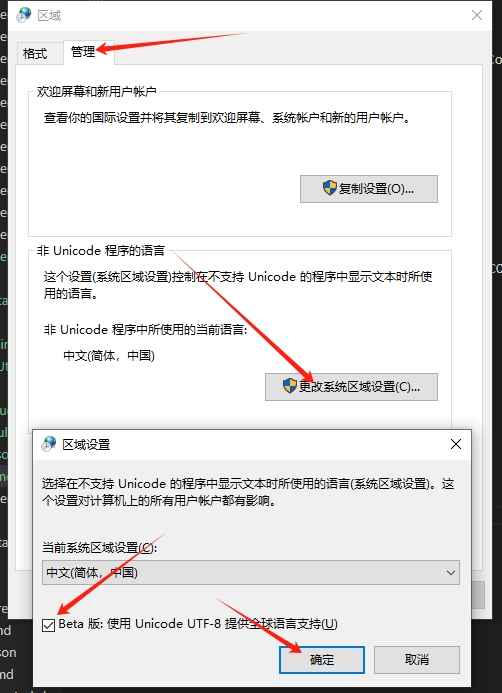
Windows 下,支持特殊字符、中文、英文等,不再受乱码困扰。

需要在 PlayerSetting 中指定宏:DETECT_STDOUT_ENCODING(不推荐),则会实时猜测输出流编码。或修改系统设置(推荐)。如下图:
使用编码猜测的方式并不完全可靠,可能遇到奇怪的问题,因此默认关闭。
Immediate Log One By One
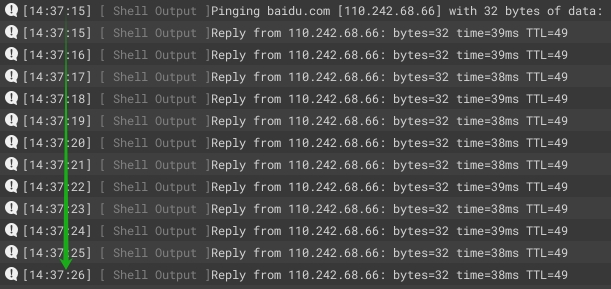
多步打印实时转发,可视化执行过程
Backgound Task View
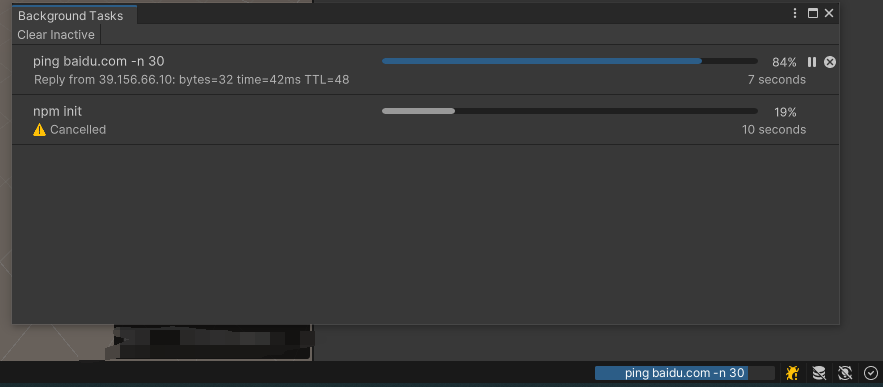
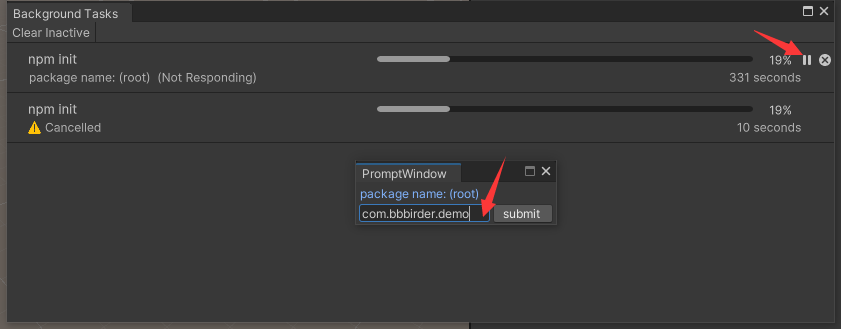
右下角后台任务可以预览和管理正在运行的command
点击关闭发送关闭消息;点击暂停发送用户输入。
Install
Add git url https://github.com/labbbirder/Unity-Shell.git to package manager
or
Execute shell in project root:
openupm add com.bbbirder.shell
Basic Usage
Run a shell:
using com.bbbirder.unityeditor;

// single line
Shell.RunCommand("python -V");

// multiple line
Shell.RunCommand(@"
    echo start
    ping baidu.com -n 6
    echo end
");

// separate arguments
Shell.RunCommandLine("ping", "baidu.com", "-n", 20);
等待结果:
// 异步方式
async void Foo()
{
    var result = await Shell.RunCommand("python -V");
    Debug.Log(result.Output);   // output: 3.11.2
    Debug.Log(result.ExitCode); // output: 0
}

// 同步方式
void Bar()
{
    var result = Shell.RunCommand("python -V").Wait();
    Debug.Log(result.Output);   // output: 3.11.2
    Debug.Log(result.ExitCode); // output: 0
}

// 协程方式
IEnumerator Baz()
{
    var request = Shell.RunCommand("python -V");
    yield return request.ToCoroutine();
    var result = request.result;
    Debug.Log(result.Output);   // output: 3.11.2
    Debug.Log(result.ExitCode); // output: 0
}
判断命令行工具是否存在:
var hasTsNodeCli = Shell.ExistsCommand("ts-node");
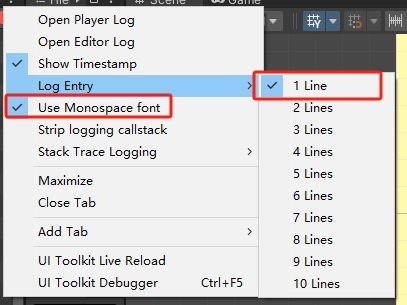
Unity 控制台设置
如果需要美化打印,可设置 UnityConsole 如下:
No comments yet. Be the first!