TLab-Spline
Spline tool for Unity that enables developers to procedurally place meshes and GameObjects along curved paths, edit terrain height, and apply transforms. Features include customizable anchor points with angle offsets, adjustable curve ranges, terrain deformation, and primitive curve generation with configurable divisions.
com.tlabaltoh.spline 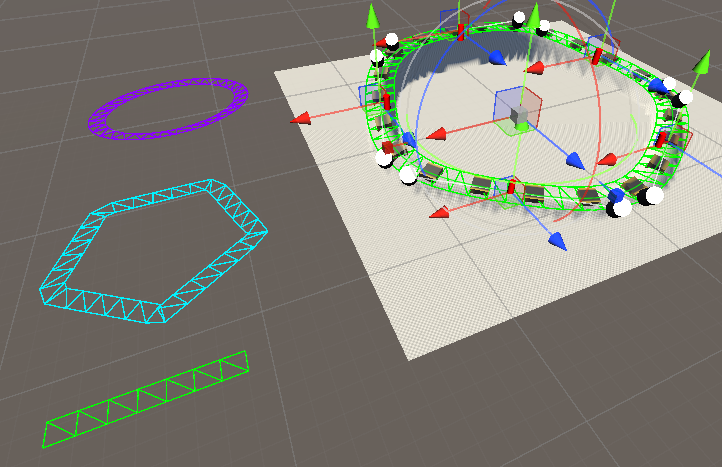
Install via UPM
Add to Unity Package Manager using this URL
https://www.pkglnk.dev/spline.git README Markdown
Copy this to your project's README.md
Style
Preview 
## Installation
Add **TLab-Spline** to your Unity project via Package Manager:
1. Open **Window > Package Manager**
2. Click **+** > **Add package from git URL**
3. Enter:
```
https://www.pkglnk.dev/spline.git
```
[](https://www.pkglnk.dev/pkg/spline)README
TLab-Spline
Spline tool for unity.
I made it based on this tutorial.
Feature
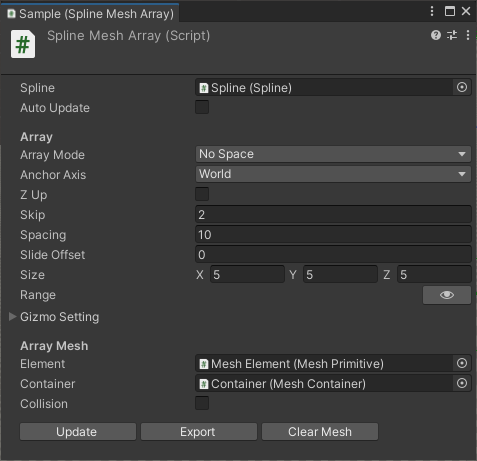
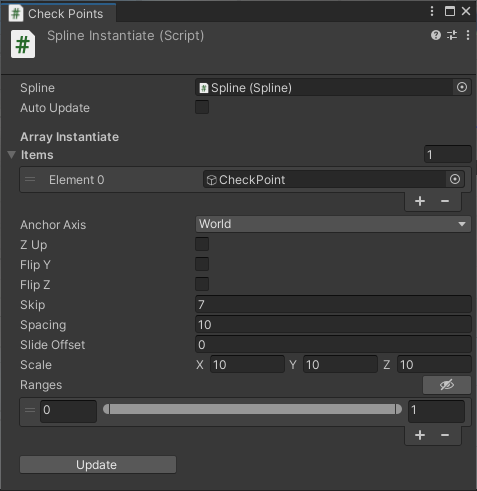
- Instantiate Mesh / GameObject and place it along the spline
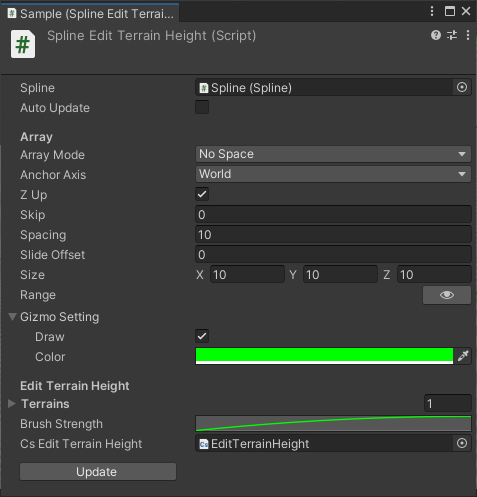
- Edit terrain height along to spline curve
- Apply GameObject's Transform to Curve
- Angle offset for each anchor point
- Specify the effective range of the curve (-1 ~ 1)
- Multi range for one curve
- Curve Primitive with custom divisions (Line, Circle, Polygon)
components
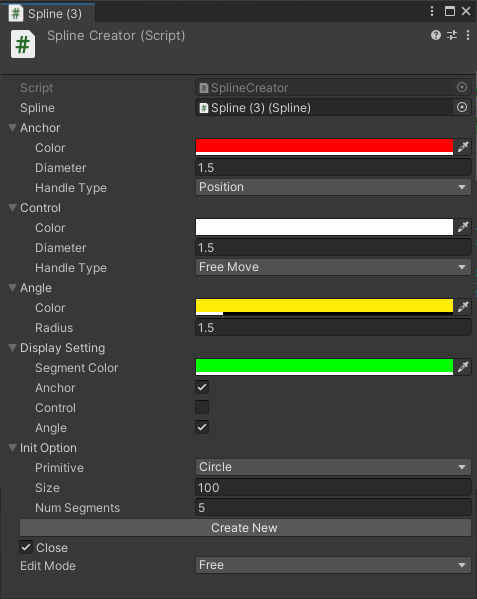
Development Environment
- Unity: 2022.3.11f1 (URP)
Install
Git
Clone this repository with the following command
git clone https://github.com/TLabAltoh/TLab-Spline.git
or
git submodule add https://github.com/TLabAltoh/TLab-Spline.git
Unity Package Manager
add package from git URL ...
https://github.com/TLabAltoh/TLab-Spline.git#upm
How to Edit Spline
| Key | Action |
|---|---|
| A | Add segment |
| D | Deletion of segment |
| S | Insert segment |
TODO
- support Undo for editor gui's button action.
No comments yet. Be the first!