FRP Tips
Display random tips to players during level loading screens. The package bundles tips as AssetBundles for efficient loading and memory management, with simple integration via TipsLoader and DisplayTips components. Supports TextMeshPro UI and includes built-in structure for future localization.
com.fredericrp.tips 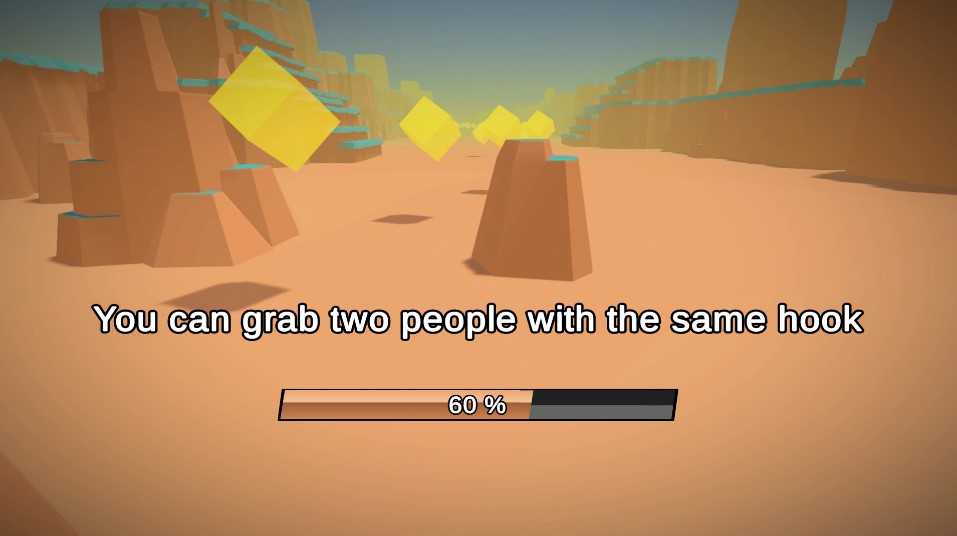
Install via UPM
Add to Unity Package Manager using this URL
https://www.pkglnk.dev/tips.git README Markdown
Copy this to your project's README.md
Style
Preview 
## Installation
Add **FRP Tips** to your Unity project via Package Manager:
1. Open **Window > Package Manager**
2. Click **+** > **Add package from git URL**
3. Enter:
```
https://www.pkglnk.dev/tips.git
```
[](https://www.pkglnk.dev/pkg/tips)Dependencies (3)
README

Tips
A simple tool that allows to show random tips to player when a level is loading.
Tips are exported as AssetBundles.
Usage
- Modify the content of the tips file (the language code is here only for future support of language but is not used yet)
- Set this file to be in an asset bundle
- Put the TipsLoader component in a game object of your scene, setting the asset bundle name and asset name according to those you entered just before
- Display tips by putting the DisplayTips in a Canvas and assigning a TextMeshProUGUI component
No comments yet. Be the first!