Toon Rp

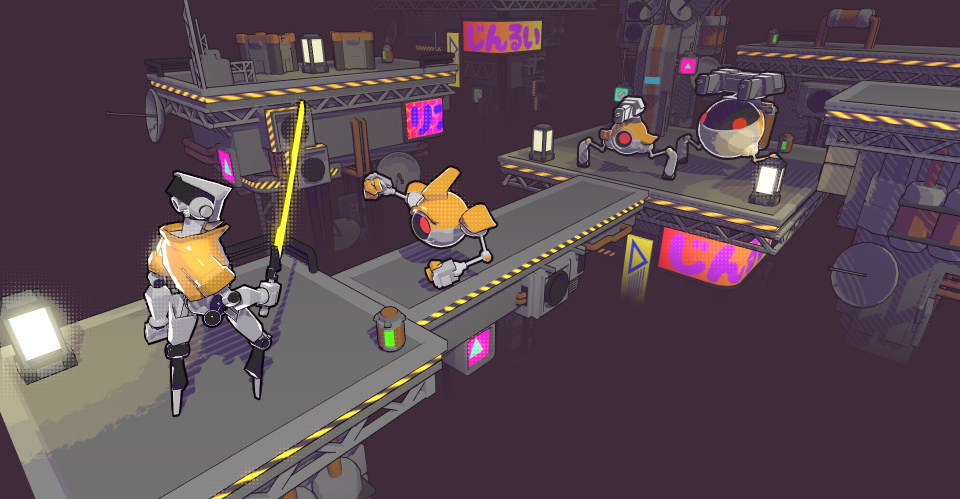
🌔 A Scriptable Render Pipeline (SRP) designed for toon/stylized visuals. Features custom lighting pipeline, multiple shadow algorithms, tiled lighting, Shader Graph support, and more.
Unity Project
Built with Unity 2022.3.13f1 · download the source from GitHub
Dependencies (46)
README
Toon Render Pipeline (Unity SRP)


A Scriptable Render Pipeline (SRP) designed specifically for toon/stylized visuals.
🚧 The project is in its early stages and has not been tested in production.
⚠️ The project only supports Linear color space.
📝 The development progress can be tracked via Issues and Project Board.
Unity Version
🔨 Developed and verified with Unity 2022.3.12f1 LTS and Core RP Library v14.0.9.
Verified Platforms
- Windows (DirectX 11, DirectX 12, Vulkan, OpenGL)
- Android (OpenGL ES 3.0+, Vulkan)
- WebGL 2.0
- XR (see XR Wiki page for full info)
⚠️ Other platforms may work but have not been tested yet.
Table of Contents
Features
See the project Wiki for the full feature list.
- Full customization of the lighting ramp: arbitrary threshold, smoothness, and number of steps.

- Shadows: multiple options for soft shadows and stylization.
| Crisp Shadows | Soft Shadows | Blob Shadows |
|---|---|---|
- Optional Tiled Lighting (Forward+): render many realtime lights.


Installation
📝 Note: to install the package for an older Unity version, refer to the Installation page.
1. Add the package
Option 1
- Open Package Manager through
Window/Package Manager - Click "+" and choose "Add package from git URL..."
- Insert the URL:
https://github.com/Delt06/toon-rp.git?path=Packages/com.deltation.toon-rp
Option 2
Add the following line to Packages/manifest.json:
"com.deltation.toon-rp": "https://github.com/Delt06/toon-rp.git?path=Packages/com.deltation.toon-rp",
2. Create a pipeline asset
Inside the Project window, right click and select Create/Toon RP/Toon Render Pipeline Asset.
3. Set the pipeline asset
Go to Edit/Project Settings/Graphics and set the field Scriptable Render Pipeline Settings with the newly created pipeline asset.
References
Used Assets
Comments
No comments yet. Be the first!
Sign in to join the conversation
Sign In