UniTask Command Bus

A Unity command pattern library that supports lambda-first, progressive class-based extension. Provides UniTask-based async execution with Undo/Redo, 5 async policies (Drop/Sequential/Switch/ThrottleLast/Parallel), and history management.
com.yoruyomix.unitaskcommandbus Install via UPM
Add to Unity Package Manager using this URL
https://www.pkglnk.dev/unitaskcommandbus.git 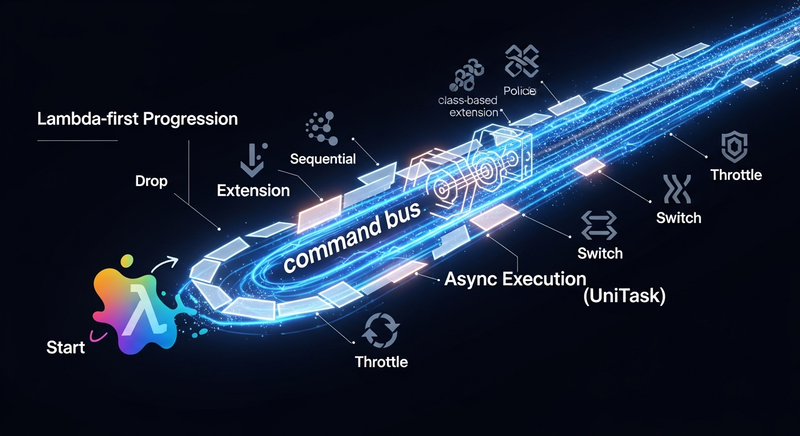
README Markdown
Copy this to your project's README.md

## Installation
Add **UniTask Command Bus** to your Unity project via Package Manager:
1. Open **Window > Package Manager**
2. Click **+** > **Add package from git URL**
3. Enter:
```
https://www.pkglnk.dev/unitaskcommandbus.git
```
[](https://www.pkglnk.dev/pkg/unitaskcommandbus)Dependencies (1)
README
UniTaskCommandBus
Lambda-first, async-ready command pattern for Unity.
Start with a one-liner lambda, graduate to a full class when you need it — without rewriting your invoker.
Built on UniTask · Undo/Redo · 5 async policies · History management
Why UniTaskCommandBus?
Most command pattern libraries force you to choose upfront: write a full class hierarchy, or give up Undo/Redo. UniTaskCommandBus lets you start with a lambda and promote it to a class only when the complexity warrants it — and your invoker code stays the same either way.
// Start here — zero boilerplate
invoker.Execute(execute: _ => counter++, undo: _ => counter--);

// Graduate here when you need to
invoker.Execute(new MoveCommand(), payload);
Features
- 5 async policies — Drop, Sequential, Switch, ThrottleLast, Parallel
- Full Undo / Redo with
JumpTo,Pop, andClear OnHistoryChangedevent — drives any timeline UIExecuteAsyncreturnsUniTask<ExecutionResult>— await it, cancel it, or forget itOnErrorevent — exceptions surface without crashing the invoker- Zero payload boilerplate via
CommandUnit
Installation
UniTask must be installed first.
1. Install UniTask
Window → Package Manager → + → Add package from git URL
https://github.com/Cysharp/UniTask.git?path=src/UniTask/Assets/Plugins/UniTask
2. Install UniTaskCommandBus
https://github.com/YoruYomix/UniTaskCommandBus.git
Examples
Formation setup in a strategy game
Players drag units onto a formation grid before battle. Each placement is undoable, and rapid dragging shouldn't queue up ghost moves.
public class FormationScreen : MonoBehaviour
{
    // Switch policy: dragging a new character cancels the in-flight placement animation.
    private HistoryInvoker<PlaceArg> _invoker = CommandBus.Create<PlaceArg>()
        .WithPolicy(AsyncPolicy.Switch)
        .WithHistory(30)
        .Build();

    // Called when the player drops a character onto a slot
    public void OnDrop(CharaData chara, int slotIndex)
    {
        var arg = new PlaceArg(chara, slotIndex);

        _invoker.Execute(new AsyncCommand<PlaceArg>(
            execute: async (a, ct) =>
            {
                grid.HighlightSlot(a.Slot);
                await characterCard.FlyToSlotAsync(a.Chara, a.Slot, ct);
                grid.PlaceCharacter(a.Chara, a.Slot);
            },
            undo: (a, ct) =>
            {
                grid.RemoveCharacter(a.Slot);
                return UniTask.CompletedTask;
            },
            name: $"Place {chara.Name} → Slot {slotIndex}"
        ), arg);
    }

    // Undo button in the UI
    public void OnUndoPressed() => _invoker.UndoAsync().Forget();

    // "Reset formation" button
    public void OnResetPressed()
    {
        while (_invoker.CurrentIndex >= 0)
            _invoker.Undo();
    }

    private void OnDestroy() => _invoker.Dispose();
}

public record PlaceArg(CharaData Chara, int Slot);
What the policies buy you here:
Switch— rapid slot changes cancel the flying animation of the previous one; no stackingWithHistory(30)— undo the whole formation step by step, or jump straight to any state
Multi-step UI flow (tutorial, shop, settings panels)
A tutorial opens panels one by one. Each step is async (fade-in), and the player can go back. The whole sequence is driven by a single invoker.
public class TutorialFlow : MonoBehaviour
{
    // Sequential policy: steps run in order, never overlap.
    private HistoryInvoker<CommandUnit> _invoker = CommandBus.Create<CommandUnit>()
        .WithPolicy(AsyncPolicy.Sequential)
        .WithHistory(20)
        .Build();

    [SerializeField] private CanvasGroup[] _panels; // 0=Welcome, 1=Formation, 2=Battle, ...

    private void Start()
    {
        // Wire history to a step-indicator widget
        _invoker.OnHistoryChanged += (_, index, name) =>
            stepIndicator.SetStep(index, name);

        OpenStep(0);
    }

    public void OpenStep(int panelIndex)
    {
        _invoker.Execute(new AsyncCommand<CommandUnit>(
            execute: async (_, ct) => await FadeIn(_panels[panelIndex], ct),
            undo:    async (_, ct) => await FadeOut(_panels[panelIndex], ct),
            name: _panels[panelIndex].name
        ));
    }

    // "Next" button
    public void OnNext()       => OpenStep(_invoker.CurrentIndex + 1);

    // "Back" button
    public void OnBack()       => _invoker.UndoAsync().Forget();

    // Chapter select — jump to any step instantly
    public void OnChapterSelect(int index) => _invoker.JumpTo(index);

    private async UniTask FadeIn(CanvasGroup cg, CancellationToken ct)
    {
        cg.gameObject.SetActive(true);
        cg.alpha = 0f;
        await cg.DOFade(1f, 0.3f).WithCancellation(ct);
    }

    private async UniTask FadeOut(CanvasGroup cg, CancellationToken ct)
    {
        await cg.DOFade(0f, 0.2f).WithCancellation(ct);
        cg.gameObject.SetActive(false);
    }

    private void OnDestroy() => _invoker.Dispose();
}
What the policies buy you here:
Sequential— tapping "Next" rapidly queues the fades; they play cleanly one after another, never overlappingJumpTo— chapter select fires a singleOnHistoryChanged(Jump, ...)event; your step indicator updates once
Core API
Builder
CommandBus.Create<T>()
    .WithPolicy(AsyncPolicy.Sequential)   // Drop | Sequential | Switch | ThrottleLast | Parallel
    .WithHistory(maxSize: 20)             // → HistoryInvokerBuilder
    .Build();                             // → HistoryInvoker<T>
Command types
| Type | Use when |
|---|---|
Command<T> |
Sync lambda, zero setup |
AsyncCommand<T> |
Async lambda |
CommandBase<T> |
Class-based sync, need state or DI |
AsyncCommandBase<T> |
Class-based async |
Async policies
| Policy | Behavior |
|---|---|
Drop |
Discard incoming while one is running |
Sequential |
Queue and run one at a time |
Switch |
Cancel current, start the new one |
ThrottleLast |
Only the latest pending survives |
Parallel |
All run concurrently |
Invoker<T>
| Member | Description |
|---|---|
Execute(cmd) |
Fire-and-forget |
ExecuteAsync(cmd) |
Awaitable; returns ExecutionResult |
Cancel() |
Cancel running; preserve queue |
CancelAll() |
Cancel running + drain queue |
OnError |
Action<Exception> — called on lambda throw |
Dispose() |
Cancel all, release resources |
HistoryInvoker<T> (extends Invoker<T>)
| Member | Description |
|---|---|
Undo() / UndoAsync() |
Step back (Switch semantics) |
Redo() / RedoAsync() |
Step forward (Switch semantics) |
JumpTo(index) |
Move to any index; fires one Jump event |
Pop() |
Remove tip entry or fire event only when browsing |
Clear() |
Wipe all history |
HistoryCount / CurrentIndex |
Current state |
GetName(index) |
Name snapshot stored at that index |
OnHistoryChanged |
Action<HistoryActionType, int, string> |
ExecutionResult
switch (await invoker.ExecuteAsync(cmd))
{
    case ExecutionResult.Completed: /* ran to end */           break;
    case ExecutionResult.Cancelled: /* CancellationToken hit */ break;
    case ExecutionResult.Dropped:   /* policy rejected it */   break;
    case ExecutionResult.Faulted:   /* lambda threw */         break;
}
Samples
Import from Package Manager → UniTaskCommandBus → Samples.
Attach the Stage0N_*Sample component to an empty GameObject and press Play — results appear in the Console.
| Sample | What it covers |
|---|---|
| Stage 01 · Basics | Sync commands, lambda / class, CommandUnit, Name |
| Stage 02 · Async & Policies | AsyncCommand, all 5 policies, Cancel / CancelAll |
| Stage 03 · History | HistoryInvoker, Undo / Redo / Pop / Clear, OnHistoryChanged, history-loading rules |
| Stage 04 · Advanced | JumpTo, Dispose, ExecutionPhase, end-to-end scenario |
Documentation
Full API spec: Documentation~/UniTaskCommandBus-Spec-EN.md
License
MIT © YoruYomix
Comments
No comments yet. Be the first!
Sign in to join the conversation
Sign In