Unity Shapes
Draw shapes (circle,line,arrow) with one line of code in Unity
com.jtfrom9.miguel12345.unity-shapes 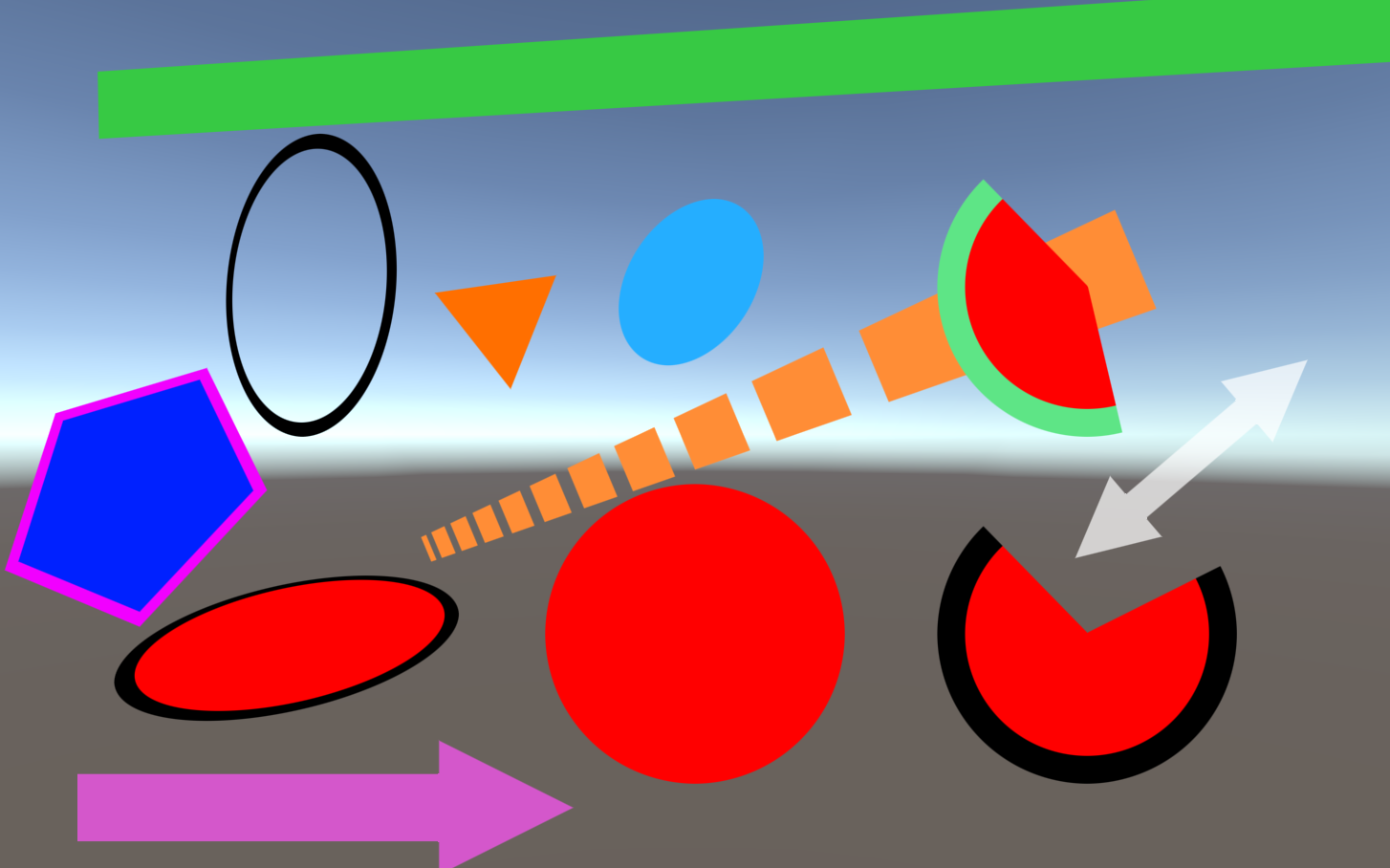
Install via UPM
Add to Unity Package Manager using this URL
https://www.pkglnk.dev/unity-shapes.git#upm README Markdown
Copy this to your project's README.md
Style
Preview 
## Installation
Add **Unity Shapes** to your Unity project via Package Manager:
1. Open **Window > Package Manager**
2. Click **+** > **Add package from git URL**
3. Enter:
```
https://www.pkglnk.dev/unity-shapes.git#upm
```
[](https://www.pkglnk.dev/pkg/unity-shapes)README
UnityShapes
Draw anti-aliased, GPU-instance-supported, 0 allocation shapes (circle,line,arrow) with one line of code in Unity
Couldn't´t be simpler:
Circle.Draw(new CircleInfo{
				center = transform.position,
				forward = transform.forward,
				radius = 1f,
				fillColor = Color.Red
			});
Lots of customization options
public struct CircleInfo
{
  public float radius;
  public Vector3 center;
  public Vector3 forward;

  public Color fillColor;

  public bool bordered;
  public Color borderColor;
  public float borderWidth;

  public bool isSector;
  public float sectorInitialAngleInDegrees;
  public float sectorArcLengthInDegrees;
}
public struct LineInfo
{
  public Vector3 startPos;
  public Vector3 endPos;
  public Color fillColor;
  public Vector3 forward;
  public float width;

  public bool bordered;
  public Color borderColor;
  public float borderWidth;

  public bool dashed;
  public float distanceBetweenDashes;
  public float dashLength;

  public bool startArrow;
  public bool endArrow;

  public float arrowWidth;
  public float arrowLength;
}
 public struct PolygonInfo
 {
     public int sides;
     public Vector3 center;
     public float size;

     public Color color;

     public bool bordered;
     public float borderWidth;
     public Color borderColor;

     public Quaternion rotation;
 }
Tested on standalone and WebGL, but should work on mobile as well.
No comments yet. Be the first!