Texture Channel Packer
Merge multiple texture channels into a single optimized texture output. Texture Channel Packer provides a straightforward utility for combining different channel data (such as roughness, metallic, and ambient occlusion) into packed textures, reducing memory overhead and improving rendering efficiency. Access the tool via Window > Channel Packer.
ca.andydbc.unity-texture-packer 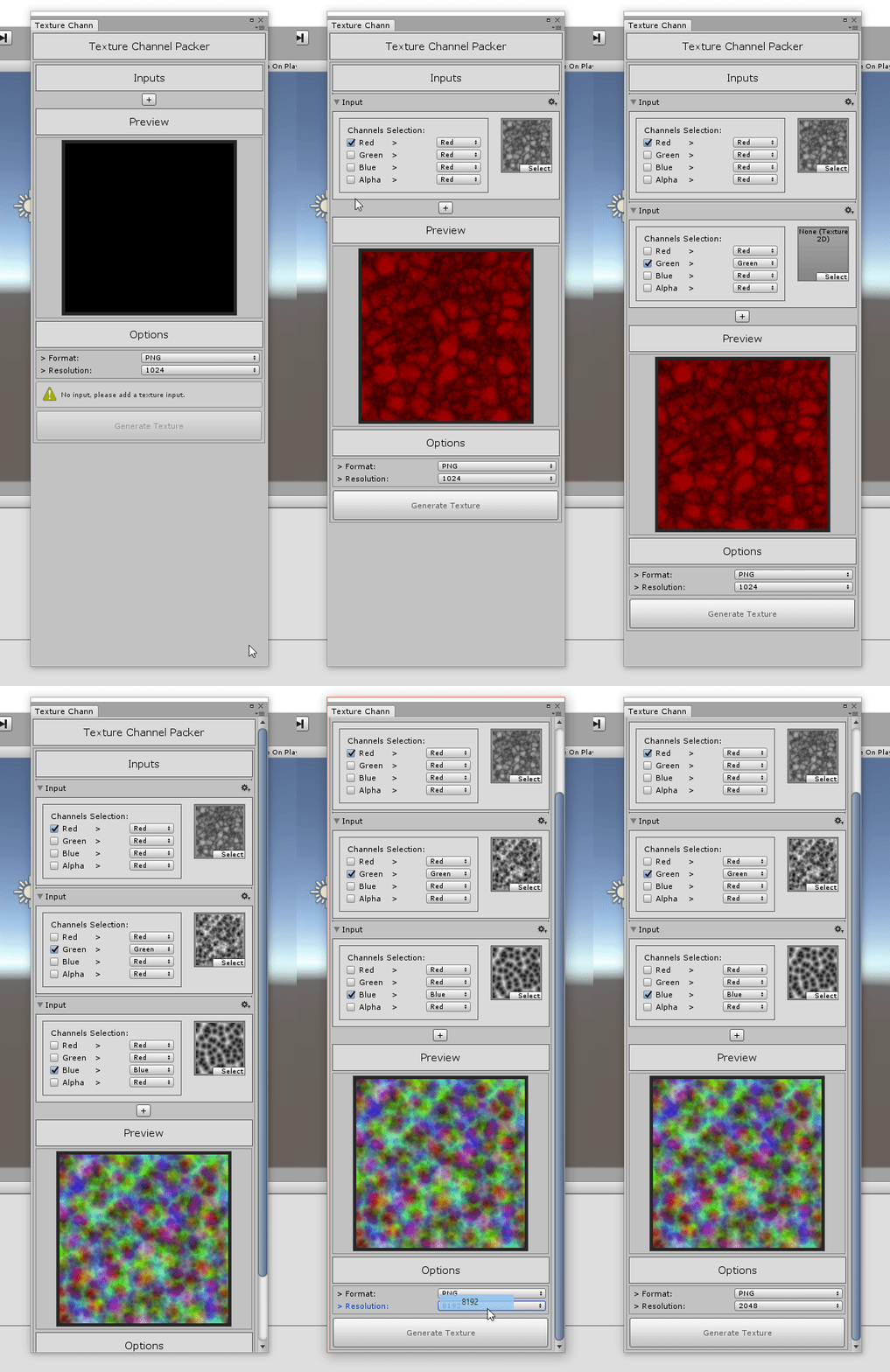
Install via UPM
Add to Unity Package Manager using this URL
https://www.pkglnk.dev/unity-texture-packer.git README Markdown
Copy this to your project's README.md

## Installation
Add **Texture Channel Packer** to your Unity project via Package Manager:
1. Open **Window > Package Manager**
2. Click **+** > **Add package from git URL**
3. Enter:
```
https://www.pkglnk.dev/unity-texture-packer.git
```
[](https://www.pkglnk.dev/pkg/unity-texture-packer)README
unity-texture-packer 

:hammer: Utility to merge different texture channels into a final texture output.
Install
Using Git
Make sure the Git client is installed on your marchine and that you have added the Git executable path to your PATH environment variable.
Go in %ProjectFolder%/Packages/ and open the "manifest.json" file.
in the "dependencies" section add:
{
  "dependencies": {
      ...
      "ca.andydbc.unity-texture-packer":"https://github.com/andydbc/unity-texture-packer.git#0.1.0"
      ...
  }
}
Find more information about this here.
Manual
Dowload this repository as a zip file, extract the archive.
In Unity, go in "Window" -> "Package Manager" -> "Add Package from disk"
Select the "package.json" file located at the root of the package folder.
The tool is located under "Window" and is called "Channel Packer"
Note
This is still under development and may be buggy.
License
MIT. See LICENSE for details.
No comments yet. Be the first!