Unity Expand Tool
Unity Expand Tool provides an in-game developer panel for debugging and monitoring. Access real-time logs with detailed filtering, execute custom commands, view system information, and share logs via email—all accessible through the editor menu or programmatic API. Currently in preview, tested with Unity 2020.3.1f.
com.chanuklee.unityexpandtool Install via UPM
Add to Unity Package Manager using this URL
https://www.pkglnk.dev/unityexpandtool.git README Markdown
Copy this to your project's README.md
Style
Preview 
## Installation
Add **Unity Expand Tool** to your Unity project via Package Manager:
1. Open **Window > Package Manager**
2. Click **+** > **Add package from git URL**
3. Enter:
```
https://www.pkglnk.dev/unityexpandtool.git
```
[](https://www.pkglnk.dev/pkg/unityexpandtool)README
UnityExpandTool-Release
This is preview version. Just test with 2020.3.1f.
Usage
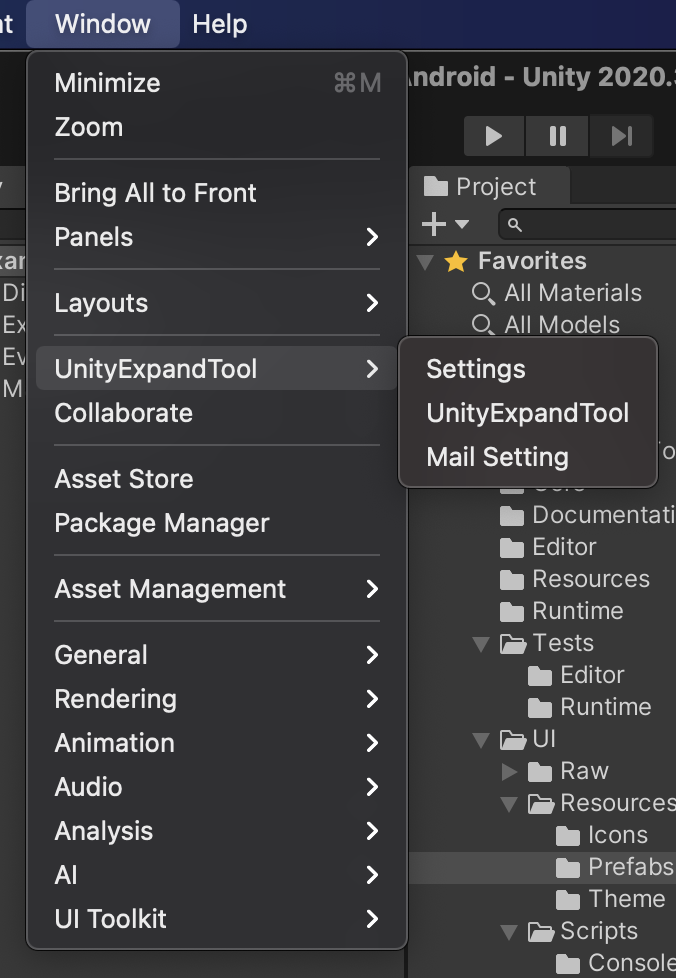
Windows > UnityExpandTool > UnityExpandTool
will be create expandtool instance active scene
or
using UnityExpandTool;

public class UnityExpandTool_Sample : MonoBehaviour
{
    private void Open()
    {
        ExpandTool.Build();
    }
}
Log
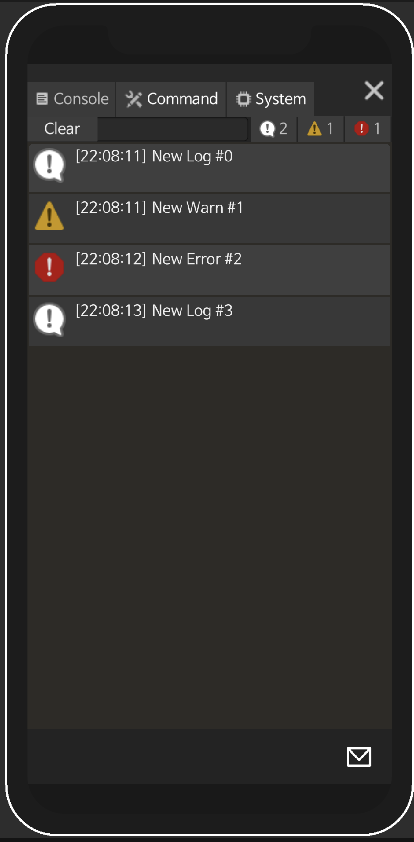
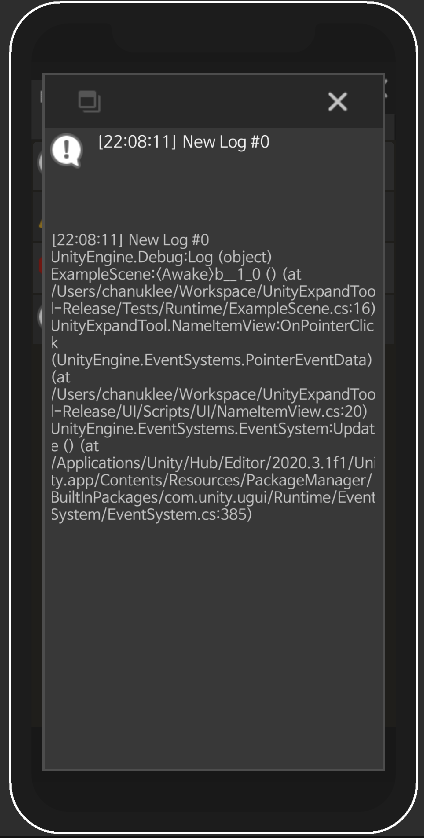
You can share log by email. But you need setting sender and receiver.
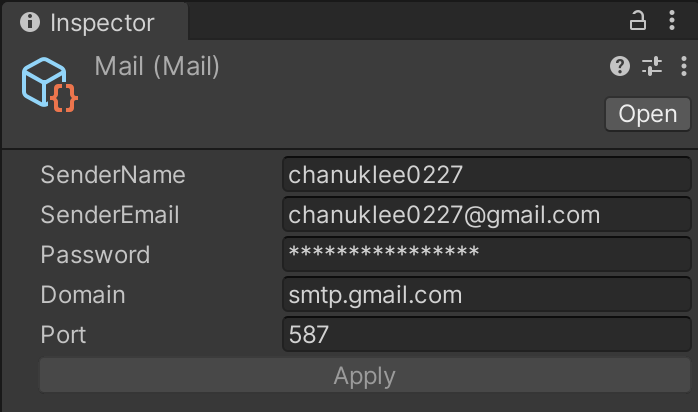
Setting sender
Windows > UnityExpandTool > Mail Setting
Setting receiver
using UnityExpandTool;

public class UnityExpandTool_Log_Sample : MonoBehaviour
{
    private void ShareInit()
    {
        ExpandTool.TargetMail = "sample@gmail.com";
    }
}
Command
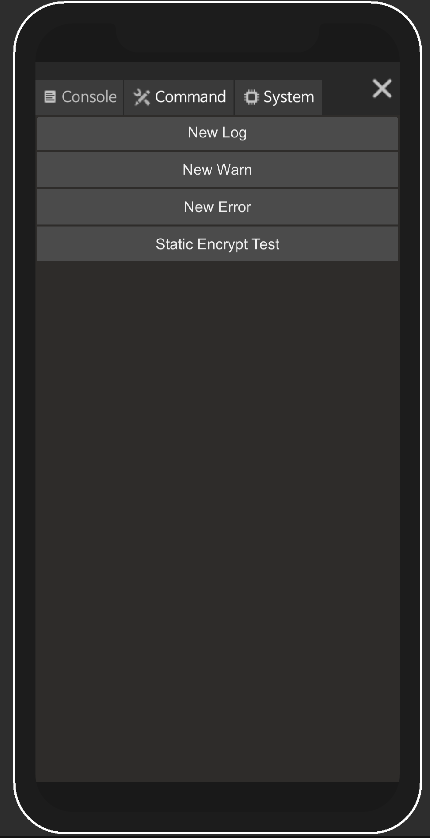
You can use command like this.
using UnityExpandTool;

public class UnityExpandTool_Command_Sample : MonoBehaviour
{
    private void AppendFunc()
    {
        ExpandTool.AppendFunc("New Log", () =>
        {
            Debug.Log($"New Log #{_logIndex++}");
        });

        ExpandTool.AppendFunc("New Warn", () =>
        {
            Debug.LogWarning($"New Warn #{_logIndex++}");
        });

        ExpandTool.AppendFunc("New Error", () =>
        {
            Debug.LogError($"New Error #{_logIndex++}");
        });

        ExpandTool.AppendExtraInfo("Environment", "Server", "QA");
    }
}
System
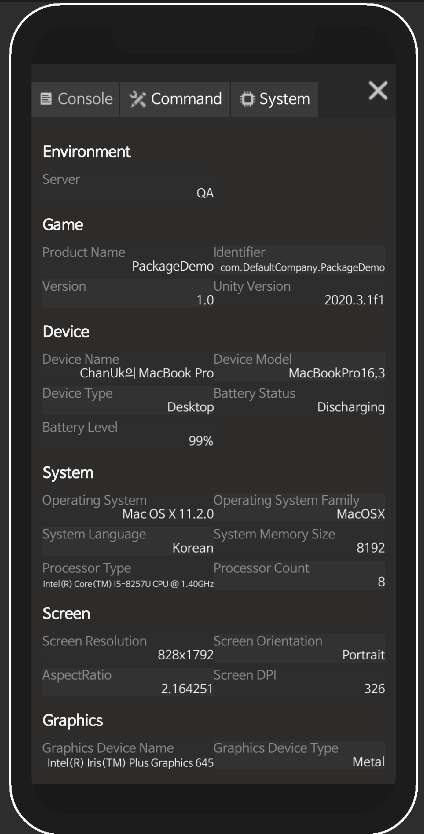
You can use custom info like this.
using UnityExpandTool;

public class UnityExpandTool_System_Sample : MonoBehaviour
{
    private void AppendInfo()
    {
        ExpandTool.AppendExtraInfo("Environment", "Server", "QA");
    }
}
Example Scene
No comments yet. Be the first!