Unity UI Storyboard
Structured UI development tool that organizes complex UI systems through clear architecture, design rules, and cross-disciplinary collaboration. Features dependency injection, clean code principles, view-level testing support, and a project template enabling planners, designers, and programmers to work seamlessly together from prototype to implementation.
com.kwanjoong.unityuistoryboard 
Install via UPM
Add to Unity Package Manager using this URL
https://www.pkglnk.dev/unityuistoryboard.git README Markdown
Copy this to your project's README.md

## Installation
Add **Unity UI Storyboard** to your Unity project via Package Manager:
1. Open **Window > Package Manager**
2. Click **+** > **Add package from git URL**
3. Enter:
```
https://www.pkglnk.dev/unityuistoryboard.git
```
[](https://www.pkglnk.dev/pkg/unityuistoryboard)Dependencies (8)
README
Unity UI Storyboard
Unity UI Storyboard is a powerful collaboration and organization tool designed for creating and managing complex UI structures in Unity. It simplifies the process of designing, building, and maintaining structured UI systems, ensuring seamless collaboration between team members such as planners, UI/UX designers, and programmers.
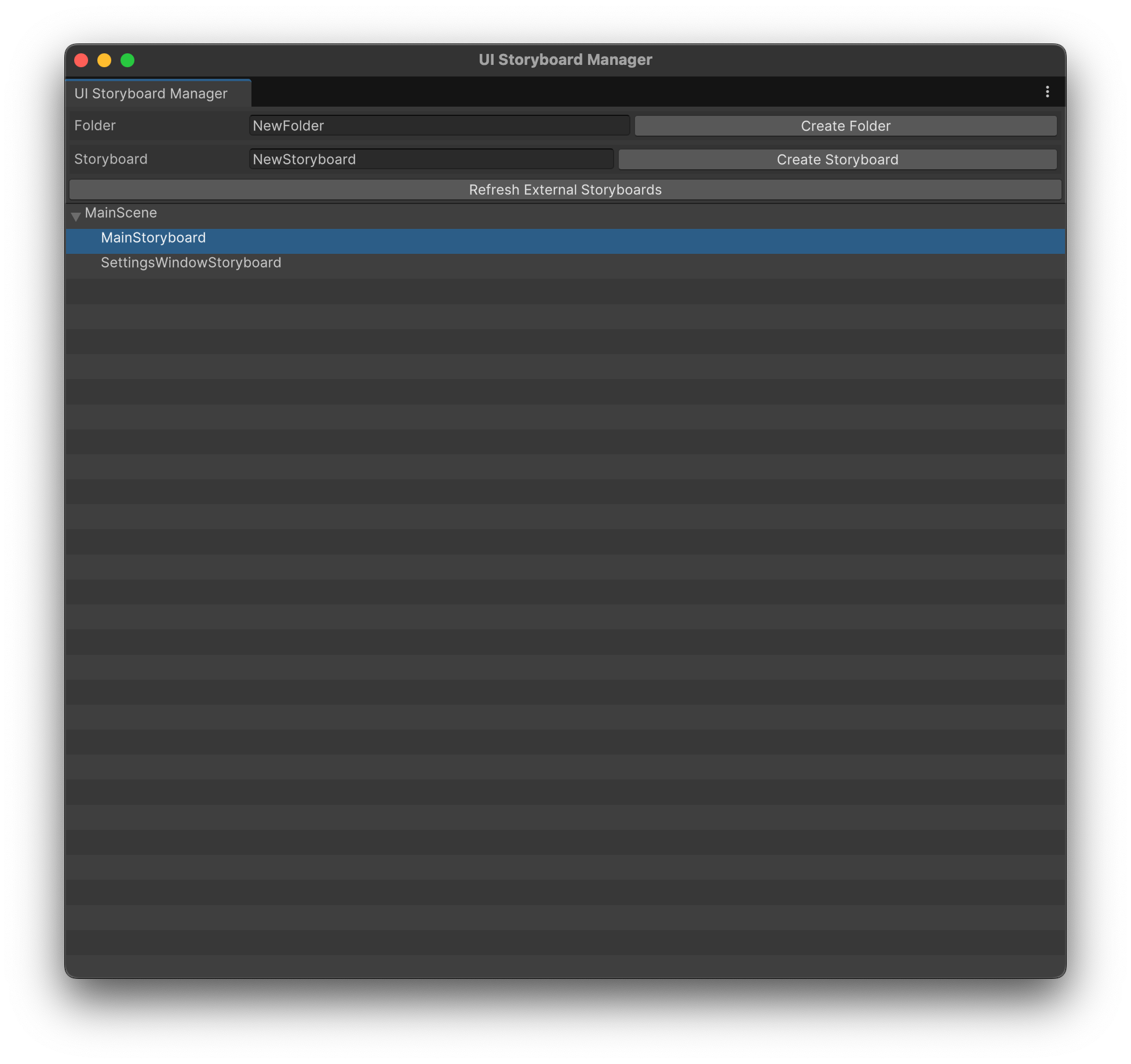
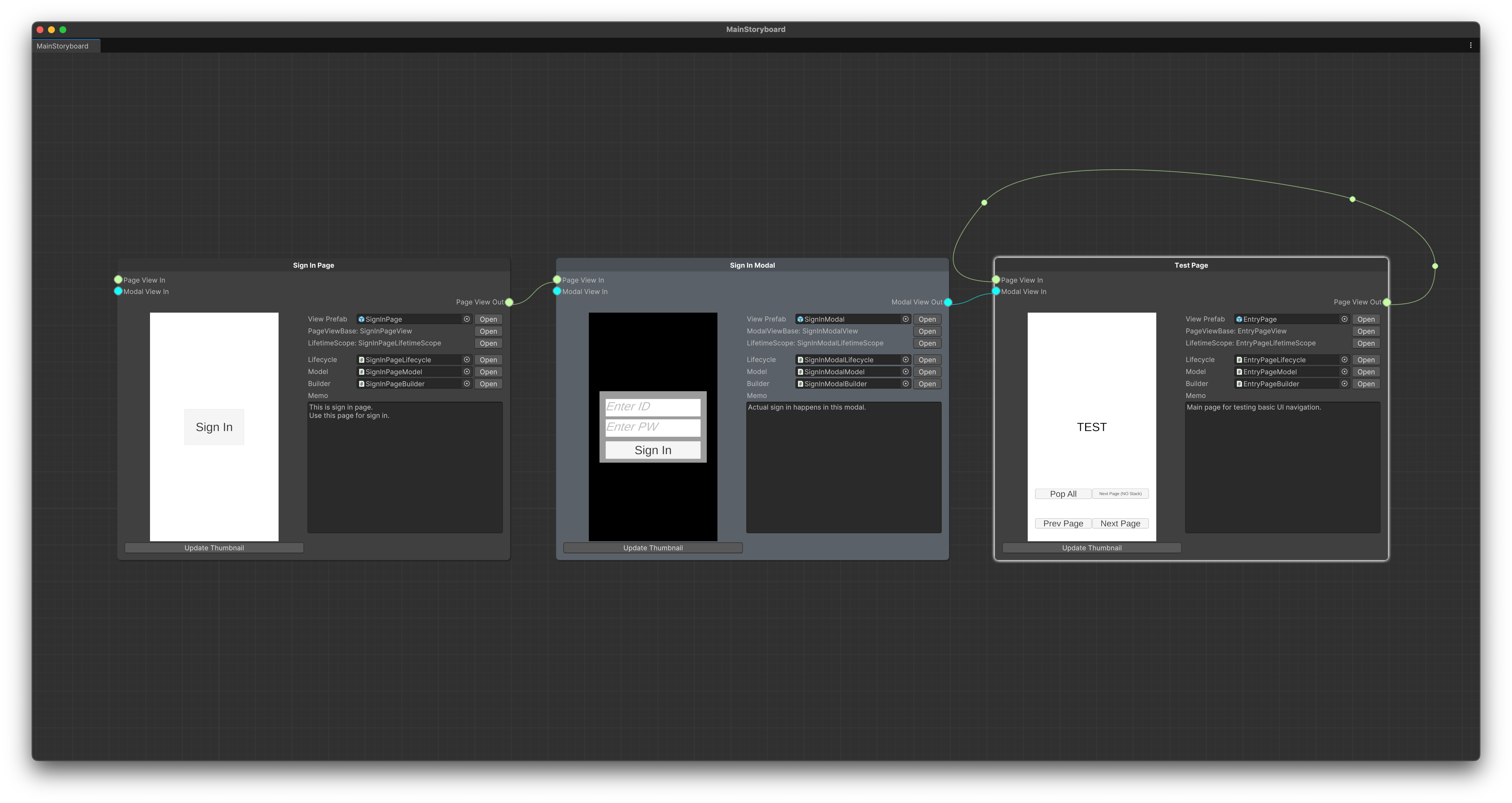
Why Use Unity UI Storyboard?
When working on games or apps with intricate UI structures, the biggest challenges are:
- Defining a clear and consistent architecture.
- Establishing and maintaining design rules.
- Facilitating effective communication across multiple disciplines.
Unity UI Storyboard addresses these challenges by providing a well-structured project template to kickstart your UI development. It helps maintain order throughout the project lifecycle, allowing teams to focus on their core tasks without constantly revisiting basic structural decisions.
Design Philosophy
Unity UI Storyboard is built to support collaborative workflows and structured development. Here's what it enables:
Key Features:
- Designed with practical Clean Code principles, promoting readability and maintainability.
- Incorporates Dependency Injection, enabling flexible and decoupled component management.
- Supports view-level testing, ensuring that each UI element can be independently verified and debugged.
- Provides a structure that simplifies applying these principles, helping teams implement clean, testable, and scalable UI designs effortlessly.
What You Can Do:
- Planners can conceptualize and annotate UI prototypes as storyboards.
- Designers can craft visual layouts based on these prototypes.
- Programmers can implement the necessary logic based on the structured views.
- All team members can easily review, verify, and refine the UI design together.
What It Doesn't Do:
- It does not automatically generate working UI elements by simply connecting nodes or creating layouts without code. Coding and implementation are still essential parts of the process.
For further documentation and usage guides, refer to the official documentation.
No comments yet. Be the first!