UQuick Animation

🎬 Easy to use animation system for Unity project.
Unity Project
Download the source from GitHub

Dependencies (33)
VS Code Editor 1.2.5AI 1.0.0UI 1.0.0VR 1.0.0XR 1.0.0Wind 1.0.0Audio 1.0.0Cloth 1.0.0IMGUI 1.0.0Umbra 1.0.0Video 1.0.0Physics 1.0.0Terrain 1.0.0Tilemap 1.0.0Director 1.0.0Vehicles 1.0.0Animation 1.0.0Physics 2D 1.0.0com.unity.modules.androidjni 1.0.0UI Elements 1.0.0Asset Bundle 1.0.0JSON Serialize 1.0.0Screen Capture 1.0.0Particle System 1.0.0Terrain Physics 1.0.0Unity Analytics 1.0.0Image Conversion 1.0.0Unity Web Request 1.0.0PlayableGraph Visualizer 0.2.1-preview.3Unity Web Request WWW 1.0.0Unity Web Request Audio 1.0.0Unity Web Request Texture 1.0.0Unity Web Request Asset Bundle 1.0.0
README
🎬 UQuick Animation
A easy to use animation system for Unity projects that doesn't require an Animator Controller. Simply attach the Animation State Manager component to GameObject, and manage animation states directly from the Inspector. Assign animation clips, audio clips, or even animation events with ease. Once configured, seamlessly trigger animation states via code. Good solution for quick prototyping or managing simple straightforward animation states.
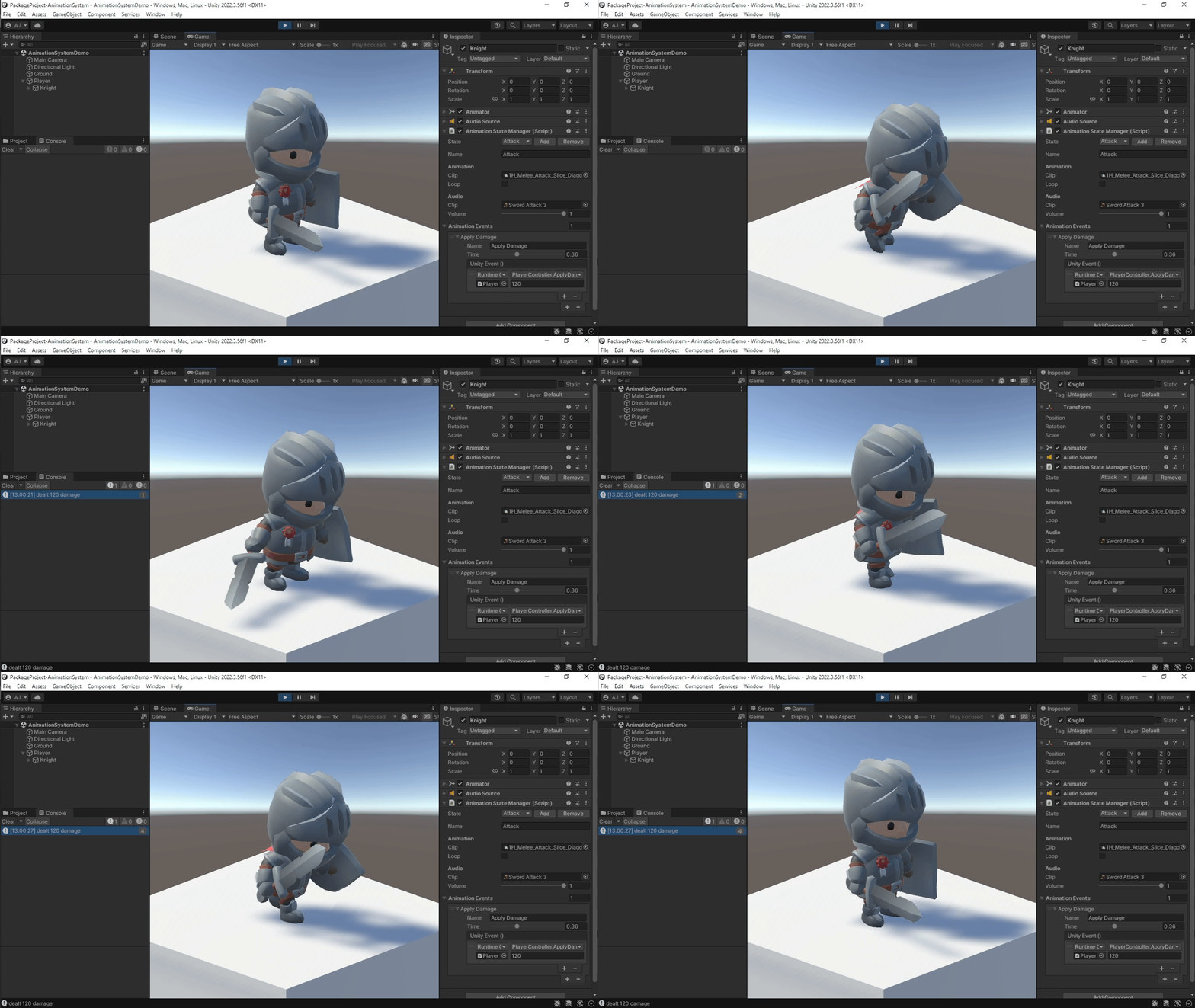
See the package's sample for demonstration.
🧩 Installation
- Open your Unity project.
- Navigate to Window > Package Manager.
- Click the + button in the top-left corner, and select "Add package from git URL...".
- Paste the following Git URL:
https://github.com/igooose/Unity-AnimationSystem.git/?path=Assets/AnimationSystem - Click Add to install the package.
Comments
No comments yet. Be the first!
Sign in to join the conversation
Sign In