YOLOX
High performance object detector based on YOLO series for Unity Engine.
ai.natml.vision.yolox 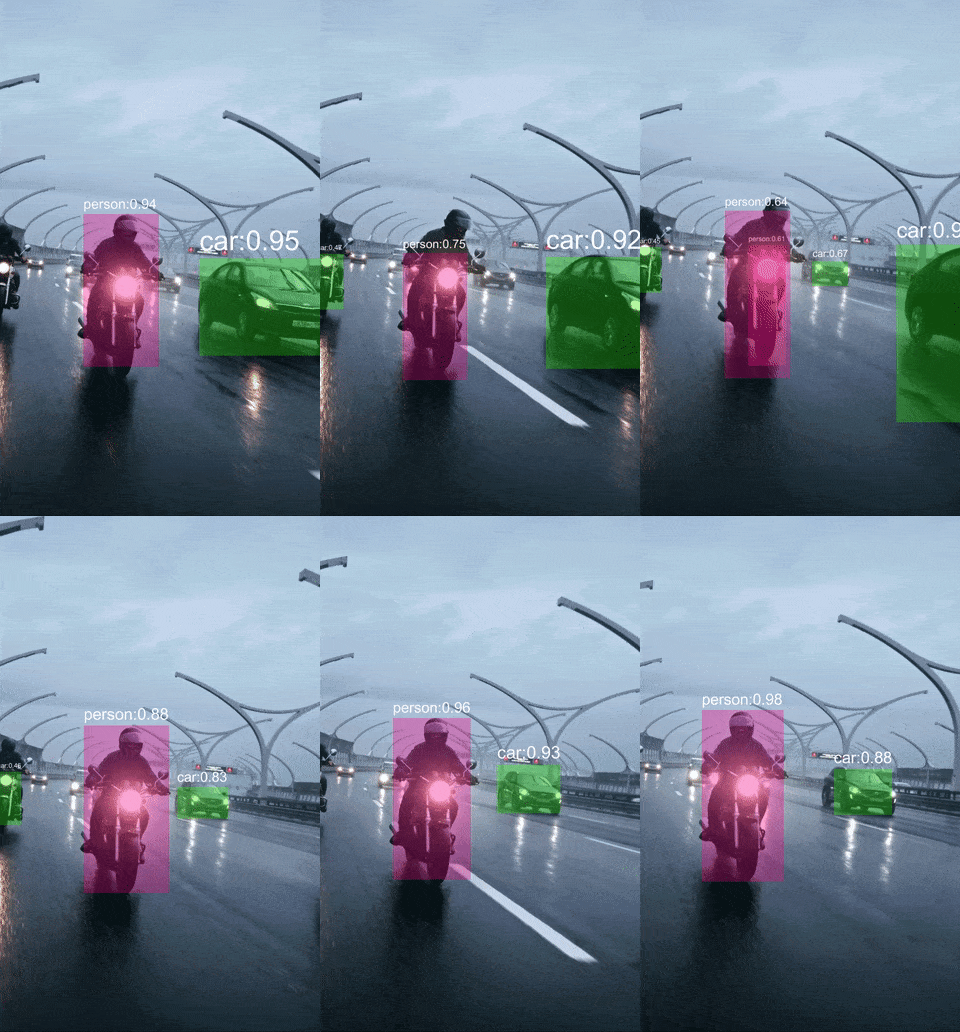
Install via UPM
Add to Unity Package Manager using this URL
https://www.pkglnk.dev/yolox.git?path=Packages/ai.natml.vision.yolox README Markdown
Copy this to your project's README.md
Style
Preview 
## Installation
Add **YOLOX** to your Unity project via Package Manager:
1. Open **Window > Package Manager**
2. Click **+** > **Add package from git URL**
3. Enter:
```
https://www.pkglnk.dev/yolox.git?path=Packages%2Fai.natml.vision.yolox
```
[](https://www.pkglnk.dev/pkg/yolox)Dependencies (1)
README
YOLOX
High performance object detector based on YOLO series.
Running the Sample
Retrieve your access key from NatML Hub and add it to your Project Settings:

Using the Predictor in a Different Project
See the predictor README for more details.
Requirements
- Unity 2021.2+
Supported Platforms
- Android API level 24+
- iOS 14+
- macOS 10.15+ (Apple Silicon and Intel)
- Windows 10+ (64-bit only)
- WebGL:
- Chrome 91+
- Firefox 90+
Resources
- Join the NatML community on Discord.
- See the NatML documentation.
- Check out NatML on GitHub.
- Contact us at hi@natml.ai.
Thank you very much!
Comments
No comments yet. Be the first!
Sign in to join the conversation
Sign In