yondulib
yondulib enables sound-based input control for Unity games, allowing developers to implement whistle and clap detection as gameplay mechanics. Built for Intel 64-bit desktop platforms, it includes an FPS demo with customizable audio controls through Unity's Input Action Asset system. Requires Unity 2020.3.5f1 or later.
com.nugo.yondulib 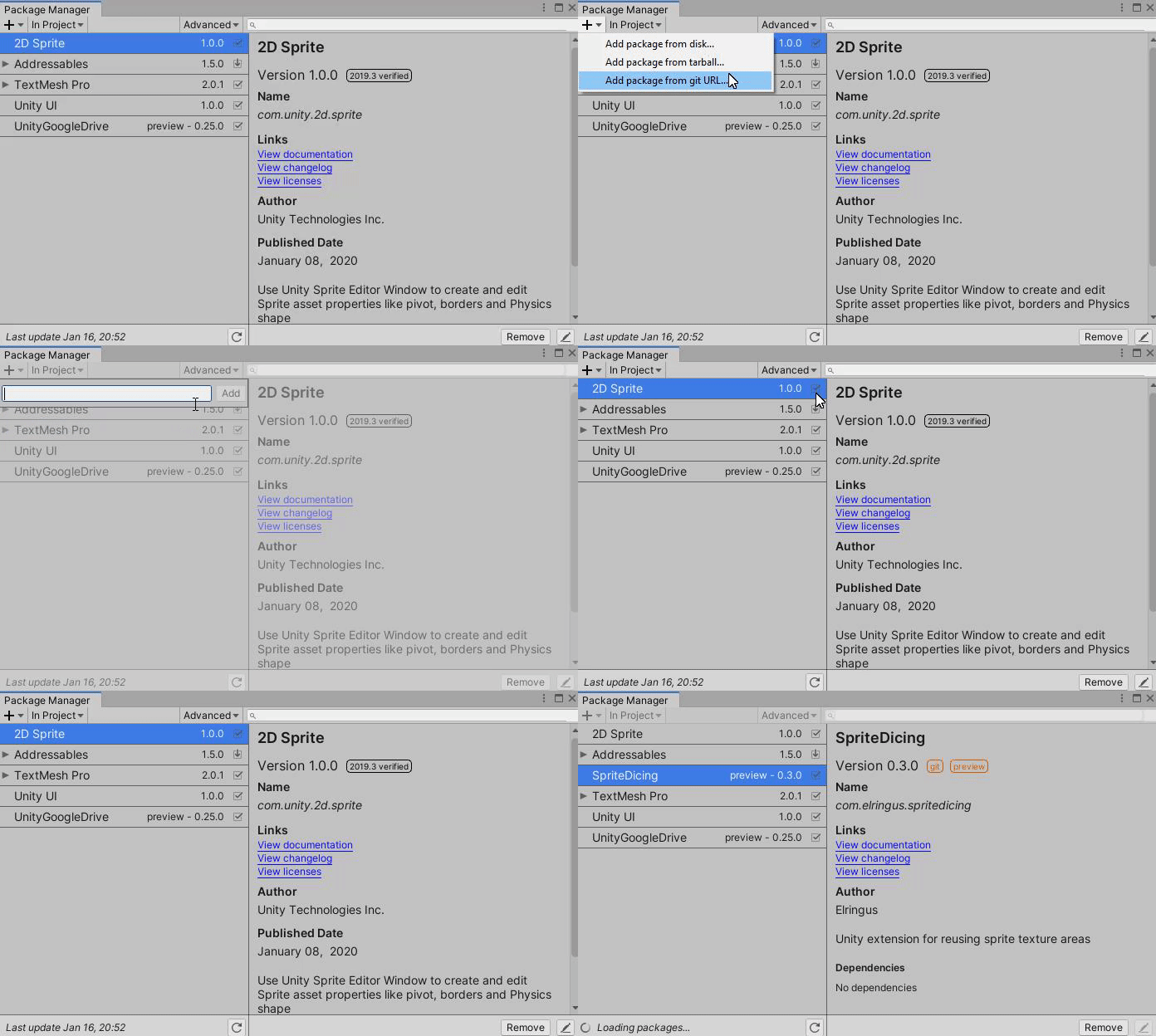
Install via UPM
Add to Unity Package Manager using this URL
https://www.pkglnk.dev/yondulib.git README Markdown
Copy this to your project's README.md

## Installation
Add **yondulib** to your Unity project via Package Manager:
1. Open **Window > Package Manager**
2. Click **+** > **Add package from git URL**
3. Enter:
```
https://www.pkglnk.dev/yondulib.git
```
[](https://www.pkglnk.dev/pkg/yondulib)Dependencies (5)
README
yondulib
System Requirements
- Unity 2020.3.5f1 or later
- Intel 64-bit desktop platforms (Windows, macOS, Linux)
How To Install
This package uses the scoped registry feature to resolve package
dependencies. Please add the following lines to the manifest file
(Packages/manifest.json).
.NET Standard 2.0 (Unity 2021.1 or earlier)
To the scopedRegistries section:
"scopedRegistries": [
    {
      "name": "Unity NuGet",
      "url": "https://unitynuget-registry.azurewebsites.net",
      "scopes": [
        "org.nuget"
      ]
    },
    {
      "name": "Keijiro",
      "url": "https://registry.npmjs.com",
      "scopes": [
        "jp.keijiro"
      ]
    }
  ]
.NET Standard 2.1 (Unity 2021.2 or later)
To the scopedRegistries section:
"scopedRegistries": [
    {
      "name": "Keijiro",
      "url": "https://registry.npmjs.com",
      "scopes": [
        "jp.keijiro"
      ]
    }
  ]
Use Unity Package Manager to install the package via the following git URL: https://github.com/nubango/yondulib.git
How to download FPS Demo
The plugin contains an example of yondulib usage that you can download into your project from the Package Manager window of Unity. The sample is called FPS Shooter Demo and contains a test scene where you control a character in first person. You move forward with whistles and shoot with finger clicks or claps.

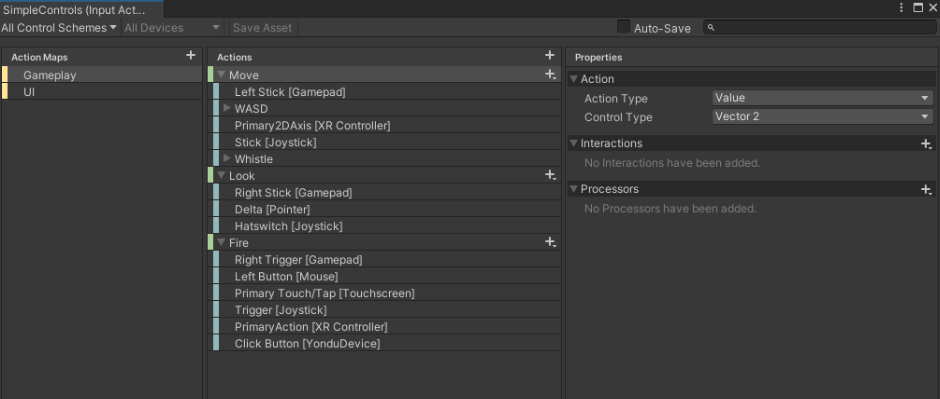
To change the controls that make the actions, just open the SimpleControls file (Input Action Asset) and add or remove controls in the action editor.
Additional information
This repository, together with that of the complete project (yondulib-project) is part of the Final Degree Project: "Yondulib: Tool for using sounds as inputs for Unity videogames".
Created by Gonzalo Alba Durán and Nuria Bango Iglesias for the Complutense University of Madrid, directed by Manuel Freire Morán.
No comments yet. Be the first!