Auto Translate for Unity Localization
Auto translation plugin allows you to translate a project in just one click, thanks to other automation systems, such as loсalization system unity and google cloud translator. Main features: • Translation of text into hundreds of languages to choose from; Use 'Window/Auto localization/Auto Translate for String Tables' • Automatic search text for translation in scenes or project prefabs. Use 'Window/Auto Localization/Search Text' • Automatic search files for translation in scenes or project prefabs. Use 'Window/Auto Localization/Search Textures' Use 'Window/Auto Localization/Search Audio'
com.maksymhernets.autotranslateforunitylocalization 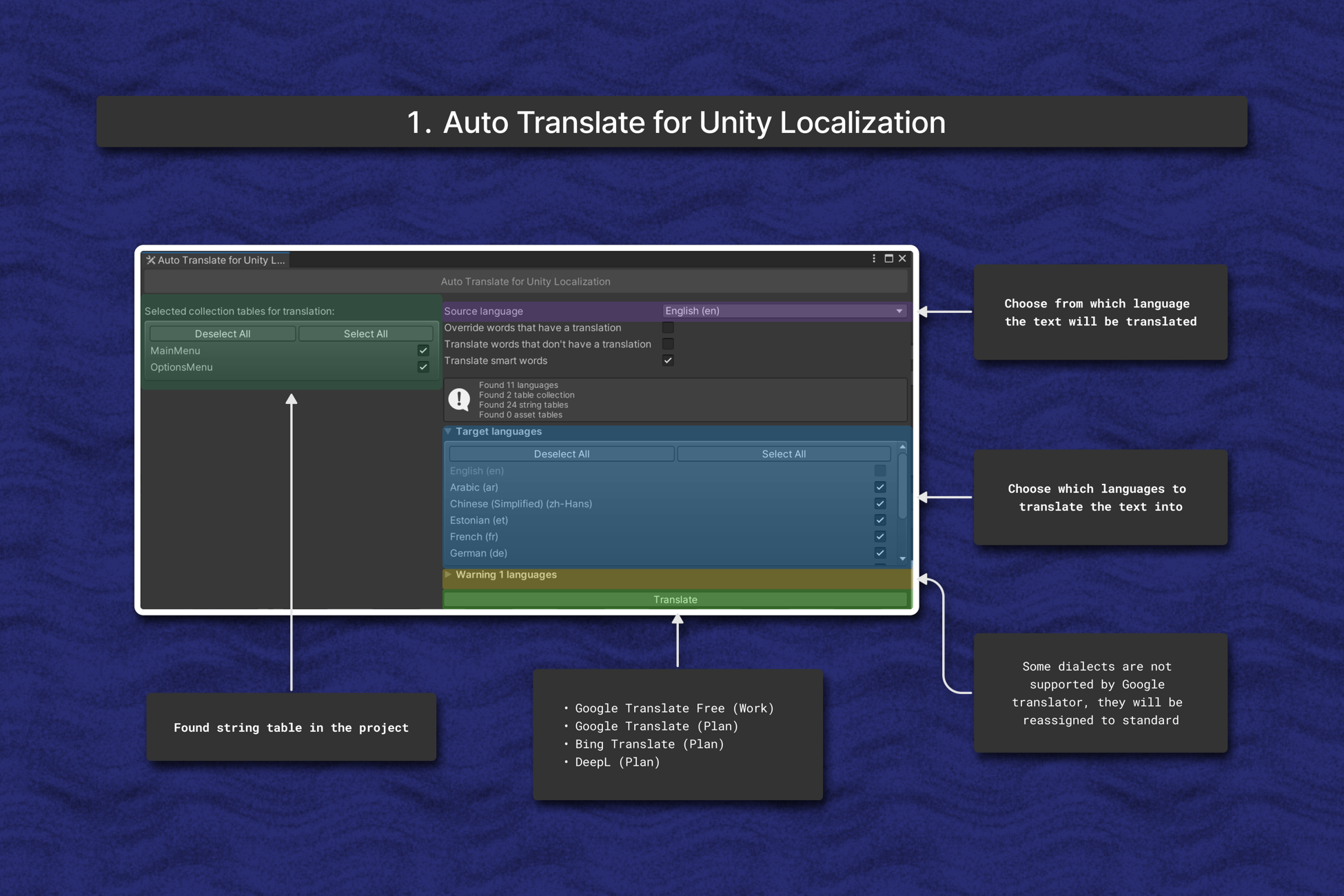
Install via UPM
Add to Unity Package Manager using this URL
https://www.pkglnk.dev/autotranslateforunitylocalization.git?path=Assets README Markdown
Copy this to your project's README.md

## Installation
Add **Auto Translate for Unity Localization** to your Unity project via Package Manager:
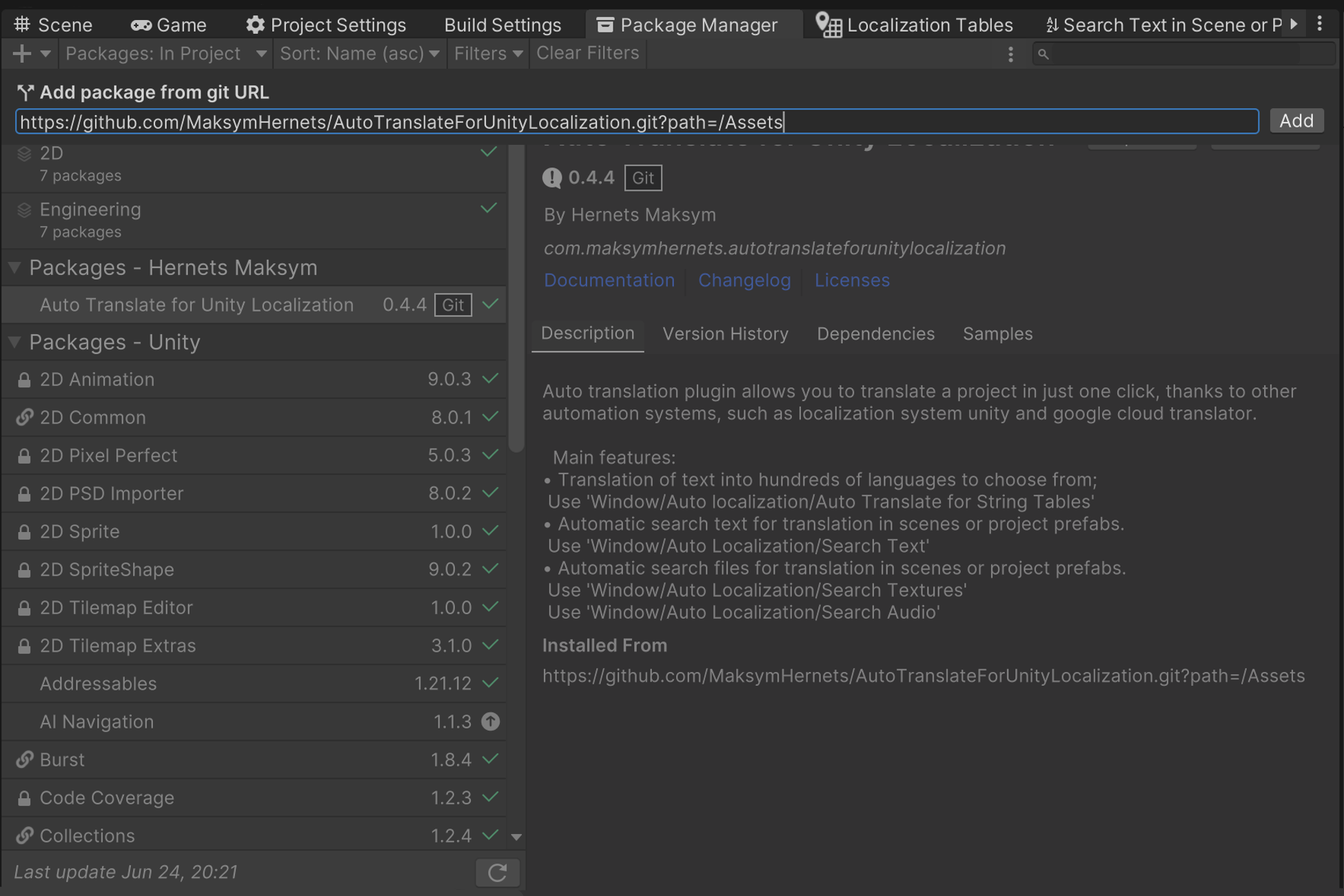
1. Open **Window > Package Manager**
2. Click **+** > **Add package from git URL**
3. Enter:
```
https://www.pkglnk.dev/autotranslateforunitylocalization.git?path=Assets
```
[](https://www.pkglnk.dev/pkg/autotranslateforunitylocalization)Dependencies (3)
README
Auto Translate For Unity Localization
Compatibility Unity 2023.2.20f1 or high
This tool allows you to translate the game into other languages, using free google translators and unity localization. Also allows you to find in the project, the text to add to the table.
Where to begin?
You can get the plugin through the unity package manager using the link: https://github.com/MaksymHernets/AutoTranslateForUnityLocalization.git?path=/Assets
Also, this plugin can be found on the unity asset store, here is the link:
https://assetstore.unity.com/packages/tools/localization/auto-translate-for-unity-localization-212842
Functions currently available:
- Translation of words and smart words in string tables;
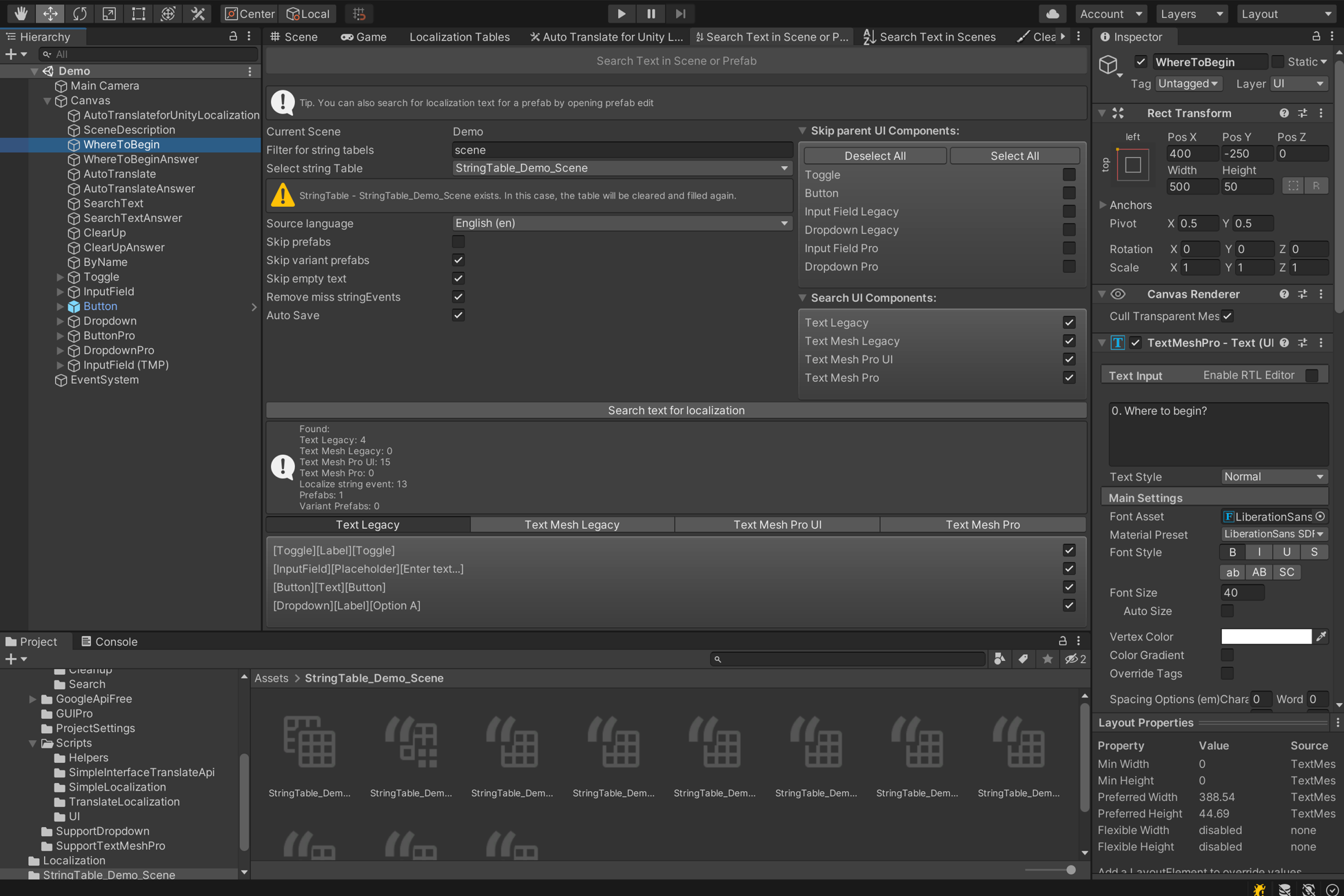
- Finding text components in a scene or prefab to add localization;
- Adaptation of language dialects for Google translator;
- Cleaning up localization in scenes and prefabs;
- Supports native unity command "Undo";
- Tutorial scene.
Known issues and how to solve them
- During automatic translation, an error occurs or the result is empty. The solution is to select the option to translate one entity at a time, rather than the entire table at once. This way, the process takes longer, but the result is accurate, but free attempts end faster.
- Cannot find text in disabled objects. Enable objects before searching.
- The checklist for selecting to add localization does not work correctly.
- The search or translation result is not saved in tables after the project is closed.
Package dependencies:
- Localization 1.4.5
- Addressables 1.21.21
- TextMeshPro 3.0.6
Supported components for text search:
- Text Legacy ( Possible to skip -> Button, Toggle, Input Field, Dropdown);
- Text Mesh Legacy;
- Test Mesh Pro UI ( Possible to skip -> Button, Toggle, Input Field, Dropdown);
- Test Mesh Pro.
Plans to add to the package:
- Add text translation on textures;
- Add Translation of Audio Files;
- Add documentation;
- Add unit tests.
What's new?
https://github.com/MaksymHernets/AutoTranslateForUnityLocalization/blob/master/Assets/CHANGELOG.md
Screenshots
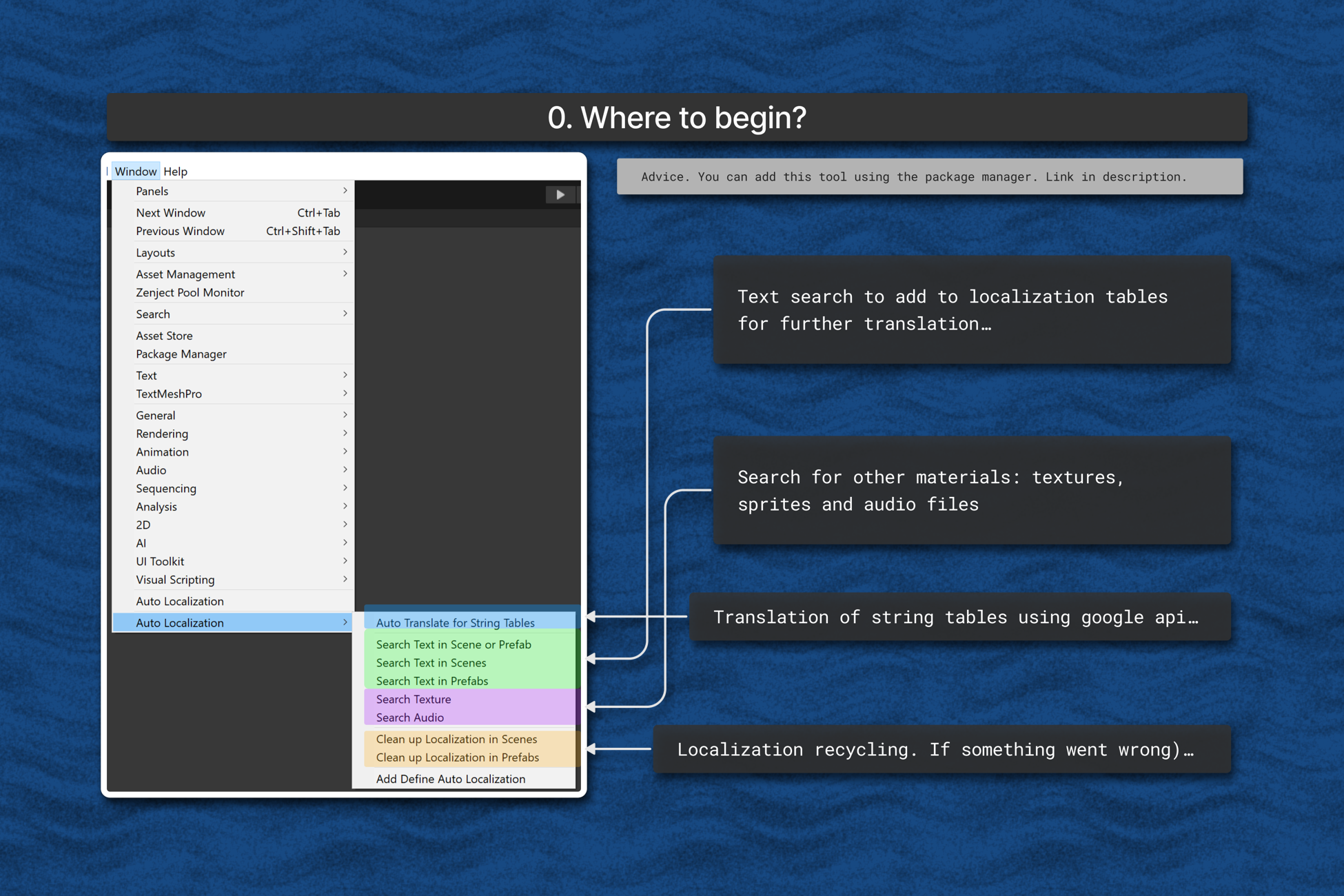
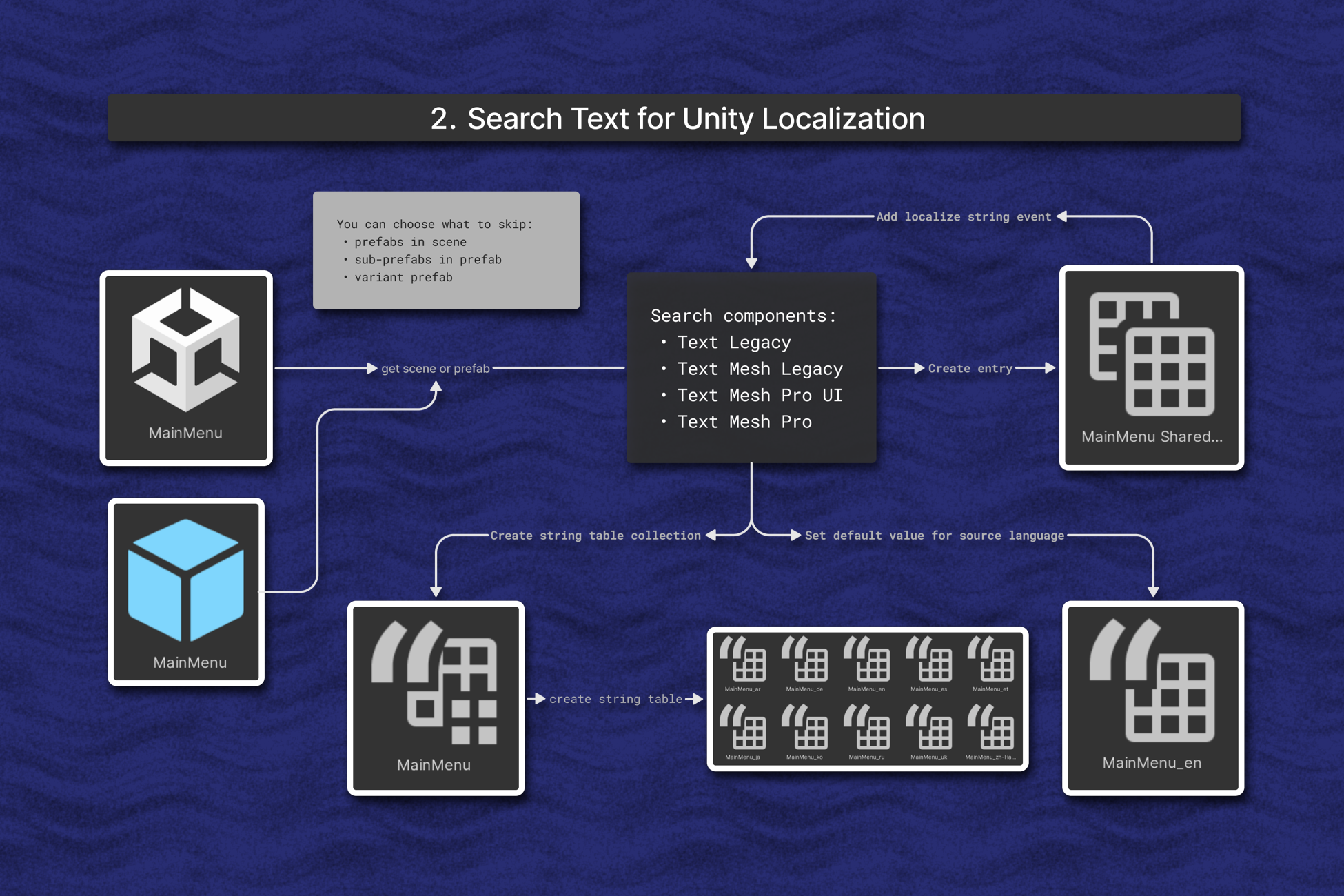
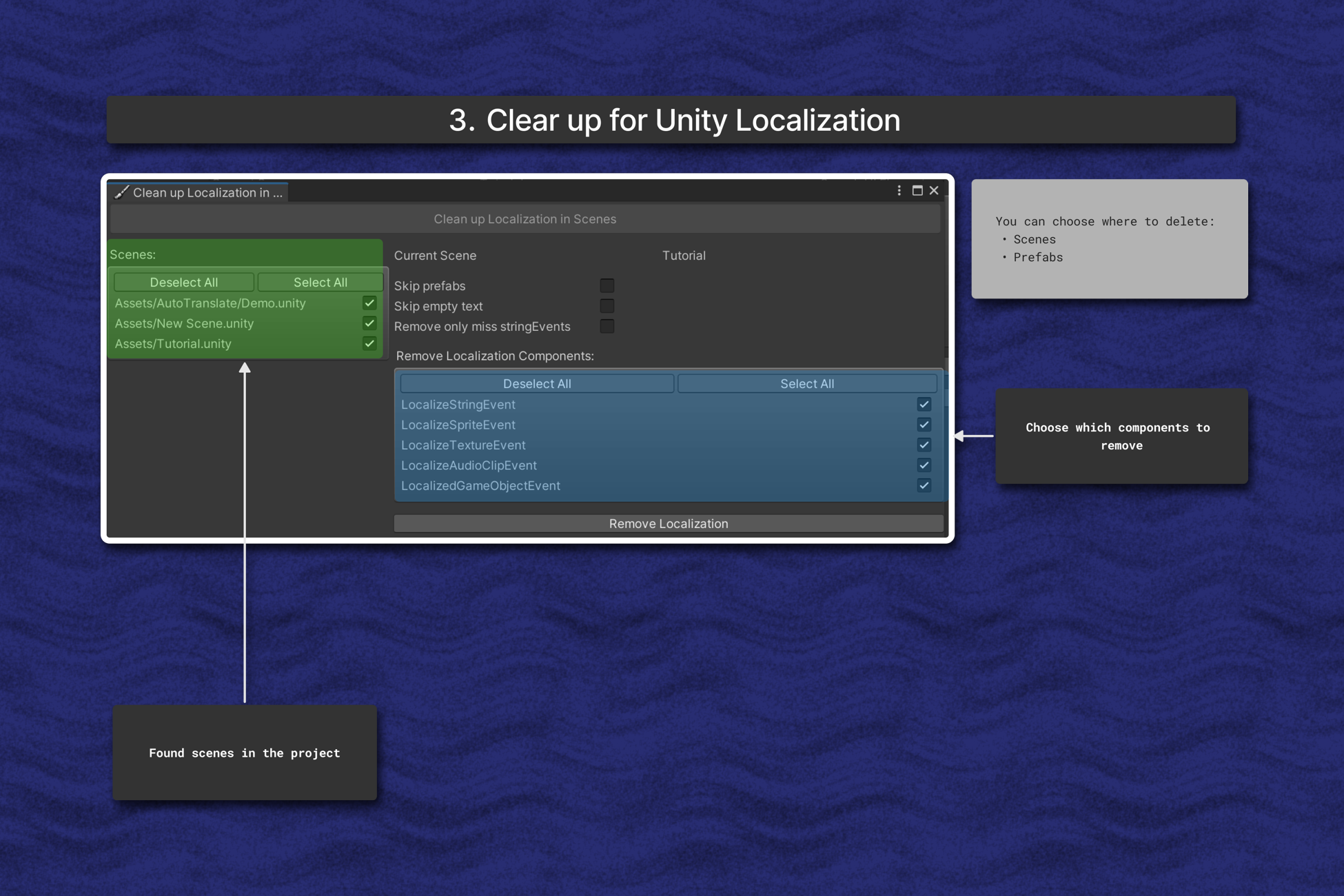
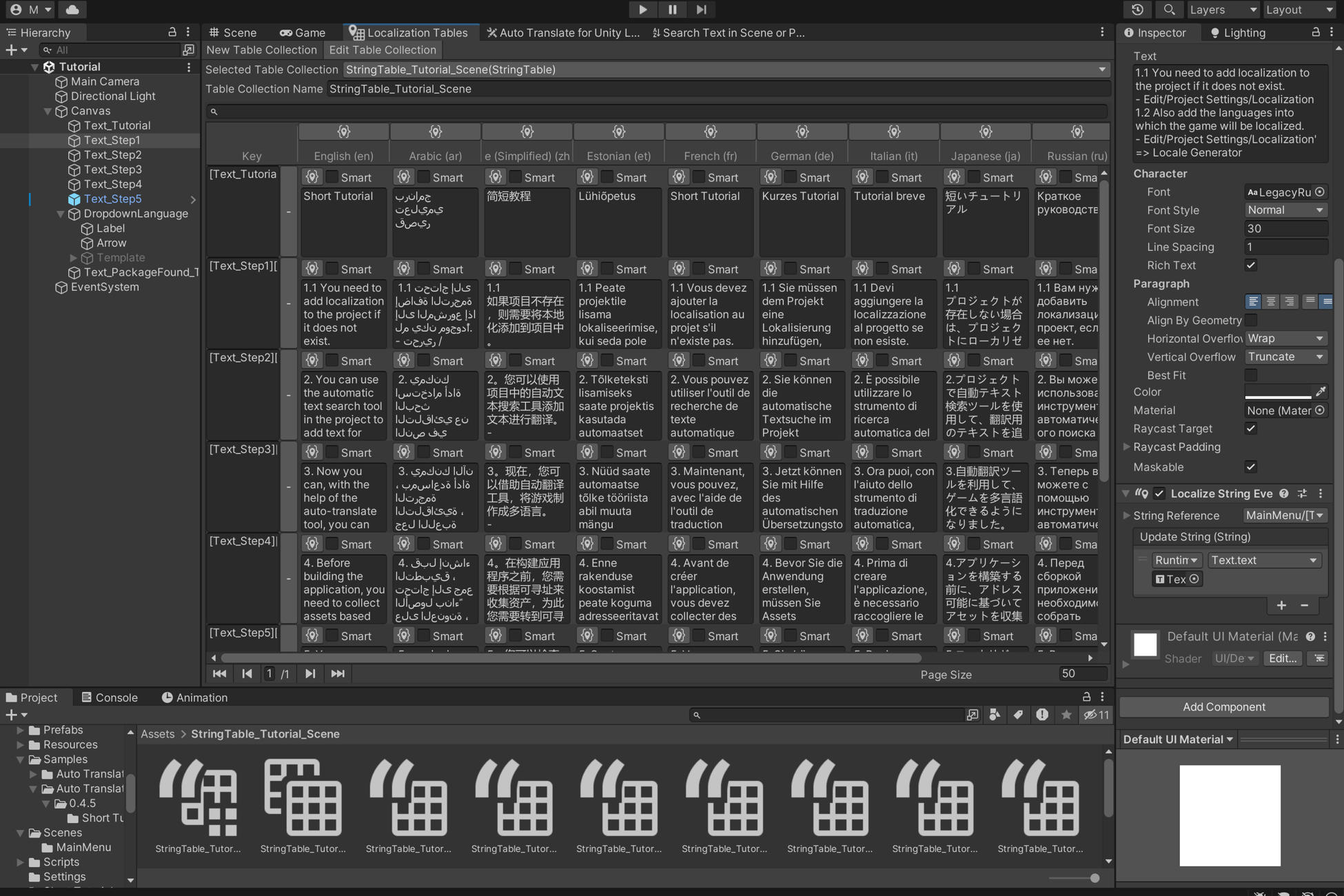
As a result, thanks to the plugin, you can save a lot of time.
Package Manager
Search Text Scene or Prefab
No comments yet. Be the first!