Icon Generator
Automatically generates unique app icons at build time with product name, timestamp, and version information embedded. Customize icon colors based on version numbers or randomize them, set manual backgrounds, adjust resolution, and toggle automatic generation as needed to easily distinguish between builds during development and testing.
ch.elhodel.icon-generator 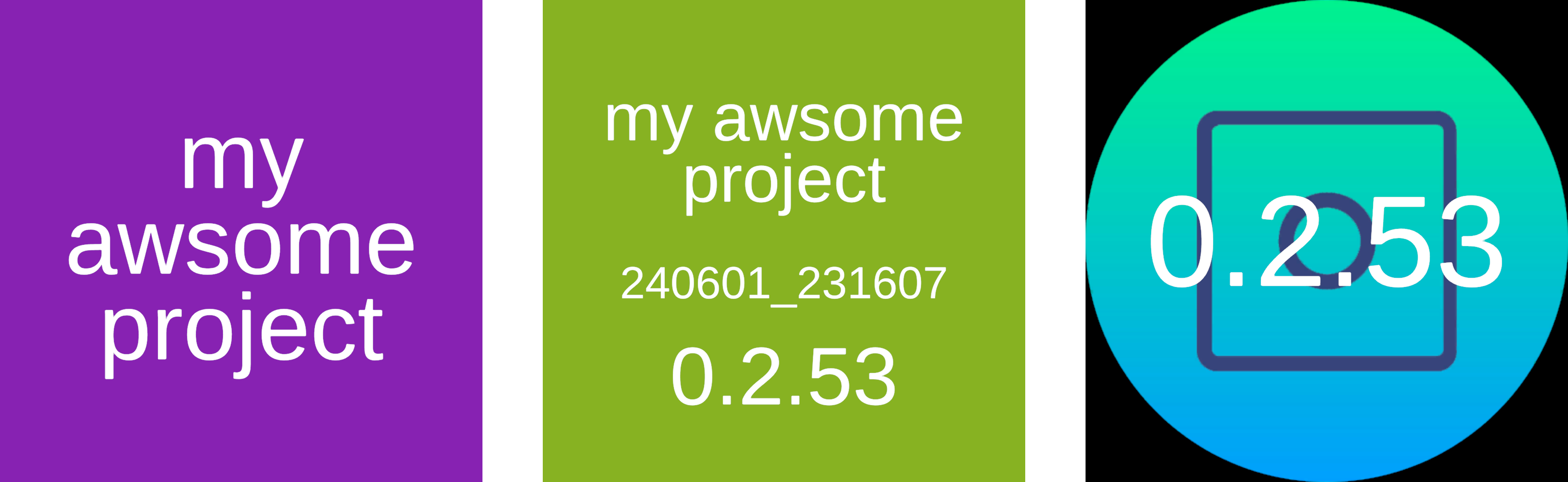
Install via UPM
Add to Unity Package Manager using this URL
https://www.pkglnk.dev/icon-generator.git README Markdown
Copy this to your project's README.md

## Installation
Add **Icon Generator** to your Unity project via Package Manager:
1. Open **Window > Package Manager**
2. Click **+** > **Add package from git URL**
3. Enter:
```
https://www.pkglnk.dev/icon-generator.git
```
[](https://www.pkglnk.dev/pkg/icon-generator)Dependencies (2)
README
Icon Generator
Simple Icon Generator for Unity that generates new Icons for your App based on Product name, Timestamp and Version every time you build to easily distinguish which Version you have currently installed.
Features
- Generate icon and include product name, timestamp and version every time you build
- Change Icon color based on version number or get a random color
- Set a manual background
- Set resolution
- Disable automatic generation
Examples
Installation
The Package is hosted on UPM (https://openupm.com/packages/ch.elhodel.icon-generator/) there are different ways to install the package:
Add a scoped registry in the Project Settings and then select the package in the package manager:
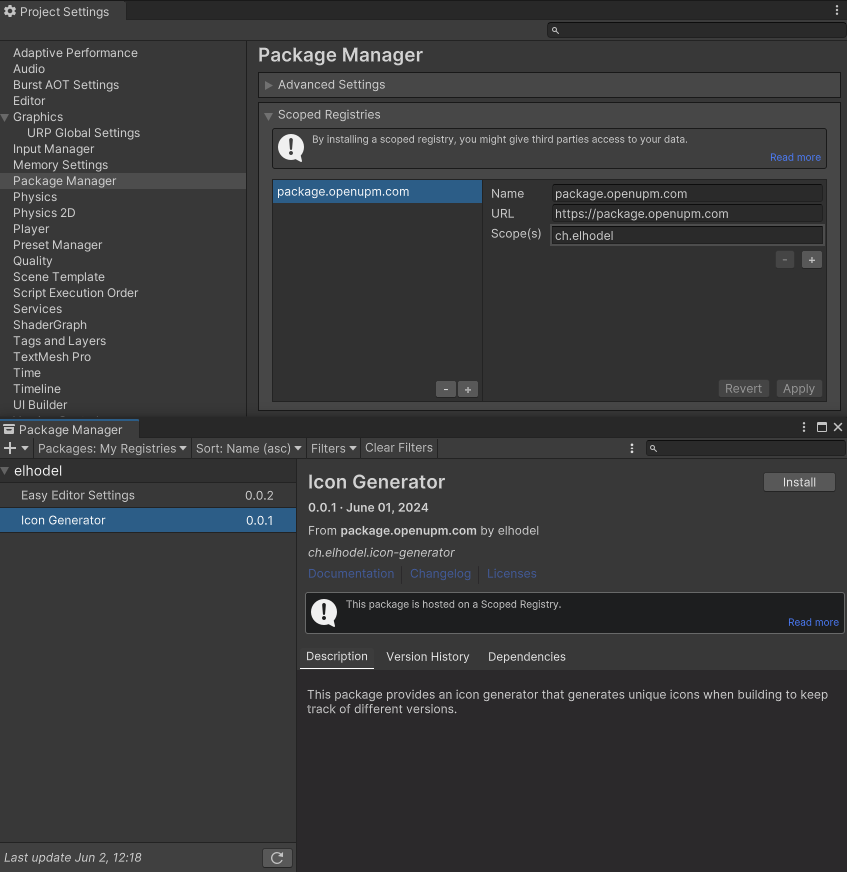
Name:
package.openupm.comURL:
https://package.openupm.comScope: `ch.elhodel
Use the UPM CLI:
openupm add ch.elhodel.icon-generatorFor more details check UPMs Guide: https://openupm.com/docs/getting-started-cli.htmlManually add it to the manifest.json: Merge this snippet in your projects manifest.json:
{
    "scopedRegistries": [
        {
            "name": "package.openupm.com",
            "url": "https://package.openupm.com",
            "scopes": [
                "ch.elhodel"
            ]
        }
    ],
    "dependencies": {
        "ch.elhodel.icon-generator": "0.0.1"
    }
}
Dependencies
Uses my other Project Easy Editor Settings for the Settings
Uses TextMesh Pro for Text
No comments yet. Be the first!