Hestia | Unity Material Library
unity material loader ui for online sources of materials
com.github.oparaskos.unity.hestia.material.importer 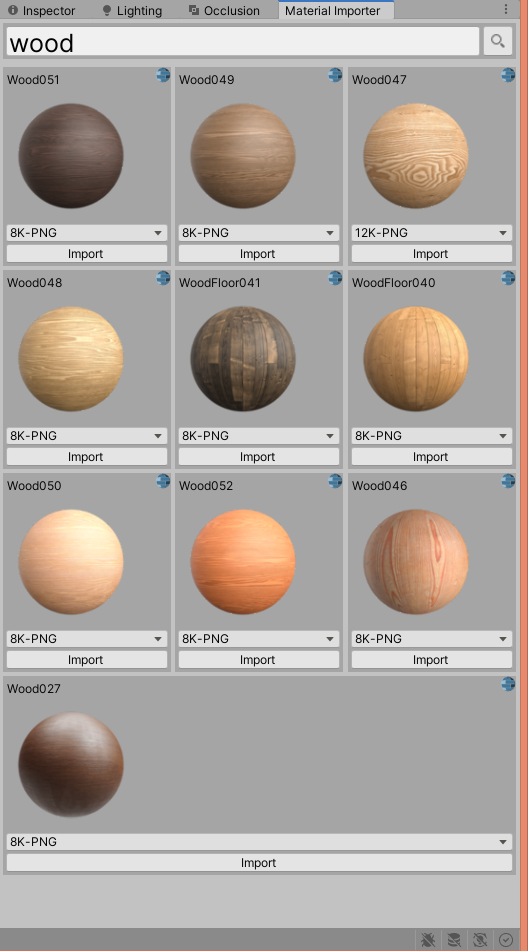
Install via UPM
Add to Unity Package Manager using this URL
https://www.pkglnk.dev/importer.git README Markdown
Copy this to your project's README.md
Style
Preview 
## Installation
Add **Hestia | Unity Material Library** to your Unity project via Package Manager:
1. Open **Window > Package Manager**
2. Click **+** > **Add package from git URL**
3. Enter:
```
https://www.pkglnk.dev/importer.git
```
[](https://www.pkglnk.dev/pkg/importer)Dependencies (2)
README

Hestia | Unity Material Library UI
material loader ui for Unity for online sources of materials
**Import materials within the editor from **
Generate Materials for lit shaders in HDRP, URP and Standard render pipelines.
Using Git
Make sure the Git client is installed on your marchine and that you have added the Git executable path to your PATH environment variable.
Navigate to %ProjectFolder%/Packages/ and open the manifest.json file.
in the "dependencies" section add:
{
  "dependencies": {
      ...
      "com.github.oparaskos.unity.hestia.material.importer": "git+https://github.com/oparaskos/unity-material-library.git#0.1.3",
      ...
  }
}
Find more information about this here.
TODO:
- Imported materials still look a little bit funky.
- Package up into a unity package
- write some tests
- Support additional sources.
Comments
No comments yet. Be the first!
Sign in to join the conversation
Sign In