kMirrors
Kink3d/kMirrors 592
Planar reflections for Unity's Universal Render Pipeline.
com.kink3d.mirrors 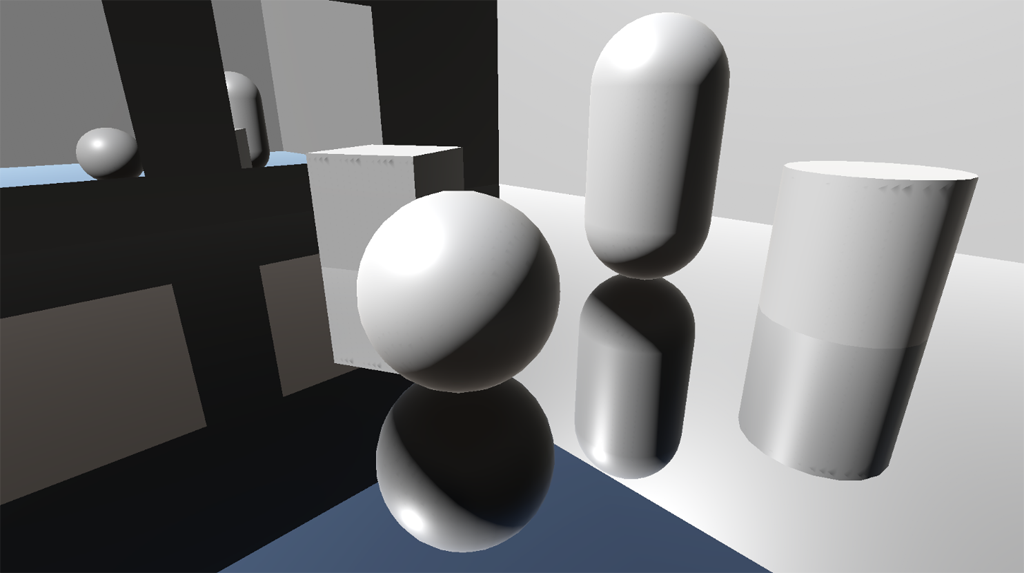
Install via UPM
Add to Unity Package Manager using this URL
https://www.pkglnk.dev/mirrors.git README Markdown
Copy this to your project's README.md
Style
Preview 
## Installation
Add **kMirrors** to your Unity project via Package Manager:
1. Open **Window > Package Manager**
2. Click **+** > **Add package from git URL**
3. Enter:
```
https://www.pkglnk.dev/mirrors.git
```
[](https://www.pkglnk.dev/pkg/mirrors)Dependencies (1)
README
kMirrors
Planar reflections for Unity’s Universal Render Pipeline.
An example of global and local reflections.
kMirrors is a system for defining and rendering planar reflection cameras in Unity's Universal Render Pipeline. It supports Global mode, where a single reflection camera can be used across an entire scene (useful for water and other large reflective surfaces) and Local mode, where a list of Renderers can be defined to receive reflections (useful for smaller surfaces like wall mirrors).
Refer to the Wiki for more information.
Instructions
- Open your project manifest file (
MyProject/Packages/manifest.json). - Add
"com.kink3d.mirrors": "https://github.com/Kink3d/kMirrors.git"to thedependencieslist. - Open or focus on Unity Editor to resolve packages.
Requirements
- Unity 2019.3.0f3 or higher.
No comments yet. Be the first!